School Jotter has just released its latest frontend update for October 2025, bringing a number of exciting new features and improvements to the platform. Here are some of the highlights:
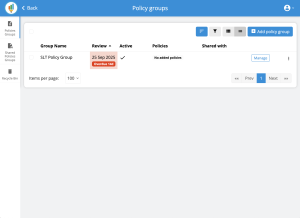
 Policy Alerts: Need to be reminded when your policy is up for renewal? Our New Policy Feature allows you to now set a date of when you need to be alerted to re-visit this policy. It also has the ability for you to select a policy and assign it to multiple schools within your Trust on the MAT Dashboard. This is a great tool to keep on to of your policies and to be reminded when they need updating in line with Ofsted Compliance.
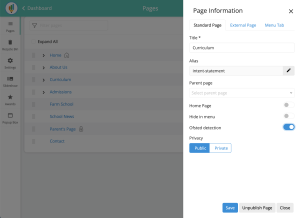
 Ofsted Detection: Within your Jotter 3 CMS System, you will now have the availability to turn on the new feature which can be found within the page information settings:
- Within your page settings, click the three dots on the right side of the page.
- You will then be able to turn on the Ofsted detection button for the relevant pages that you wish for this to be active on.
- Click Save.
- School Jotter will then email you when alerted of Ofsted activity
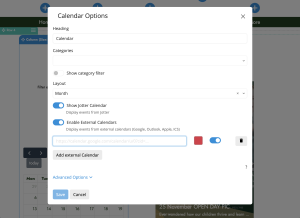
 Calendar Sync: If you are wanting to display all upcoming events on your calendar without having to manually add them on, you can now sync your website calendar with an external parent facing calendar to avoid duplicating your workload.
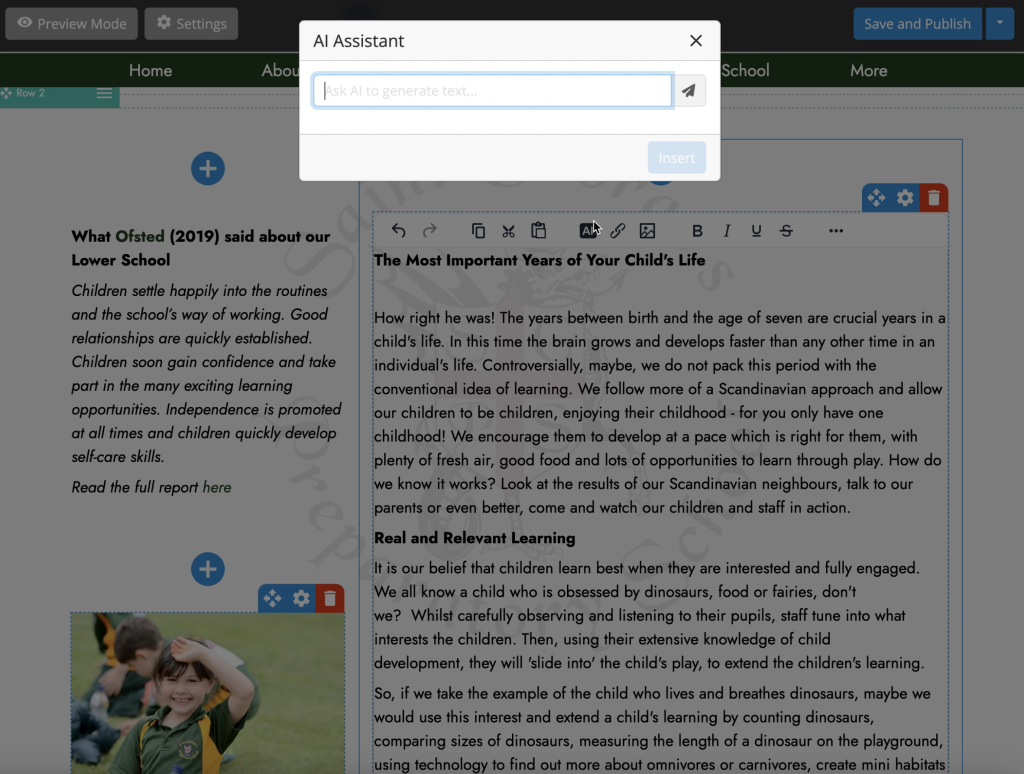
 Ai Content Writer: Our easy-to-use School Website CMS now features AI. Create AI driven content within your website editor page to ensure your website is always kept up to date! School Jotter 3 keeps it fresh and compliant—automatically.
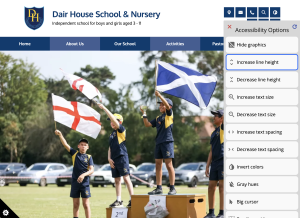
 Accessibility: You may have already seen a new dark blue icon inthe bottom right hand of your live website. This icon is our new accessibility feature! These enhancements allow people with visual impairments, motor impairments, or those who prefer keyboard access to:
- Increase or decrease the size of text
- Adjust line spacing / text spacing
- Switch to a high contrast mode (for better readability)
- Use keyboard (Tab, Arrow keys, Enter, etc.) to navigate menus, links, forms, instead of relying on a mouse
- Access image descriptions via alt text with screen readers