Building a great new website for you school

Published: January 6, 2020

Your website provides a vital link between staff and parents, school and home – or at least it should. There are so many templates schools can use to build a website quickly and easily but many of these could be outdated. They can often look old-fashioned and may be hard for parents to find their way around. So if you’re considering a new website for your school, how can you make sure to build a site that you can be proud of? Here are five key factors to consider. 

Web statistics

Why do people come to your website? Website statistics tell you how many visitors you’ve had, which pages they visited, how long they’ve spent on each page and much more. Once you know what people are looking for, you can make sure key information is easy to access. But you can only do that when you know the stats – so make sure your website design company offers access to them and presents them in an easy-to-understand way (Webanywhere does this! [https://www.schooljotter.com/school-websites/]). Use this data to identify the information that is viewed the most and structure your website in relation to the traffic – reducing click rate.

Easy navigation

There’s nothing more frustrating than a website with poor navigation, especially when you’re using your smartphone or tablet. If we can’t find what we want straight away, we generally give up and go elsewhere. This is the same for parents, if they can’t find something in 3 clicks or less, they are likely to get frustrated and call the school office for information. Make sure you have a simple navigation structure that makes it easy to find key information. Again, choose a web design company like Webanywhere who provide simple, straightforward navigation tools.

Keep it ‘above the fold’

Imagine a newspaper, folded in half. Where does the editor put the biggest, most important headline? On the top half of the front page, above the fold … And that’s the most important area of your website too. Think about what you want visitors to do when they land on your site – subscribe to a newsletter, request a prospectus, download a form? Put that CTA – call to action – on the top half of your homepage, and it’s the first thing people see – and the first thing they are likely to do. 

Keep it updated

There’s nothing worse than being out of date, yet so many schools’ websites look like they’ve not been updated for years. A fresh, modern design using your school colours and badge gives visitors a great first impression. It’s not all about looks though – make sure your key information, like contact details, staff directories and term dates, are up to date too. It’s also vital to keep updated with ofsted requirements, such as keeping evidence of current and previous curriculum – a website is the perfect tool for this.

Encourage repeat visits

Finally, encourage people to visit the website by adding new content on a regular basis. Newsletters, field trip reports, photo galleries, a calendar and a blog all help you connect with parents and keep people coming back. 

Free Mobile App Competition! | Webanywhere Blog

Published: December 12, 2019

We’re running a competition to win a free mobile app for schools across the country. All you have to do to enter is get your pupils to create a design showing how they would like your school app to look. We’re accepting 3 designs per school so why not get every class involved, pick your final designs then send them through to marketing@webanywhere.co.uk.

The School Jotter app pushes information straight from your websites through to parents’ phones, using push notifications, so they’re always up to date with what’s going on in your school. This saves time, increases parental engagement and can even help you go paperless, with integrated newsletter and notice functions.

All entries must be submitted by 14th February 2020 for your chance to win!

Click here to download the entry form

How Multi Academy Trusts (MATs) Can Improve Communications with Parents

Published: May 30, 2019

Multi Academy Trusts is an academy trust that operates more than one academy school. They differ from state schools as the academy can decide what the money funded by the government can be spent on. Communicating with parents is essential for teachers to be successful.
It is so important to have a teacher, parent connection for positive results during the child’s school life. Research shows that parental involvement can free teachers to focus more on the task of teaching children. There has to be a balance though. The parent has to communicate not just the bad but the good.
For example, schools who communicate with parents about bad performance can discourage parent involvement by making parents feel they cannot help their children. However, substantial evidence exists showing that parent involvement benefits students, including raising their academic achievement. There are other advantages too such as increasing motivation for learning, improved behavior, more regular attendance, and a more positive attitude about homework and school in general.
With multi-academy trusts (MATs) there are ways they can improve communications to help to achieve the best results possible. As society changes so does the ways of communication:

  • School Jotter, in the UK, School Jotter is revolutionising the way school websites are built. Thanks to this app, students and parents can access vital information they may need. There is no excuse for “the dog chewed up my homework” anymore!

  • Alexa, MATs can use Alexa to remind them that there is homework due on a certain day. The school can set reminders and you can put notifications on to alert you what they’re wanting to communicate with you about.
  • Facebook, we may as well make use out of social media. Schools could create groups and talk on the ‘live’ if there any important or necessary information that needs to be handed out. For example, in an English class, if the students have been set homework which is rather tricky, the teacher can talk them through. Or if the weather causes the school to close for the day they can alert through parents Facebook.
  • Sound Branch, this may be more efficient for schools as sometimes people can be skeptical about Facebook. Sound Branch will allow parents to put in voice notes in a closed group which they can send information too. This can be seen as more professional as it is suited for everyone. The notification will pop up on your phone in text and then you can press the play button to hear it out loud.

Keeping them up to date about behaviour and how well the student is doing academically on parents evening are essential. Communicate and seeing which way the parent prefers to be contacted then it feels like a more personal level. When the parent feels comfortable they will respect you more themselves and want their child to respect the teacher.
Also having the option for the parent to get in touch with a particular teacher can be beneficial. Keeping parents updates on how well they are doing with their homework.
Keeping it traditional as well with letters is still effective but there are faster ways of communication that can be more cost efficient and better for the environment.
You can find out here what Webanywhere (under education) do to help improve your school, teacher, parent and student communication.

Different types of observation methods in early years of education

Category: Technologies

Published: May 23, 2019

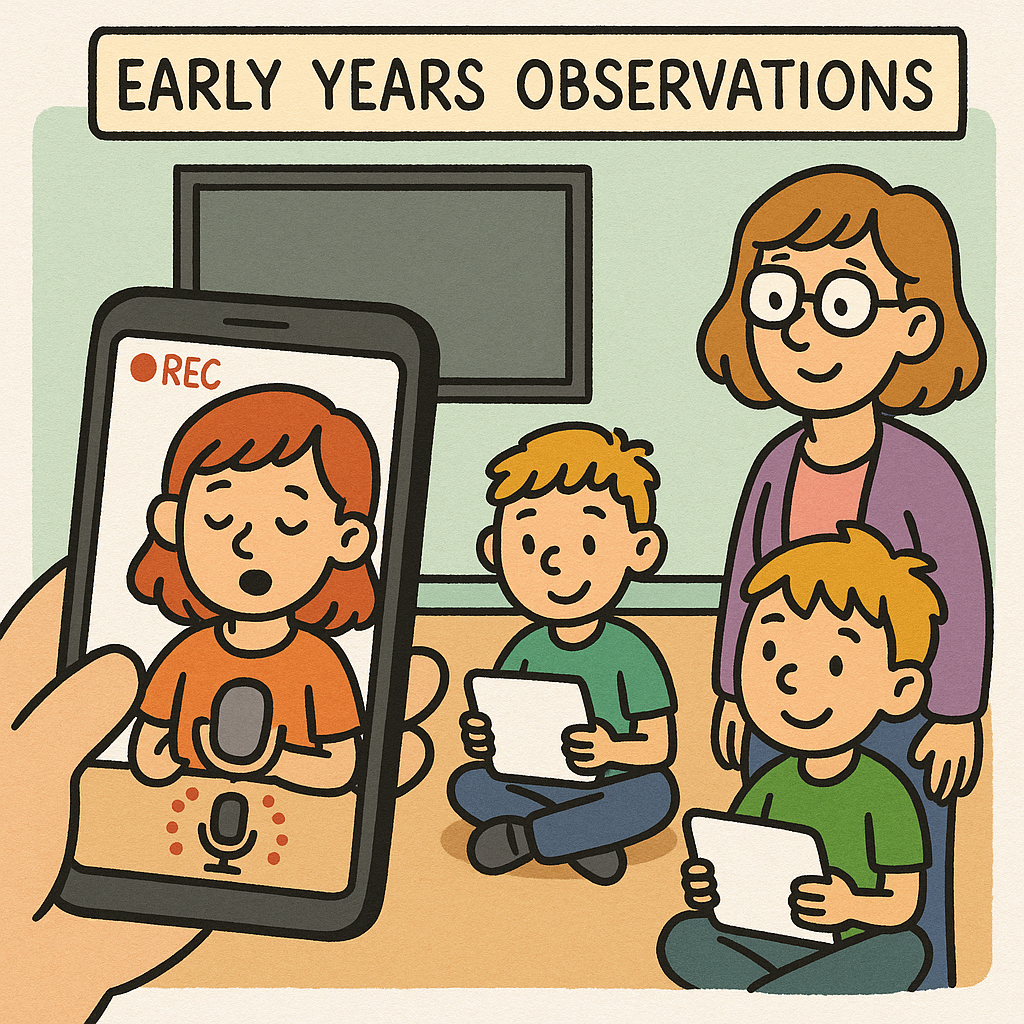
Early Years Observations

Observation is the key to understanding young children and finding out more about them as individuals. It is a fundamental aspect of the assessment and planning cycle, and provides a firm basis for reflection.

The process is crucial in helping parents or practitioners address the needs of early childhood development. Both parties have to work together to understand and meet a child’s individual needs by learning from each other and sharing with one another.

Observation is about watching children and noticing their actions, expressions, behaviours and interactions. You can use Watch and Learn to record, annotate, and securely share these observations with parents and colleagues.

The observations must take place on a regular basis – perhaps daily – in order to provide an insight to how they are developing, what they like doing and what they are learning through their play and life experiences. It’s important for parents and practitioners to share every detail so that it can be decided whether the child’s development is at the expected stage.

Observations of children in early years are vital, as each child has a unique set of abilities and talents. By observing what the child chooses to do and what resources they enjoy playing with provides reliable information about who they are as individuals. Tools like OracyChampions.com also allow children to voice their thoughts, helping teachers assess language and communication skills alongside play-based observations.

It can also provide an opportunity to determine the need of the child and therefore plan the next steps in their learning. To support this process, teachers can access online courses on Learn Anywhere covering observation methods, child development, and planning personalised learning in the EYFS.

To complement professional development, educators can now bring these insights to life with Learner Journey — an AI-powered platform designed to turn early years observations into rich, visual learning stories. Teachers can instantly transform notes, photos, and voice recordings into organised digital pages that document each child’s progress across the EYFS framework. These can be securely shared with parents and colleagues, helping everyone see how children learn and grow over time.

Some examples of what you may find out from observations are:

  • What children enjoy and what their interests are
  • Friendships they may have developed
  • Identifying specific learning needs
  • The child’s well-being
  • Particular areas of development – physical, intellectual, social, emotional
  • To get to know a child better

What are the best types of observation methods in early years of childhood?

Documentation of observations should be recorded regularly and should be as detailed as possible, noting what was seen and heard. Here are some different types of observation methods that will help the needs of early childhood development:

Anecdotal records

This method involves factual accounts of events that have taken place. Anecdotal records should be written in the past tense and cover the three W’s: What, When and Where? Other non-verbal cues such as body language, reactions and facial expressions should be included in an event.

Running records

This method involves noting down what you see and what the child says as it is happening. It should be written in present tense and include as much detail as possible.

Time samples

This involves recording observations about the child’s behaviour and what the child is doing at specific times. This can be done at regular intervals and can be helpful when identifying negative behaviour, as it allows understanding of the context surrounding a situation.

Jottings

This involves jotting down brief sentences detailing important events, behaviours and conversations.

Work samples

Work samples include the child’s paintings, drawings, writings, figures and other crafty creations. You should also take down some notes detailing what the child said or did surrounding these work samples.

Photographs

Images of the child, complete with annotations and descriptions about what was taking place when the image was taken, provide vital insight to who the child is as an individual.

Documenting learning is another way of creating a narrative about the child’s achievements. Providing evidence of a child’s learning recorded through observations and examples of children’s work, kept in a portfolio or folder, is well established in early years.

It is important that in using different observational techniques, parents and practitioners are clear about the purpose of what they are doing and that the observational processes are matched to this aim.

How to monitor children’s development using different methods

To monitor children’s development in early years, you can use various methods. Observe their play, behaviour, and growth regularly. Take note of their physical, cognitive, social, and emotional behaviors. Talk to parents and caregivers to get insights. Use developmental checklists and screening tools. Document their work and projects over time. Track language skills, social and emotional development, and academic progress. Assess physical growth with growth charts. For children with special needs, create individualised plans. Seek expert help if needed. Remember, each child is unique, and development varies, so be patient and attentive to their needs.

Using Audio in Phonics Learning

Published: May 9, 2019

Phonic learning is the method used in schools across the UK to teach children how to read. It involves sounding out words and vowels and “blending” them to demonstrate how different groupings of letters sound together.
Developed in 1570 by John Hart, it became popular for use in education in the 20th century. It’s a tried and true technique, but how could it be made even more effective in the modern age of technology?
Using audio recordings can be a massive help when teaching. It gives teachers a handy tool to assist them in engaging with pupils, and can also be used at home by parents to continue their learning outside of school. There’s multiple methods of doing this, for example videos and music, but you could also use applications like Sound Branch to streamline learning.

Sound Branch is an audio-based social media app which allows its users to record 10 second long voice notes to share with others. With something like phonetics, it’s a great tool; teachers can record themselves saying words and noises and use that to help aid a child’s phonic education.
For example, consonant digraphs (two consonants which together make one sound) can be taught with ease on Sound Branch. Teachers can record themselves saying letter groupings like “ch” and “sh” and demonstrate using them in full words like “chat” and “shop”. Teachers could then let their students use the app to try and form full sentences using what they’ve learned.
It’s important to make sure kids are continuing their learning at home, and Sound Branch can be used anywhere. Parents can keep track of their kids’ progress, and teachers can leave them voice notes so they’re up-to-date and know how to help their children outside of school.
So, if you’re looking for an easy tool to use to teach your kids or pupils how to read, write and ability to identify sounds, have a look at Sound Branch.

6 Ways to Make Your School’s Social Media Posts More Engaging

Published: April 23, 2019

Social media is becoming an essential tool in education and can help with planning lessons, building the school community and staying connected with parents. Many schools want to be more engaging on social media, but struggle to find the time to post the right content around their busy school schedules. Whether it be Facebook, Twitter, Instagram or any other platform, here’s a few tips and tricks to show you how to get the most out of your school’s social media and make posts more engaging.

Automatically schedule your posts

If you’re struggling to find time to post on social media, there are a number of websites you can use to schedule your posts. Handy tools such as Postcron, Buffer and TweetDeck allow you to schedule your posts to upload automatically at a later date, meaning that your social media can stay active even if you are too busy to post.

Quality over quantity

Although it is important to post often, it is much better to focus on the content itself rather than the amount you post. Make sure your posts capture the attention of your audience and keep them engaged, and keep it consistent.

Post at the right time

You need to find the right time to post to make sure that as many people as possible see your content, as this will increase your likes, comments and overall engagement. If the majority of your followers are parents, you are probably better to schedule your posts to the evening rather than during the busy school run, for example.

Use visuals to capture attention

Try to include images or videos alongside text to get your message across more clearly. You could use stock images or design graphics for your school, or perhaps include a ‘meme’ or an inspirational image quote. Our brains are able to process visuals 60,000 times faster than text – so make sure to include them in your posts!

Ask a question

One of the best ways to engage with your followers is to ask them questions, as this keeps them engaged and keeps the conversation going. Take some time to think about the most effective questions you could ask, and mention your followers with an @ when you are asking them questions directly.

Hashtag trending topics

Have a look at which topics are trending in your area, nationally or globally. You can use Twitter or Google Trends. When relevant, tag these along with your comments and post, as this will increase engagement with your followers and spark conversation.

Social Media from a Mum’s Point of View

Category: Tips and Tricks

Published: April 18, 2019

We are now in a completely different society from when I was growing up. Children are now best friends with their phone rather than the children next door. There is more pressure than ever before, popularity is rated by how many likes, views, and retweets you receive from social media. Yet they could be the timidest student in the classroom. How tracking location of someone has become a social norm and meeting up with your friends has turned into drinking coffee whilst sat on phones.
I, like plenty of others mums have an Instagram, Facebook and Twitter account. I know many mothers who use it just to keep updated with their children’s lives. It’s easier to see what they’re posting than wait for a text to let you know they are safe. However, I’m pretty ignorant about other social media apps, particularly the ones aimed at school-aged children… So let’s investigate.

Houseparty

This one seems to be the ‘coolest’ of the Apps for teens. First impressions you would think people are throwing house parties and inviting people, but it’s not. The Houseparty app is for live video chatting. Like Skype, Facetime and Messenger aren’t enough! You can have up to eight people in a room and have several “parties” going at once. Teens are going crazy for it: the app launched last February and now has more than 2.5 million daily active users. The age limit is 13 years old, but like so many other apps and social networks, they don’t ask a user’s age at signup so they aren’t even trying to exclude the kids. All you need is a smartphone to join and use the service. However, parents biggest fear is pressure in pornography. On ‘protectyoungeyes.com’ the site explains that ‘there aren’t many serious risks with Houseparty in terms of accidental exposure to inappropriate content just from casual use. We were not able to find any hidden browser views and when clicking into their Privacy Policy, it kicks you out to Safari.’

Ask.fm

I have personally heard a few horror stories about this particular App. The most frightening stories for parents to hear is a 12-year-old girl who committed suicide due to Ask.fm. It is an anonymous question and answer platform website used regularly by lots of young people around the world. It allows anyone to post anonymous comments and questions to a person’s profile and is increasingly being used as a means to communicate abusive, bullying and sexualised content. The questions can be shared via other social media channels like Facebook and Twitter. There are a staggering 215 million users and a staggering 10,000 questions asked on the app every minute. 50% of users are under 18.

Kik Messenger

Kik has around 300 million registered users and is used by 40% of the teenagers in the US. It sends and receives photos, messages, and sketches over the internet connection of a user’s registered account. Kik’s special feature is the fact that it preserves the person’s anonymity, as users register using a name and username without registering a telephone number. It is very similar to WhatsApp, the main functions are:

  • One to one chatting
  • Sending messages, videos, and GIFs
  • Group chat with up to 49 users
  • Anonymous chat (the scary part as a parents point of view)

What are the risks? Cyberbullying, experiencing or sharing inappropriate content and chatting with strangers which is very easy to do on the Kik app.

Snapchat

158 million users worldwide. This App allows you to view ‘snaps’ of your friends and celebrities with a 10-second video or picture clip. You can use various filters to enhance your appearance from touch-ups to cat and dog tongues! Once viewed the videos then disappear. The main users of Snapchat appear to be between 13-17 years of age. Parents may be oblivious to this but there is a social pressure to do sexting as a teenager. Research shows one in seven teens report they are sexting and the easiest app to do it is snapchat as you can be notified if someone takes a ‘screenshot’ of the photo or they can even now ‘screen record‘ chats and videos.

Whisper

Whisper is an anonymous social networking app. Users post confessions, either facts or fiction by superimposing text on a picture. Whispers unique selling point is that it is completely anonymous. This is the worrying part for me as I think why do they need to upload something anonymously? Are they embarrassed, and if they are embarrassed then why?

Instagram

Oh Instagram, where more teenagers are aspiring to be an Instagram influencer as their dream job over becoming a doctor. Instagram has become one of the most influential but depressing social media sites ever made. The most beautiful, tanned and slim men and women post pictures promoting something and get paid thousands. Yet there no doubt the photos have been edited. However, the influencers who make it big on Instagram tends to be the ones affected with mental health as it is so easy to post your view on them. It is a powerful app and now it is becoming illegal to not use the hashtag #ad as too people such as the Kardashians were promoting products that they might not even believe are good but getting paid so they did not care.

More than 55% of children have been abused or bullied online. Ditchthelabel.org, an international anti-bullying charity, estimates that around 5.43 million young people in the UK have been the victims of cyberbullying, with 1.26 million people suffering extreme cyberbullying on a daily basis. There has been a rise in mental health diagnosis since social media evolved due to all the negativity and constant comparisons and of course many other reasons. Social media definitely has its positives and negatives.
Staying safe on the internet can be easy, just do not feel pressured. Always remember what you see is not always what you get. People will post the best angles and always remember no one posts their failures.
My main tip for looking after yourself is you can always say NO.

  • If someone gets angry at you for not doing something they want whether it is not posting a selfie, feeling pressured into sending things you don’t wish to send then say no. They will feel more like a fool than you and they do not always care.
  • Talk to your children, I know they will hate it and go ‘oh mum/dad I know’ but don’t give up because you will blame yourself if anything bad happens. Be selfish.
  • Always talk to someone if you’re worried about someone on social media, at least then they can offer you advice and you are not alone.
  • Before you post something, think ‘would grandma like to see this’. That enough to put me off anyways!
  • You are not alone. There can be people who get ten likes on a photo who have tons of friends. Yet people who receive hundreds/thousands of likes who struggle to make friends outside of the internet.

School Jotter is the UK’s #1 school website platform already used by over 4,000 schools. Its new anti-bullying button lets students anonymously report safety threats with a single touch. Contact us to learn more about creating your school website and mobile app using School Jotter.

Is your school website up to Ofsted standards?

Published: March 28, 2019

Your school website provides the first impression to potential pupils, and it’s also a requirement to make sure it’s complying with Ofsted standards.
Ofsted will often review a school’s website as part of their inspection, so it’s essential to ensure it’s up to date, easy to use and appealing to visitors.
To help you reach the high standards inspectors look for, here’s a handy checklist of things to do to make sure your school website is the best it can be.

Your school’s name, contact details and ethos

Communication is key, and easy contact between parents and the school is something Ofsted will look for. Make sure your website’s got:

  • Your school’s name presented clearly
  • The ethos, aims and values of your school
  • Postal address
  • Telephone number
  • Name and contact details of your headteacher
  • Name and address of the chair of the governing body
  • Name and contact details of the member of staff who deals with queries from parents and members of the public
  • Name and contact details of your special educational needs coordinator

Your school’s admission process

It sounds obvious, but you need to tell people how to apply for your school in a simple and concise way. There’s no point confusing potential parents and pupils; it’ll just turn them away from your school. Be sure to include:

  • Your selection criteria
  • Your school’s admissions number
  • Details on arrangements for disabled students
  • How parents can apply
  • Details of your oversubscription criteria

Behaviour and suspension/exclusion policies

Ofsted wants to see that your school can both teach and discipline students. Include:

  • Your school’s behaviour and bullying policies. Also make sure they comply with section 89 of the Education and Inspections Act 2006
  • Details of your school’s exclusion policy

Equality and accessibility objectives

A school should be an environment in which everyone should feel welcome and like they can succeed. Make sure you’re laying out a clear plan on how you’re making students of all ethnicities, sexualities, genders and backgrounds welcome.

  • How your school is fighting discrimination
  • Your school’s equality objectives
  • How your school complies with the public sector equality duty
  • How disabled students are involved and helped in the curriculum
  • How your school provides physical access to disabled students

Performance tables

You have to advertise your school and tell people why they should send their children there. There’s no better way to do that than showing the quality of education parents can expect.

  • Key stage 1+2 results – average standards of reading, writing and maths as well as the percentage of students who have achieved higher scores
  • Key stage 4 results – percentage of students who have achieved a grade of C or above in English and Maths. Also, include the percentage of students who have gone onto higher education, training or employment
  • Link to national performance tables

Content management apps such as School Jotter can be a great tool to help make sure your website is up to date and complying with Ofsted standards. School Jotter can help you create and manage your website in a streamlined way, so you’ll easily be able to make a website that’s both appealing and easy to use for parents, pupils and other members of the public, but also will get you a good score from Ofsted.
For a more extensive checklist on extra things you can do to improve your school website, have a look at this.

Voice messaging technology could improve teacher to parent communication in SEN schools

Published:

Voice messaging app Sound Branch is not only set to get people talking again but is also hoping to improve methods of communication between teachers and parents in special educational needs schools.
Sound Branch is a speech to text transcription app that allows the user to record voice notes on any device at any time. The voice notes are recorded in 10 second clips and are called ‘seeds’. Once recorded and automatically transcribed into text, other users can reply and branch off each seed – starting up the conversation.
Using Sound Branch as a method of communicating, not only saves time but improves conversation and engagement, as a message can often be interpreted more clearly when it is heard through spoken word rather than written text. This idea of conversing in a more engaging and empathetic way is why Sound Branch could help to improve communication between teachers and parents of children in special educational needs schools.

For instance, one school in the UK has a large number of children who travel to school each day by taxi to accommodate their needs and wheelchair access. Each day, the teachers need to let each parent know that their child has arrived at school safely, as well as communicating any other issues.
Currently, the majority of teacher to parent communication is carried out through a handbook that gets sent home for parents to read at the end of each school day. This method is not only time consuming for both teachers and parents, but also lacks any room for empathetic connections between both parties.
Sam Dixon, Head of Education for WebAnywhere, recently visited the school and said: “The headteacher was looking for a system which would electronically record their notes, as they have to type up the communication onto their system as well as recording it in the book.”
“I introduced the headteacher to Sound Branch and showed her how to send a message home to a parent. She loved the idea of voice to text communication – so I’ve set them up with their own account and she’s going to get a small group of parents to trial it,” he added. “The aim is that it’s going to save them a lot of time and she’ll get more engagement with the parents through using it, rather than sending home a handbook.”
The headteacher of the school said that her concern with their current method of communicating through the handbook was around data protection and confidentiality issues. “With GDPR being such a big issue, I’m a bit uncomfortable with that diary going in a pupil’s bag at the end of the day and in a taxi with lots of other people,” she said. “Who could pick it up out of the bag? Who’s going to read it?”
“Although we have lots of telephone conversations with parents, I wanted to have an electronic home-school diary that could be shared with parents – but it had to be secure and had to be free,” she said. “Then Sam came along and showed us Sound Branch. I liked it because the written word can sometimes be misinterpreted, but with voice messaging, you can sound reassuring with parents. It also potentially could be time saving for us.”
She added: “I also liked the fact that Sound Branch recorded the conversations in text so that you could go back and look at your conversation history. I think we’ll get a range of responses so we’re going to pilot it first.”

How to fundraise through your school website

Published:

Schools need funding. It’s a fact which transcends politics; when you’re dealing with our children’s futures and the security of the next generation, you need to make sure they have all the resources they need to succeed.
That’s why fundraising is so essential to the quality and upkeep of schools. With inadequate government funding, it often comes down to the parents to prop up their local schools, and even a small donation can go a long way.
However, it’s not as simple as just asking people to give you money. Schools need to make sure that when raising funds, you’re being accessible and understanding.
So take a look at your website. Is it easy to navigate? Is it welcoming and easy on the eyes? Does it have all the information a visitor might need to be presented in a digestible way?
Creating relationships with your pupils’ parents is important, and in the modern age of the internet, a school website is often the first thing a mum or dad will see. Make sure you’re giving a great first impression.

Make sure your website operates cross-platform

The best websites have a design which works across multiple platforms. If parents are using their phones or tablets, they need to be able to navigate around your website just as well as if they’re on the computer. If your goal is to raise money, after all, you have to take into account that people – especially parents – are busy and always on the go, so might not have a laptop on hand.
There’s nothing worse than a website which is poorly formatted for a smaller screen. It’s instantly off putting and aggravating to visitors if they don’t have immediate access to a computer screen.

Use content management systems like School Jotter

School Jotter is an ideal app for schools trying to improve their website. Used by over 3000 schools nationwide, School Jotter can help you create a unique website customised with features that suit your needs. Have you ever seen a website that has left you impressed with its design, and makes you want to keep clicking? That should be the aim for any school website to entice students and potential donors.
School Jotter isn’t just for website creation, either. You can make school surveys, polls, quizzes and even content to help improve your pupils’ spelling.

Organise fundraising events

Fundraising isn’t just about parents sending you money through a website. To truly engage with parents you want to go above and beyond, and with applications like School Jotter you can organise events online. The app for phone can send notifications, too, so it’s a lot more convenient than sending out newsletters every month or trusting the kids to tell their parents!
Want to host a fundraising event at the school? Put it on your website and it’ll automatically update to the School Jotter app, so your pupils will never miss a beat. Some schools try to get creative with their fundraisers, and it’s something parents appreciate. Go the extra mile in your events: maybe a Britain’s Got Talent-themed talent competition, a Halloween costume contest, or even a cook-off. The more you appeal to your pupils and their parents, the more successful your fundraisers will be.
So, make sure you’re not neglecting your school’s online presence. In a world where we spend on average 24 hours a week online, schools have to adapt with and take advantage of the vast changes to how we communicate with each other. Used well, you can increase admissions and donations to better the education of the next generation.