Understanding Modern Teaching Methods: From Play-Based Learning To STEM & Beyond

Published: December 5, 2025

modern teaching techniques

Teaching has changed quite substantially . This is due to the changing technologies, and what the future employment market may demand. Many schools, rather than having their students sit and just ‘listen’ to fact after fact being churned out are, instead, opting for more play-based and interactive learning methods.

Here, we want to look at the evolution of teaching methods in this area, and why they have changed.

Why Teaching Methods Have Evolved

Sure, school curriculums often don’t evolve as fast as they should, but they do evolve. Recent evolutions of school curriculums in the UK have focused heavily on more skills-based learning, helping students prepare for 21st-century careers.

As technology evolves, schools need to keep up. Students need to learn skills that will help them in the real world, including computing skills, teamwork, and more. Curriculums are working hard to include all of that, with a huge focus on practical skills, rather than forcing students to recite facts.
While curriculums still need to develop a little bit, students of today should be prepared for more modern 21st-century careers.

Play-Based Learning

The early part of a child’s learning will be play-based learning, with almost all of this happening during primary school.

With play-based learning, children don’t know they are being ‘taught’. They are just having fun, while also picking up useful skills.

Play-based learning focuses on exploration, creativity, and social development. You probably did a lot of this back in primary school. For example, making clay sculptures, playing in the sand pit, etc.
The key aim of play-based learning is to increase skills that will set a child up for their schooling life, and beyond. This includes learning communication, problem-solving, and boosting confidence.

Inquiry-Based Learning

As a child gets older, a lot more of their education becomes focused on inquiry-based learning. Here, children learn by asking questions and investigating. This involves a lot of science experiments and research projects. This will likely continue throughout the child’s schooling career. As the student gets older, teachers will encourage more and more independent learning here.

Inquiry-based learning focuses on improving critical thinking and boosting curiosity, something which is essential for thriving in the modern job market.

Project-Based Learning (PBL)

This is very much an evolution on inquiry-based learning. The major difference is that PBL is often more long-term, and focuses on real-world projects. For example, coding a small app or website, etc. Some schools may even have their students set up a small business, or something similar to that.

PBL will often involve team work, and may even involve aspects from different subjects, promoting cross-curricular learning.

Since modern careers will often involve projects, the skills picked up here are essential. Students will learn about teamwork, planning, and there will also be a healthy amount of independent learning too.

STEM & STEAM Education

Science, technology, engineering and maths (STEM), or adding in ‘arts’ (STEAM) have become a key part of school curriculums.

STEM matters for all modern careers, since the future will be very technology-focused. STEM also enhances problem-solving skills and boosts logical thinking. While many students hate maths and see no point to it (they think they will have a calculator everywhere they go), maths is, without a doubt, one of the most important subjects at school for this reason.

STEM learning is now equipping students for the modern world. Many schools are now focusing on robotics, coding, and solving engineering problems. Many jobs in the future, particularly the well paying ones, will require some of these skills. So, it is best to prepare students early. Even if a student doesn’t take a career in STEM/STEAM, many of the skills learned during these lessons will help them in the future.

Blended & Digital Learning

Most schools will now combine classroom teaching with online tools. This may mean using educational apps, videos, and virtual labs. It, essentially, enhances the teaching while also providing a student with a degree of independent learning.

This type of education is essential nowadays. In the past, schools focused purely on one learning style, which often left students behind. With digital tools, schools can adapt to many different learning styles, ensuring their students learn in the right way.

Many digital learning experiences also offer personalised pacing for students, ensuring that a student doesn’t ‘move on’ until they can fully grasp a concept.

Differentiated Instruction

Once again, schools of the past were very much focused on one learning style, and they had a fixed pace to keep. This meant many students, some of whom could be quite gifted in the right circumstances, were left behind.

School curriculums are now starting to understand the importance of catering to the individual. This means teaching has become more inclusive, and can now cater to multiple learning styles and abilities. Lessons can be paced based on the individual, whether they are SEND, EAL, or a gifted learner.

The hope is that more inclusive school curriculums will ensure that students will be far better prepared for the real world. It won’t just be the students that work best with a very specific style of teaching.

Collaborative & Social Learning

More and more schools are now focusing on much more collaborative learning, because this enhances skills for modern employment. Expect a lot more group work, peer-to-peer learning and discussions in class.

This will happen from an early age, and students will learn communication, empathy, and teamwork.

How Schools Can Adopt Modern Methods

As much as schools know they need to adapt their teaching techniques, it can be a slow process. Thankfully, there are a few ways that things can be made easier:

  • Investment in professional development for teachers. Teacher training can go a long way toward encouraging modern teaching techniques.
  • The encouragement to use digital tools effectively. Teachers need to research the right tools for their students, and incorporate them into learning. Although, teachers must also take great care to ensure that digital learning is not the only teaching method.
  • Classrooms need to be flexible. This means more teaching styles, and the ability to adapt the way of teaching for unique student needs. Not everybody will move at the same pace.
  • Schools should keep parents in the loop about teaching methods, and perhaps collaborate with them to devise more modern learning plans, including the use of digital tools.

Modern Teaching Methods 101

Modern teaching methods are vital for improving engagement in the classroom, while also developing skills that can be used in the real-world.

As with all forms of teaching, there is no ‘one size fits all’ approach, and teachers will need to use multiple methods to ensure the best education for their students.

The future of teaching should be adaptable, creative, and technology-enhanced. If this can happen, then graduating students will always be in the best position to succeed in the modern employment market.

Need a site designed by an experienced company? Contact School Jotter. We specialise in school website development and marketing, ensuring that you never need to worry about the issues we highlighted.

Top 10 School Website Design Mistakes (And How To Fix Them)

Published: November 24, 2025

school website design mistakes

A well-designed school website is essential. Not just for communication with parents, and giving that all-important first impression, but because school websites need to be properly compliant with a whole host of laws.

Despite this, many school websites seem a little lacklustre. They’re making costly mistakes, and their websites are in dire need of updating. On this page, we want to share ten mistakes schools make with their websites, and give you a quick rundown of how to fix them.

Outdated Design and Content

Why It’s a Problem:

Outdated content makes a school seem unprofessional, almost as if they don’t care what information they’re serving up to their readers. This can reduce trust from parents, students, and staff. On top of this, outdated content can often mean that the wrong information is shared.

How to Fix It:

The website needs to be redesigned. Just a quick refresh to bring it up to modern standards. Any news, events, and staff pages should be updated regularly. The school should run regular content audits to ensure that any old information is removed or updated.

Poor Mobile Experience

Why It’s a Problem

The vast majority of a school’s visitors will come through mobile devices. If a site doesn’t look good on mobile devices, it is annoying. Not to mention the fact that search engines are reluctant to rank websites that aren’t mobile-friendly.

How to Fix It

Invest in quality responsive web design. This basically means the website will adapt to whatever size screen it is displayed on. Simplify pages so people are not overwhelmed with information, and reduce images and navigation options through the site. Basically, make the whole site easier to browse.

Hard-to-Find Key Information

Why It’s a Problem:

Staff, students, and parents aren’t on your website for fun. They’re looking for information, normally essential information. They need to be able to find it quickly. If they can’t, it might lead to your staff handling more phone calls and emails, which keeps them away from their jobs.

How to Fix It:

Any important information should be front and centre on your home page. This includes term dates, contact details, and any school policies. Any important dates (e.g. inset days) should also be there. Your website should be easy to browse, with clear headings and menus. You should also have a search bar. Get people to regularly check your site to ensure that information can easily be accessed.

Missing Ofsted or Statutory Content

Why It’s a Problem:

Missing legally required information is a big ‘no’. It can lead to fines or other issues with Ofsted. Parents may also struggle to find important information such as Ofsted inspections and school policies, turning them off of the school. This damages the credibility of a site.

How to Fix It:

You should always have a solid understanding of what a school needs to legally display on their site. At the very least, you should always have Ofsted reports, safeguarding policies, and equality statements displayed. Take your site through regular audits to ensure you remain compliant. Remember, requirements change regularly.

Slow Loading Speeds

Why It’s a Problem

Slow page loading just frustrates people. Many will leave before a site loads, and it isn’t a good look for the platform. It will also impact the rankings of a site in Google and other search engines.

How to Fix It:

Ditch anything that isn’t really needed on the site, especially images. Any images that remain should be compressed, the same with other media files. Use a proper platform to cache data and reliably host your site. Always keep the use of plug-ins and scripts on your site to a minimum. Don’t worry if you don’t know what that last part means; a proper site designer will.

Accessibility Laws

Why It’s a Problem:

A school website can exclude users with disabilities, and the lack of certain accessibility requirements may violate various laws. At the very least, it makes a website harder to read.

How to Fix It:

Site design should focus on accessible design. This means keyboard navigation, high contrast options, and alt text for images. The site should be regularly tested with accessibility tools and real users.

Lack of Clear Navigation

Why It’s a Problem:

People struggle to find the information they need, which is annoying. Your school website will seem unprofessional, and you’ll have far fewer people engaging with the site.

How to Fix It:

Plan site navigation well. Everything should be intuitive. Include a site map so people can easily find the information they want without navigating through countless menus.

Weak Photography and Visuals

Why It’s a Problem:

The school looks unprofessional, as if it doesn’t care about the sort of image it puts forward. There won’t be a proper showcase of staff, facilities, and school life. This can make parents of prospective students have no idea what the school is about. Poor quality imagery just makes a website seem lifeless.

How to Fix It:

Get high-quality photographs of students, staff, and any events. Regularly update the site with new images.

No Clear Calls to Action

Why It is a Problem:

Parents/students don’t know what they need to do. They might not know how to enrol, contact, or donate. This can lead to reduced site conversions.

How to Fix It:

Add visible buttons as a call to action. Use actionable language. CTAs should always be on high-traffic pages.

Ignoring SEO and Analytics

Poor SEO

Why it’s a Problem:

The website will not appear in search engines as much. This can lead to a lower number of visitors and, ultimately, school and website growth.

How to Fix It

Invest in SEO. Even adding meta tags, headings, and keywords can help massively. Traffic should be regularly analysed to see where it is coming from. You’ll quickly learn about your most popular pages. Keep producing regular content.

School Website Design Mistakes

A well-designed school website is essential for creating trust, visitor engagement, and meeting legal requirements. Thankfully, a few updates to a site can go a long way towards improving all this. Prioritise site design and your website visitors will thank you for it.

Need a site designed by an experienced company? Contact School Jotter. We specialise in school website development and marketing, ensuring that you never need to worry about the issues we highlighted.

What Makes A Great Elementary School Website? 7 Must-Have Features For 2025

Published:

elementary school website design

Your elementary school website is more than a mere online presence — it’s a communication tool, reflection of your ethos, and more often than not, prospective families’ first impressions. 

Since you don’t get a second chance to make said impression, you can implement these seven must-have features to get it right from the get-go.

1. Mobile-First, Accessible Design

Almost 75% of prospective students and 67% of parents interact with school websites on mobile devices. Therefore, your site needs to be responsive, ensuring it performs perfectly on all screen sizes, from phones to desktops.

But automatic, device-dependent resizing is only the beginning. The best elementary school websites are fast-loading and feature tap-friendly navigation to help mobile users.

These days, Google prioritizes mobile-first indexing, so if your design isn’t mobile-friendly, your ranks (and thus, your visibility) will suffer. Not to mention that poor smartphone experiences can disengage donors and deter applicants — two things your establishment certainly doesn’t want. 

Beyond the mobile-first requirements, you must ensure accessibility. For example, students with visual impairments may struggle if the text doesn’t contrast with the background. You’ll also need to add alt text for all images, so screen readers can capture relevant information. Since you are legally required to meet certain equal access standards, you should audit your site for accessibility annually.

2. Intuitive Navigation and Clear Structure

Most people will leave a website if they can’t find what they’re searching for within just three clicks. While there are tons of creative ways to display information, the majority of parents and students will expect the menu to sit at the top of the screen. After all, too many clicks spoil the digital broth.

Minimise friction wherever possible, helping users access the desired information with ease. Consider grouping content by audience, such as parents, faculty, and prospective students, and keep high-priority pages (i.e., Apply Now) no more than a click or two away. 

If you have a lot of primary navigation links, create a mega menu. They’re more expansive than traditional dropdown menus, providing plenty of real estate to add pages without cluttering your main navigation bar.

Intuitive navigation often brings clear structure with it, but if you’re looking to increase your conversion rate, make sure you have clear CTAs, like “Apply Now,” “Subscribe to Newsletter,” or “Schedule a Visit.” Websites taking advantage of CTAs experience a whopping 121% conversion boost.

3. Engaging Visuals and School Branding

It’s easy to get bogged down in all the policies and written information you want/need to relay. However, it’s important to remember that your website should also showcase your establishment’s personality and culture. So, include vibrant images and engaging videos to help prospective families get a real feel for your school environment. 

As for branding, make sure it’s consistent and eye-catching. Your logo, prospectus, school colours, and the fonts you choose should match across all publications and parts of your site to show cohesiveness, build trust, and foster a sense of community.

4. Up-to-Date Content and Calendar Integration

Regularly updating your blog or news section with fresh content allows you to celebrate student achievements, keep parents in the loop, and ensure everybody feels like they belong to a connected community. Couple that with the fact it helps your SEO efforts, making it easier for new parents and pupils to find you, and it’s a no-brainer!

In the spirit of ensuring everybody stays up to date, integrating a calendar into your homepage will ensure both parents and students never miss an important educational date again. From term dates to sports fixtures to exams to open days and more, a well-designed school calendar collates all poignant dates and stops parents missing information in their never-ending email streams.

5. Compliance and Transparency (ADA, FERPA, Contact Info)

As briefly mentioned, accessibility isn’t just best practice, it’s a legal requirement. In fact, 71% of ADA lawsuits in 2025 involved inaccessible websites, so ensuring everybody can access the information they need is essential to comply with such laws.

The same goes for FERPA, a law protecting the privacy of student and education records, and GDPR. Implement rigorous security measures (e.g., encryption and access controls), be transparent about how you collect and store data, and regularly train staff on IT responsibilities to avoid missing the mark.

With transparency in mind, only display accurate contact information on your website. Any discrepancies across the web won’t just hurt your SEO efforts, but they will also harm your relationships between current and prospective families. 

6. Parent Communication Tools

The best school websites boast a secure parent and student portal. It offers a private, centralised space for communication between the school and surrounding community.

For parents, the portal can include grade viewings, fee payment histories, important documents, school policies, and attendance records. Student portals, on the other hand can show assignment submissions, links to learning resources, and timetables.

7. SEO and Analytics-Ready Framework

Ultimately, the greatest website is one people can find — and that’s exactly what SEO is for. Search engine optimisation ensures your site ranks highly on search engine results pages (SERPs), ensuring it’s easy for families and students to discover you. 

While it involves many elements, the easiest ways to improve SEO is to use relevant keywords in meta descriptions, page titles, and content, ensuring pages load quickly, and create a mobile-first design. Add some local SEO and you’re onto a winner!

Once you’re optimised, you’ll be ready to track your website’s performance over time with Google Analytics, helping you tweak things that aren’t performing as well as you’d like. 

7 Elementary School Website Tips

With these seven features, your school website will not only bring parents, students, and faculty together, but you’ll skyrocket up the search rankings this year and beyond.

Local SEO For Schools: 6 Tips To Dominate Search

Published: November 16, 2025

local seo for schools

Local SEO (search engine optimisation) is essential for boosting your school’s visibility online, ensuring local families searching for educational options find you among the top-ranked establishments. 

But knowing its important isn’t the same as knowing how to do it, so this article aims to help fill your knowledge gaps and provide an easy, step-by-step guide to dominating your local search results. 

1. Optimise Your Google Business Profile

Your Google Business Profile is the easiest way to rank in local search results. But having one isn’t enough – for best results, you need to optimise it. 

Here’s how to do that:

  1. Create a Google Business account to claim and optimise your Google Business Profile.
  2. Complete each section, but ensure your school’s name, address, phone number, and website are filled out straight away. The category and attributes, from the business, Q&As, and products and services sections require more time and effort.
  3. Double check your contact information as any discrepancies will flag as inconsistencies, putting you lower on the SERP (search engine results page).
  4. Write the “from the business” section, ensuring you put key information within the first 250 characters, repurpose content from your school’s website, and use keywords that parents/students use to search for local schools.
  5. Add photos to your Business Profile via your Google My Business account dashboard. This will boost engagement, build trust, and prove credibility.
  6. Post to your Google Business Profile about announcements, open days, events, awards, and more. 

2. Use Local Keywords Across Your Website

Your website doesn’t just need to entice students and parents who’ve already found it; it needs to read well to Google’s crawlers, too (i.e., the algorithm that ensures you rank highly on the SERP). As such, you should use specific keywords (such as, “primary school in London” or “secondary school in Milton Keynes”) across your website to boost local visibility.

Focus keywords in your page titles, meta descriptions, headers, and body content, but be careful not to overdo it – Google’s crawlers negatively receive overusing keywords (called keyword stuffing). Aim for a density of 0.5-2% in content and copy.

3. Build Local Citations and Backlinks

Both local backlinks and citations play a key role in skyrocketing you up the rankings and improving visibility on Google Maps. But to understand how to build them, you need to know what they are:

  • Local citations are mentions of your school’s name, address, and phone number on local directories or media sites, even if they don’t use a link to your website.
  • Local backlinks are links from other websites in your area that point to your business site (i.e., provides a clickable link).

Establishing both takes time but is worthwhile. Here’s how to go about…

Building Backlinks

Building Citations

  • Partner with local community groups, forest schools, and educational establishments
  • Sponsor community events
  • Create shareable local content specific to the education niche
  • Use business directories like Google Business Profile, Bing Places, and more
  • Use school- and education-specific directories
  • Target local news and community magazines
  • Leverage reviews

4. Encourage and Manage Parent Reviews

The competitive nature in education isn’t slowing down. So much so that parent reviews might be the only thing separating your school from one down the road. As such, you need to encourage said reviews and manage them accordingly. Doing this well empowers your establishment to build trust with prospective parents, enhance your online reputation, differentiate your school, drive enrolment, and ultimately, dominate the SERP.

The first step — encouragement — is arguably the hard part, but with some simple tweaks outlined below, you can improve the chances of parent reviews:

  • Simplify the process to ensure leaving reviews is effortless.
  • Ask for a review at the right time, such as shortly after positive interactions at parent-teacher conferences, milestones, and events.
  • Use multiple platforms, including Facebook, your website, education review sites, and Google My Business.
  • Showcase reviews creatively, such as in newsletters, social media posts, in banners on your website, and in video testimonials.

Finally, you can employ these tips to maximize the impact of your review gleaning and managing efforts:

  • Take advantage of your Google Business Profile.
  • Automate review requests, particularly after key events. 
  • Ensure your reviews sit proudly on your website by using widgets and creative formats.
  • Conduct quarterly surveys to garner deeper insights.
  • Monitor metrics to find out what works and what doesn’t. 

5. Create Local Content that Builds Trust

Content marketing is a tried-and-tested way to boost your search result ranking. Write blog posts, resource pages, and articles that discuss local concerns, events, and other topics families in your community care about. This can include posts like, “Why Choose a Public School in [Town],” “The Benefits of Forest School in [Neighbourhood]”, or “[City] Summer Camps in 2026.”

6. Track Your Performance and Refine Your Strategy

After implementing the above local SEO practices, tracking performance is essential as it allows you to change things that aren’t providing the desired results. Use Google Search Console, and Google Analytics to monitor organic search traffic, most useful keywords, and click-through rates. 

On top of that, keep updating your website’s content, SEO practices, and profile listings as time goes on to stay competitive. After all, local SEO for schools is an ongoing process!

6 Local SEO Tips for Schools

Local SEO is your school’s one-way ticket to improved online visibility. The next time a parent/student searches “schools in [Place],” you’ll be proud to see your establishment within the top results. Keep at it, and you may well sit at the number one spot!

If you’re looking to increase pupil admission numbers, get in touch to learn about our school website design or marketing services.

London School Website Design

Published: November 5, 2025

When building a school websites, it’s essential to consider how design and usability play a key role in how parents and pupils engage with your school.

The best London School websites do more than just inform. They capture the school’s character, make navigation effortless, and bring daily life to the screen.

In this article we look at five outstanding examples of school websites in London that combine functionality, creativity, and a genuine sense of community.

Dair House School & Nursery

dair house london school

Dair House School’s website combines a clear, modern design with a sense of prestige that reflects the school’s values.

Located on the outskirts of London, it uses stunning imagery and engaging video to immerse parents in everyday school life, offering an authentic glimpse into the vibrant learning environment.

https://www.dairhouseschool.co.uk/

The Aldgate School

the aldgate london school

Located in the heart of London, The Aldgate School’s website makes it easy for parents to find exactly what they need. Its bold colour palette and clear layout highlight everything positive about the school, creating a welcoming and engaging online experience that reflects its vibrant community.

https://www.thealdgateschool.org/home

Mulgrave Primary School

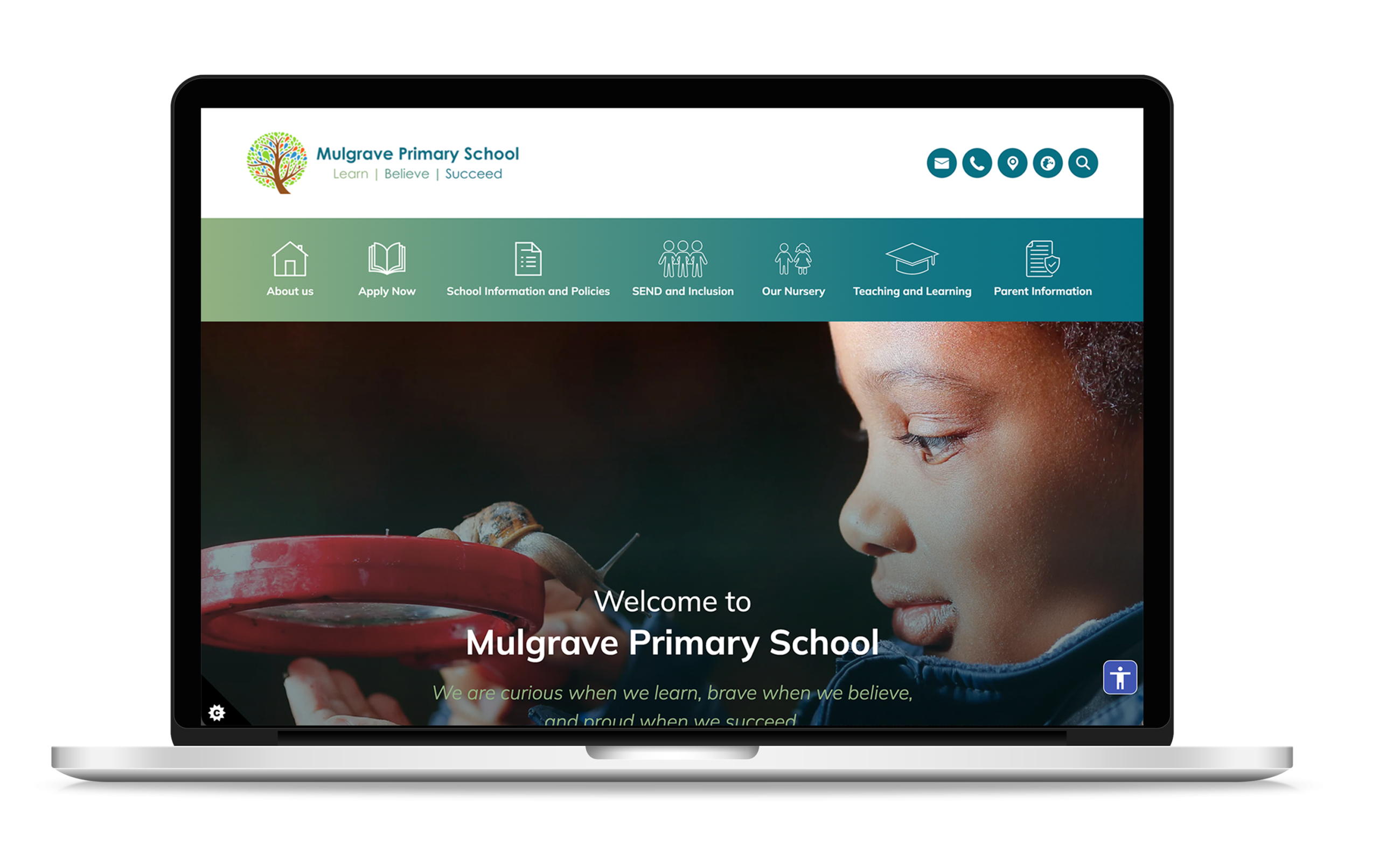
London Fields Primary School’s website perfectly reflects the energy and community spirit of this Hackney school. It keeps parents connected through regularly updated news and events, making it easy to stay informed about what’s happening.

With everything in one place, the site acts as a central hub for school life.

https://www.mulgraveprimary.co.uk/

London Fields Primary School

london fields primary school

London Fields Primary School’s website captures the spirit of this vibrant inner-city Hackney community. Its clean, engaging design keeps parents connected with school life by highlighting the latest news, updates, and upcoming events right on the homepage.

Acting as a true one-stop website, the site makes it easy for families to stay informed and involved, ensuring they never miss what’s happening at the school.

https://www.londonfields.hackney.sch.uk/

Fryent Primary School

fryent primary school

Fryent Primary School’s website strikes the perfect balance between traditional design and bright, welcoming visuals. As one of London’s larger primary schools, the site has been built with accessibility and ease of use in mind.

Its strong mobile presence ensures parents can quickly find key information, while intuitive quick links make it simple to access essentials like term dates, admissions, and curriculum details. The addition of safeguarding and Ofsted-focused links also makes the website highly functional for inspectors, allowing all key documents to be found in just one click.

https://www.fryent.brent.sch.uk/

London School Website Designs

Each of these London school websites we have highlighted show how thoughtful design and clear navigation can make a real difference.

From bold visuals to good user experiences, they not only inform but also reflect the personality and values of the schools themselves.

If you’re looking to improve your schools website or increase admissions, get in touch with us to discuss our school website design and marketing services.

Digital School Profiles: What They Mean For Parents & Schools

Published: October 20, 2025

school report card

Back in March 2025, Bridget Phillipson announced the introduction of ‘digital school profiles’. Something the government pledged would be a step towards making schools much more accountable for their actions. The aim of digital school profiles is to improve transparency in schools. Partly, to force schools to kick themselves up a notch in performance and, partly, to allow parents more information about what schools are available to their children and how those schools are performing.

Digital school profiles are nothing new, with Ofsted offering profiles online for schools, and various ‘ranking’ websites providing more information. However, the whole idea of the system devised by the government is to make the system much more centralised and, hopefully, better. Let’s see how it’ll work.

What are Digital School Profiles?

At the moment, it is not yet known what digital school profiles will entail. However, the basic proposal suggests that digital school profiles will aim to collate the information that, so far, has been spread across multiple resources. So, exam results, attendance, Ofsted reports, and any other important facts that a person would need to know about the school.

The idea is that parents won’t need to hop around multiple sites to find information about schools. They’ll find proper, up-to-date, information on a single website. The information should also be much clearer. This sort of accessibility will be fantastic as it will give parents useful information about how schools are performing.

Why is the Government Making the Change?

According to Bridget Phillipson, the purpose of digital school profiles is to offer a ‘significantly strengthened school accountability system’ coupled with raising ‘the bar on what we expect from schools’. Much of the idea of digital school profiles has been born from the amount of pressure the government has been facing to improve the state of schools in the country.

The government wants to make it easier to see which schools are performing well, and which ones leave a lot to be desired. By offering colour-coded judgements across multiple areas, schools (and parents) can easily see where a school is strong and where it is weak. This will, hopefully, signal a move away from single headline grades which can make determining where issues lie tough.

What This Means for Parents?

The main benefit for parents is that it becomes a whole lot easier to compare schools. Information will be much easier to read, and compare. This can be useful for parents who are fortunate enough to live in an area where their children can attend two different schools.

As we said, the data will also be clearer. There’ll be no bouncing between websites, trying to analyse the reams of information available to come up with a comparison. The comparison will be very easy to decipher.

It should also be much easier for parents to determine what the strengths and weaknesses of each school is. No need to read though loads of complicated Ofsted reports (although, they’ll still be available).

What This Means for Schools

Schools will have much better visibility of their performance data. This can be good or bad, depending on the school. Schools will just know information about how they are performing will be much, much easier to access.

Schools will have to work even harder to ensure that their websites are up to date and Ofsted-compliant. With the introduction of digital profiles, there is a much greater focus on ensuring that schools share the right information. All data on the school’s website needs to be clear and match any official profile.

How School Jotter Can Help

Here at School Jotter, we know just how much schools can have on their plate. While digital profiles are good news for education, it can be tough to stay compliant with the new rules. This is especially true in the early days. This is why School Jotter wants to help.

We can offer Ofsted-complaint website management, ensuring your school stays on top of ever-changing digital profile rules. We can ensure that all key performance information is displayed in parent-friendly formats. We can also ensure that parental engagement with your school’s website is far higher too.

Our team can help keep the link between your school website and Department for Education profile seamless, ensuring that parents can quickly find all the information they need.

Digital School Profiles Explained

New digital school profiles benefit parents in allowing them to have far greater clarity about how schools are performing, ensuring fairer comparisons between schools. Schools will have all their data front and centre, giving them far greater accountability. Hopefully allowing them to show off their achievements, or drive themselves to improve.

Digital school profiles are new, and schools need to stay on top of things to ensure they stay compliant with new rules. This means having a quality website designed. Get your website Ofsted-ready with School Jotter, ensuring that you spend less time keeping your school’s website complaint, and more time focusing on improving education in your school.

AI In Schools: Tool Or Trap?

Category: AI

Published: October 15, 2025

is ai harming schools

AI is already in schools. It happened so fast. Just a couple of years after sophisticated AI models launched, they are now being used extensively in education. Both teachers and students are using AI. Governments are working hard to try and regulate the use of AI in classrooms and beyond. 

AI is huge and, to be honest, it is not going anywhere. It isn’t a bubble just waiting to pop. AI will be used extensively in classrooms from here on out.

The question is whether AI is helping or harming education. Well, it is both. Let’s explain.

The New Reality of AI in Education

As we said, AI is here to stay. It is the reality in education, for better or worse. It is being used in slightly different ways.

Teachers, for instance, are utilising AI for planning lessons, producing reports, and doing various admin tasks. The sort of things that AI should be used for i.e., reducing workload.

Pupils are using AI-powered apps to study, chatbots to find out answers to questions, etc.

Unfortunately, some students are using AI to produce work. Essentially, this saves them a lot of time, but the student learns nothing. This is something that teachers will need to adapt to going forward.

Governments around the world are also trying to rewrite laws to accommodate AI. In terms of education, there needs to be safeguards in place. This means students’ data is protected, and they won’t be exposed to the ‘bad side’ of AI.

Safeguarding Comes First

Since AI is going nowhere, schools need to embrace it. This means choosing the right AI options to use. For schools, safeguarding should be at the forefront of their mind when choosing AI tools. In fact, safeguarding is a priority for schools, AI or not.

Tools must meet safety and privacy baselines. This means students must have their data properly protected by the AI tool. The tool needs to be safe to use. Ideally, it would be designed with school usage in mind.

We know that there are a few major AI tools out there. Names you’ve probably heard of. However, don’t choose an AI tool based on the name alone. Inspectors don’t care about the name. They care about how the tool works based on safeguarding and safety outcomes.

The Three Pillars of Responsible AI in Schools

There are three rules we believe schools should stick to in order to get the most out of their AI usage.

Time

AI should be a tool to save a teacher’s time. If it is just increasing their workload, then AI tools are not useful for that particular job.

Schools should always be monitoring the efficiency of AI tools and usage. This will be the key KPI.

Safety

Student data should be safe. It should be protected. Tools should be transparent, and there should be accountability for the tool. Accountability comes from the tool creator in the first place, as well as schools that have a responsibility to protect their students.

Untested AI tools should not be used in classrooms. Untested AI tools may not protect student data, and some may feed up information that students shouldn’t be seeing.

Humans on the Hook

AI is a useful tool, but it should only be used as support. Even if teachers are using AI to make decisions, the teacher should always be responsible for the decision. AI should be a supporting tool, not the full decision maker. Remember, as sophisticated as AI tools are, they can’t replace human judgment.

AI Risks Schools Can’t Ignore

Of course, there are a few risks to using AI. Risks that can impact a school.

Deepfakes and Misinformation

AI can create fake images, videos, and text. This can mislead students and teachers. Misinformation is a big ‘no’ in the world of education. The problem is that as AI gets better, it becomes harder and harder to discern what is real and what is not.

Biased or Unreliable Outputs

AI systems often have in-built bias. This may be due to the way in which the AI was programmed or the training data that the model used. This can result in misleading and sometimes inaccurate, information.

Over-Reliance on Technology

When people, particularly students, overuse AI they may forget ‘core’ skills. For example, using AI to solve problems won’t allow children to develop their problem-solving or critical thinking skills. Using AI for research can reduce research skills.

Academic Integrity at Risk

Students can generate an entire essay in seconds with AI. This can mean students can deliver something passable without really understanding what they have produced. This results in schools having the challenge of trying to work with AI, while also ensuring that students are actually learning.

The Potential AI Benefits for Schools

AI can be incredibly beneficial to teachers, particularly on the time-saving front.

For example, AI can be used to reduce paperwork. It can also assist with feedback and marking of papers/tests. Although, we must stress that a teacher shouldn’t rely solely on AI. The teacher still takes full responsibility for any feedback.

Time saved means that there is more time left for teaching pupils. It means that students can receive a better education.

Striking the Right Balance

AI is a useful tool but despite what some people may tell you, AI is not perfect. It cannot do everything. It is useful for saving time and providing assistance in the classroom. However, you cannot believe the hype and believe that AI will do everything. Likewise, you also shouldn’t buy into the fear-mongering about AI. Yes. AI has issues. However, with the right know-how, many of these issues (e.g. misinformation) can be avoided.

As a school, if you’re looking to procure an AI system to use, don’t forget to ask the tough questions of the provider of the AI tool. Make sure that it offers good safeguarding. Make sure that it provides useful information, is easy to use, etc. A good AI provider will not be afraid to answer even the toughest questions.

Don’t just jump right into using an AI tool either. When a tool is selected, pilot it, track results, and evaluate how you have used it in the educational environment. Make sure that the tool works how you need it to work.

AI In Schools: Tool Or Trap?

AI is having an impact on education, but it shouldn’t completely transform education on its own. Some people are very fearful of how AI can be used in the classroom. It shouldn’t be used as a teaching tool, but it can be used to save a lot of time. Basically, it complements education, rather than replaces it.

Teachers can, and should, be supported by AI tools. However, the teacher should always be central to the process. This is because proper AI usage needs human oversight to ensure that it is being used properly, and that it is working effectively.

Get in touch with our team today to learn more about our school website design and school marketing services.

October Release School Jotter 3

Published: October 9, 2025

October 2025 New Features Jotter 3
School Jotter has just released its latest frontend update for October 2025, bringing a number of exciting new features and improvements to the platform. Here are some of the highlights:


  • Policy Alerts Icon - Jotter 3Policy Alerts: Need to be reminded when your policy is up for renewal? Our New Policy Feature allows you to now set a date of when you need to be alerted to re-visit this policy. It also has the ability for you to select a policy and assign it to multiple schools within your Trust on the MAT Dashboard. This is a great tool to keep on to of your policies and to be reminded when they need updating in line with Ofsted Compliance. 

Policy Alerts


  • Ofsted Detection - Jotter 3Ofsted Detection: Within your Jotter 3 CMS System, you will now have the availability to turn on the new feature which can be found within the page information settings:


    • Within your page settings, click the three dots on the right side of the page.
    • You will then be able to turn on the Ofsted detection button for the relevant pages that you wish for this to be active on.
    • Click Save.
    • School Jotter will then email you when alerted of Ofsted activity


Ofsted Detection


  • Calendar Sync - Jotter 3Calendar Sync: If you are wanting to display all upcoming events on your calendar without having to manually add them on, you can now sync your website calendar with an external parent facing calendar to avoid duplicating your workload. 


Calendar Sync - Jotter 3


  • AI Content Writer - Jotter 3Ai Content Writer: Our easy-to-use School Website CMS now features AI. Create AI driven content within your website editor page to ensure your website is always kept up to date! School Jotter 3 keeps it fresh and compliant—automatically.


AI Assistant Content Writer


  • Accessibility Feature - Jotter 3Accessibility: You may have already seen a new dark blue icon inthe bottom right hand of your live website. This icon is our new accessibility feature! These enhancements allow people with visual impairments, motor impairments, or those who prefer keyboard access to:

    • Increase or decrease the size of text
    • Adjust line spacing / text spacing
    • Switch to a high contrast mode (for better readability)
    • Use keyboard (Tab, Arrow keys, Enter, etc.) to navigate menus, links, forms, instead of relying on a mouse
    • Access image descriptions via alt text with screen readers

Accessibility Options - Jotter 3

How To Promote Equality And Diversity In The Classroom

Category: Uncategorized

Published: September 15, 2025

diversity in schools

Classrooms are now more diverse than ever. Despite this, many schools are not doing anywhere near enough to promote diversity and equality in the classroom. This is leading to increased bullying, and children being ill-equipped once they leave for the workplace. We want to change that.

We won’t be able to change everything about how diversity and equality are taught in the classroom. However, we can provide advice on how things can be made a little easier.

Why Promoting Diversity Matters in Education

Promoting diversity in schools leads every student to feel like they are valued and respected. They feel less like they are ‘different’, and just part of the group. Obviously, they know they may be different in terms of ethnicity, skin colour, gender, etc. but they won’t feel as if they are being excluded because of who they are as a person.

Promoting diversity will also increase empathy among students. Certain studies have shown that people’s issues with diversity often occurs much later in life, and by fostering an understanding of diversity early on, people are much more likely to continue in the correct way of thinking later on.

Teachers have often found that promoting diversity also helps to lower bullying, and even prepare people for the workplace where they will be working in diverse teams.

Encouraging Equality and Diversity in the Classrooms

While they are often intertwined, equality and diversity are different concepts.

Equality means offering fair treatment and opportunities for people. Access to the same resources and support. Basically, no child is left behind. Although, there is also the understanding some people may need a little extra help to get access to those opportunities.

Diversity looks at the differences between people, whether it is cultural, religious, skin colour, disabilities, etc. and celebrates them. Equality is about accepting differences between others, and being able to see things from the perspective of those who are different.

When diversity and equality are promoted in the classroom, the learning environment is better. People get access to the opportunities they need to thrive, while also knowing they won’t be held back by who they are as people. As we said, it will also encourage better communication and, hopefully, less bullying between class members.

Practical Ways to Promote Equality and Diversity

As we said, we can’t solve all diversity and equality issues in classrooms right here. However, we can give some key advice to teachers that can smooth the process out a little bit. Of course, you also need to be willing to promote the right environment in your classroom.

Create Inclusive Lesson Plans

Lesson plans should be much more inclusive. Look for teaching materials that represent multiple cultures, genders, and perspectives. Try to ensure everybody feels represented in that material. Modern teaching materials will be much easier to use here, with older materials very much a product of their time.

We are sure you’ll have no issues finding books that promote diversity, both in terms of stories and case studies.

Any content with stereotypes should be out. Older teaching materials are rife with it. Not harsh stereotypes, i.e. full-blown racist ones. Just ‘caricatures’ that make people feel excluded.

Encourage Open Discussions

We’ll be honest with you and say that children don’t always say the most ‘politically correct’ things. It happens, sadly. Mostly, it is because children lack a filter, and a real understanding of what they said is wrong. Some of the time, the comments are a product of the environment they grew up in. As a teacher, it is important that you facilitate open discussions about why what a child might have said was wrong.

Encourage discussions about differences between people. Answer questions people have, and try to quash some of the stereotypes that do arise.

During discussions, it is important that you teach children to value different opinions, no matter how opposed they are to them. Try to encourage people to see things from the perspective of another. We don’t all grow up in the same cultures, after all. Our beliefs are shaped by a lot of things.

Celebrate Cultural Awareness

Cultural awareness should be at the centrepiece of your teaching. For example, celebrate and discuss key cultural events throughout the year with children. This includes things like Diwali, Eid, Black History Month, and Ramadan. Base lessons around this and don’t be afraid to answer questions.

You likely have students from diverse backgrounds in your classroom, so encourage them to share any traditions or experiences, without judgement.

You may even want to develop displays in the classroom to celebrate the diversity of your class.

Challenge Bias and Stereotypes

You might not want to admit it, but we all carry unconscious bias. It is up to you to identify and correct those bias. We highly recommend that you regularly analyse the teaching materials and style you are using. You also might want to consider who you interact with most in the classroom, who is receiving the most praise, etc. It might be quite eye-opening e.g. you may be spending more time with the students who need less help to get them to the ‘next’ level. Many teachers do this. Some teachers keeps logs and journals to try to identify their biases over time.

It might also be worth talking with other teaching staff to discuss how they handle equality and diversity in their classrooms. Pooling resources works. Nobody can do everything alone.

Adapt Teaching for All Needs

As we said, equality is not about giving students equal access to the exact same resources. It is about ensuring that students get the help they need to be on a much more level playing field.

This will especially apparent in Special Educational Needs (SEN) where teaching styles may need to be adapted to a slower pace. There may also be a lot more encouragement on the strengths of the student rather than the weaknesses. There may also need to be far more personalised support.

English as an Additional Language (EAL) learners may also need teaching in different ways. For example, simpler language structures, more imagery that students can learn from. Encouraging group activities also works very well.

Basically, every child in that classroom needs to feel like they are valued and that you support their needs. Some people may need more help than others, but you never leave somebody by the wayside. You need to adapt your teaching methods.

Role of Teachers and Schools in Promoting Diversity

Children are often spending 8 hours per day at school, so it is a major part of their lives. This means teachers will play a key role in shaping a child’s views on diversity. Teachers need to be regularly trained to ensure they have the skills required.

Leadership will need to develop policies and commitments that teachers can follow, and parents/students can understand. These policies need to be adaptable as the needs of the school change, or as more learning about how best to offer equality happens.

We highly recommend schools regularly partner with local communities and schools to ensure they are offer proper diversity.

Measuring the Impact of Equality and Diversity in Schools

This will be an on-going process. It is essential to keep tabs on student engagement on wellbeing, especially those in marginalised groups. Although, of course, you don’t want the non-marginalised to fall through the cracks either. Everybody needs to feel respected.

Each year curriculums should be regularly reviewed for inclusivity. Any appropriate changes should be made.

Of course, you should also encourage student feedback. This way, you know exactly where changes need to be made.

Promoting Diversity in Education 101

Inclusivity in education is important, because it ensures everybody has the tools they need to thrive. It also ensures the classroom environment is fairer for everybody.

Promoting diversity leads to better education, less bullying and, later on, a smoother transition into the workplace.

Teachers can start promoting equality and diversity in the classroom today by fostering more open discussions, allowing those of different backgrounds to share who they are and, of course, a review of the curriculum to ensure it is more diverse.

Get in touch with our team today to learn more about our school website design and school marketing services.
How to Increase Pupil Numbers in Primary Schools: Practical Tips in an Era of Declining Birth Rates

Published: September 3, 2025

Increase Pupil Numbers in Primary Schools

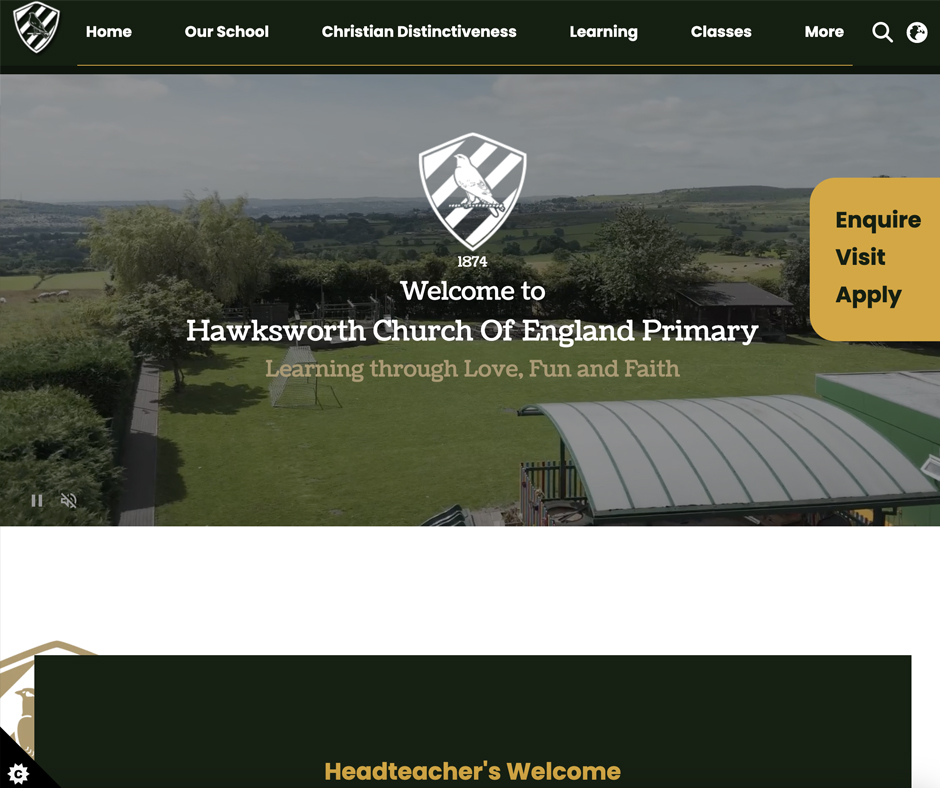
Across the UK, birth rates are declining, and the impact is being felt in primary schools. With fewer children being born, schools are now competing more than ever for admissions. Falling admission rates can affect funding, staffing, and ultimately, the long-term sustainability of a school.
But with the right marketing strategies, you can make your school stand out from the crowd and attract more families.
In this article, we discuss how to increase pupil numbers in primary schools, without breaking the bank!

1. Use a Pop-Up on Your Website (For Free)

Your school website is often the first place parents look.  Adding a simple pop-up message can immediately grab their attention. Use it to advertise open days, encourage enquiries, and promote what makes your school special.
Best of all? It costs nothing to implement if you’re using a school website provider like School Jotter.

2. Add a Parent Enquiry Form and Clear Call-to-Action

Make it easy for interested parents to get in touch. Add a short form on your homepage asking for name, contact details, and child’s age, and include a phone number for those who prefer to call.
If you remove the barriers to communication, you’ll see enquiries rise.

3. Offer a Digital and Printed Prospectus

A professional prospectus (both online and printed) gives families a snapshot of your values, curriculum, and wider school community. Make sure it’s visually appealing, easy to read, and updated annually.
A downloadable PDF version on your site is a must.

4. Showcase What Makes Your School Special

Every school has a unique offer, whether it’s a strong arts programme, an inclusive community, an outstanding outdoor space, or specialist SEN support.
Identify what sets you apart and shout about it across your website, social media, and local press.

5. Improve Your Google Presence

When parents search “primary schools near me,” your school needs to appear at the top of search engine results. Check your Google Business profile, encourage parents to leave positive reviews, and regularly update your website with fresh content to help with SEO.

6. Give Out Party Bags on Open Days

Make open days memorable for children and parents. A simple party bag with a school-branded pencil, small treat, and leaflet can leave a lasting impression and show that your school goes the extra mile.

7. Promote Afterschool Clubs and Enrichment

Parents are increasingly looking for wraparound care and enrichment activities. Highlight your afterschool clubs, breakfast clubs, and extra-curricular offerings on your website and during tours.

8. Celebrate Good SATs Results Early

If your recent SATs results are better than the previous year, don’t wait to share them. Publish them as soon as possible on your website and social media.

9. Use Facebook Effectively

Facebook is still one of the most effective tools to reach local parents. Post regularly with photos, event announcements, and positive stories.
Boost posts about open days to reach a wider audience for a small cost.

10. Speak to Your Website Provider About a Full Redesign

If your current primary school website is outdated, hard to navigate, or doesn’t reflect the energy and values of your school, it might be time for a redesign.
If you’re looking to improve your school’s website, get in touch with us. We’ve worked with over 3000+ schools in the UK and have built an industry leading CMS.

How to Increase Pupil Numbers in Primary Schools

Declining pupil numbers don’t just impact funding, they affect your ability to offer broad curriculum opportunities, retain great staff, and sustain a thriving school community.
Being proactive now means securing your school’s future and ensuring that local children benefit from all you have to offer.
Get in touch with our team today to learn more about our school website design and school marketing services.