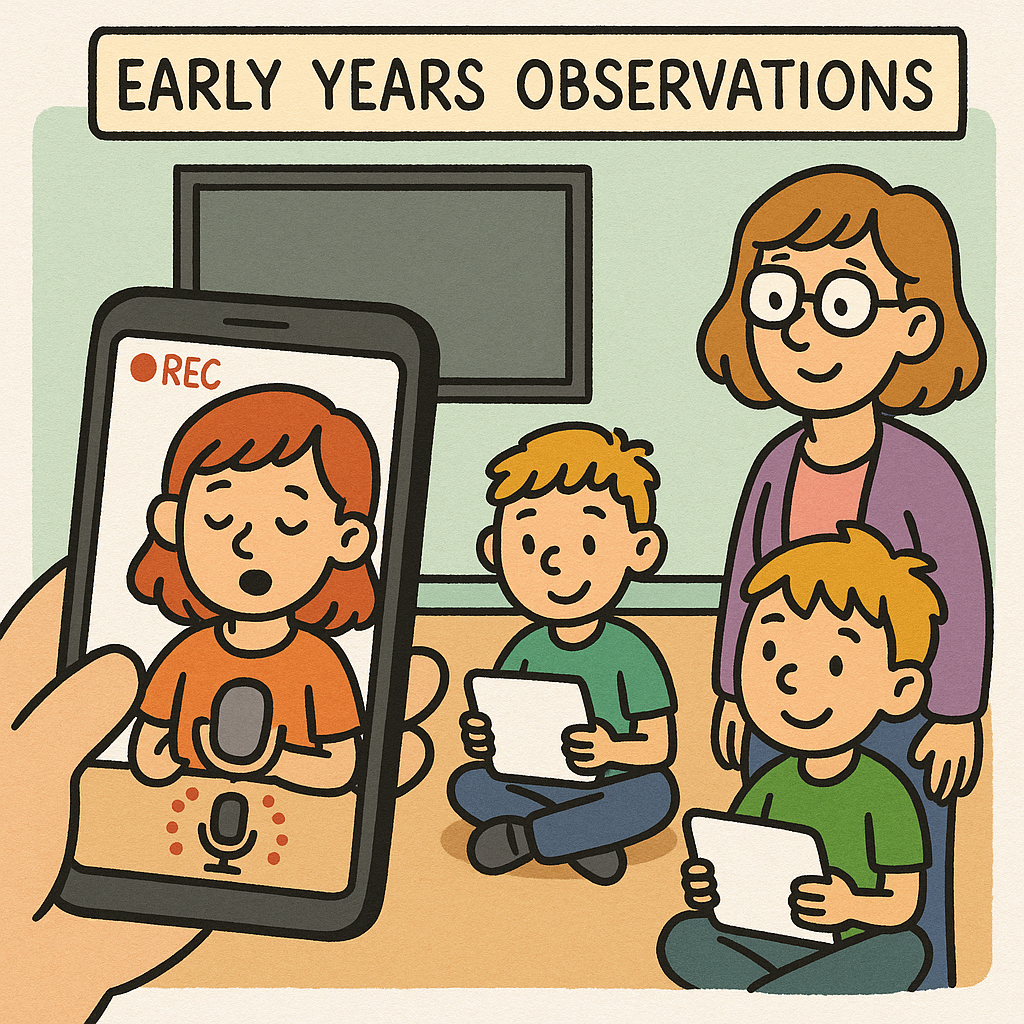
Voice messaging technology could improve teacher to parent communication in SEN schools

Published: March 28, 2019

Voice messaging app Sound Branch is not only set to get people talking again but is also hoping to improve methods of communication between teachers and parents in special educational needs schools.
Sound Branch is a speech to text transcription app that allows the user to record voice notes on any device at any time. The voice notes are recorded in 10 second clips and are called ‘seeds’. Once recorded and automatically transcribed into text, other users can reply and branch off each seed – starting up the conversation.
Using Sound Branch as a method of communicating, not only saves time but improves conversation and engagement, as a message can often be interpreted more clearly when it is heard through spoken word rather than written text. This idea of conversing in a more engaging and empathetic way is why Sound Branch could help to improve communication between teachers and parents of children in special educational needs schools.

For instance, one school in the UK has a large number of children who travel to school each day by taxi to accommodate their needs and wheelchair access. Each day, the teachers need to let each parent know that their child has arrived at school safely, as well as communicating any other issues.
Currently, the majority of teacher to parent communication is carried out through a handbook that gets sent home for parents to read at the end of each school day. This method is not only time consuming for both teachers and parents, but also lacks any room for empathetic connections between both parties.
Sam Dixon, Head of Education for WebAnywhere, recently visited the school and said: “The headteacher was looking for a system which would electronically record their notes, as they have to type up the communication onto their system as well as recording it in the book.”
“I introduced the headteacher to Sound Branch and showed her how to send a message home to a parent. She loved the idea of voice to text communication – so I’ve set them up with their own account and she’s going to get a small group of parents to trial it,” he added. “The aim is that it’s going to save them a lot of time and she’ll get more engagement with the parents through using it, rather than sending home a handbook.”
The headteacher of the school said that her concern with their current method of communicating through the handbook was around data protection and confidentiality issues. “With GDPR being such a big issue, I’m a bit uncomfortable with that diary going in a pupil’s bag at the end of the day and in a taxi with lots of other people,” she said. “Who could pick it up out of the bag? Who’s going to read it?”
“Although we have lots of telephone conversations with parents, I wanted to have an electronic home-school diary that could be shared with parents – but it had to be secure and had to be free,” she said. “Then Sam came along and showed us Sound Branch. I liked it because the written word can sometimes be misinterpreted, but with voice messaging, you can sound reassuring with parents. It also potentially could be time saving for us.”
She added: “I also liked the fact that Sound Branch recorded the conversations in text so that you could go back and look at your conversation history. I think we’ll get a range of responses so we’re going to pilot it first.”

How to fundraise through your school website

Published:

Schools need funding. It’s a fact which transcends politics; when you’re dealing with our children’s futures and the security of the next generation, you need to make sure they have all the resources they need to succeed.
That’s why fundraising is so essential to the quality and upkeep of schools. With inadequate government funding, it often comes down to the parents to prop up their local schools, and even a small donation can go a long way.
However, it’s not as simple as just asking people to give you money. Schools need to make sure that when raising funds, you’re being accessible and understanding.
So take a look at your website. Is it easy to navigate? Is it welcoming and easy on the eyes? Does it have all the information a visitor might need to be presented in a digestible way?
Creating relationships with your pupils’ parents is important, and in the modern age of the internet, a school website is often the first thing a mum or dad will see. Make sure you’re giving a great first impression.

Make sure your website operates cross-platform

The best websites have a design which works across multiple platforms. If parents are using their phones or tablets, they need to be able to navigate around your website just as well as if they’re on the computer. If your goal is to raise money, after all, you have to take into account that people – especially parents – are busy and always on the go, so might not have a laptop on hand.
There’s nothing worse than a website which is poorly formatted for a smaller screen. It’s instantly off putting and aggravating to visitors if they don’t have immediate access to a computer screen.

Use content management systems like School Jotter

School Jotter is an ideal app for schools trying to improve their website. Used by over 3000 schools nationwide, School Jotter can help you create a unique website customised with features that suit your needs. Have you ever seen a website that has left you impressed with its design, and makes you want to keep clicking? That should be the aim for any school website to entice students and potential donors.
School Jotter isn’t just for website creation, either. You can make school surveys, polls, quizzes and even content to help improve your pupils’ spelling.

Organise fundraising events

Fundraising isn’t just about parents sending you money through a website. To truly engage with parents you want to go above and beyond, and with applications like School Jotter you can organise events online. The app for phone can send notifications, too, so it’s a lot more convenient than sending out newsletters every month or trusting the kids to tell their parents!
Want to host a fundraising event at the school? Put it on your website and it’ll automatically update to the School Jotter app, so your pupils will never miss a beat. Some schools try to get creative with their fundraisers, and it’s something parents appreciate. Go the extra mile in your events: maybe a Britain’s Got Talent-themed talent competition, a Halloween costume contest, or even a cook-off. The more you appeal to your pupils and their parents, the more successful your fundraisers will be.
So, make sure you’re not neglecting your school’s online presence. In a world where we spend on average 24 hours a week online, schools have to adapt with and take advantage of the vast changes to how we communicate with each other. Used well, you can increase admissions and donations to better the education of the next generation.

Seven top tips for staying safe online

Published: March 20, 2019

The internet is a great way to chat with friends, stay connected and learn new things. But the online world can also be dangerous, and it’s important to know how to stay safe. We’ve put together a quick and easy guide full of top tips that will keep you safe when using the internet.

1 – Protect your identity

Never give out any personal information when using the internet, such as your address, your phone number or what school you go to. If you use social media, avoid posting photos that could reveal to someone where you live.

2 – Think carefully before posting

Once something is online, it’s no longer private and could potentially be shared with anyone. Before you post, think to yourself: should this be shared or kept private? Would I want parents or teachers to see it? If the answer is no, don’t post it.

3 – Keep passwords strong and check privacy settings

Use strong passwords with a mix of letters, numbers and symbols to make them harder for others to guess. Get in the habit of changing your passwords regularly, and never share them with anyone else. You should also check your privacy settings to see who can view what you post on social media.

4 – Have respect for others

You should treat others with respect online the same way that you would in real life. Be mindful about how your posts and comments might make others feel if you share them online. Never post anything which might cause harm or offense to the person on the other end.

5 – Be mindful of who you chat to

If someone you don’t know tries to add you as a friend, the sensible option is to delete the request. Always remember that people might not be who they say they are online, so be careful who you chat with and never share your personal details.

6 – Don’t meet people you don’t know in person

You should never arrange to meet up with somebody that you’ve met online in real life. Even if you get on with them online, they might not be who they say they are. If someone online is asking to meet you, tell a trusted adult.

7 – Have a healthy balance

If you find yourself spending too much time online, take regular breaks away from your computer or phone. You don’t want to miss out on experiences with your family and friends in the real world!

The 8 Best School Mobile Apps of 2019

Published: January 7, 2019

The humble mobile app has transformed numerous aspects of daily life.
Our social media apps give us the freedom to chat with people all over the world in seconds. Our banking apps let us manage our finances at any time, any place. And gaming apps keep us entertained on buses, trains and in waiting rooms.
But school mobile apps have even more to offer: they provide schools with streamlined ways to stay on schedule, communicate with parents and educate pupils via interactive tools. Any designed to help pupils learn may be downloaded on a parent or teacher’s smartphone as an educational aid.
Many school mobile apps are available today, so how do you know which are the best?
We’ve picked the top 8 below.

#1. School Jotter – School Web Design and Mobile App

School Jotter’s CMS is a complete solution for schools, empowering you with the means to update your website, add content, advertise vacancies, manage CVs, communicate with staff through text messages and more.
The School Jotter mobile app is an excellent complement to the CMS, providing parents with various features and information. They can:

  • keep up to date with the latest school events
  • view calendars
  • read newsletters
  • check out galleries
  • view maps
  • see what homework has been set
  • complete forms on the school website
  • take part in surveys
  • book appointments for parents’ evenings
  • send free instant messages

This helps parents stay informed of their children’s school’s latest events, keep in touch with teachers and much more.

#2. Duolingo

Educating primary-school children on a second language can be a real challenge, but Duolingo helps to make it simpler.
It has been called the ‘best language-learning app’ by The Wall Street Journal and is (perhaps best of all) free! Duolingo is designed to help users learn multiple languages, including:

  • English
  • Spanish
  • French
  • German
  • Italian
  • Dutch
  • Russian

Duolingo makes learning new languages fun and interactive, utilising quizzes and bite-size lessons. This school mobile app is available on Google Play and iTunes.

#3. My Study Life

Staying on top of homework, exams and special occasions at school is difficult for young children, but My Study Life aims to change that.
This isn’t just a calendar app — you can use it to:

  • see when work is due
  • view when exams will take place
  • set reminders for classes and unfinished work
  • create timetables to reduce the risk of missed deadlines

My Study Life is a helpful app for schools, helping staff and pupils alike stay focused on tasks without confusing dates or classes. It’s available on Google Play and iTunes.

#4. Khan Academy

This free app is well worth looking into, providing access to a huge catalogue of videos and other learning resources across many subject areas.
You can use Khan Academy to:

  • watch over 10,000 videos and explanations on maths, economics, history, science and more
  • make education more interactive with over 40,000 questions
  • try exercises and read articles on countless topics

Khan Academy gives teachers and children a vast catalogue of information, serving as an educational aid when studying a huge range of subjects. Achievements can be unlocked for a touch of gamification too, helping to engage pupils.
It’s available for download from iTunes only.

#5. Quizlet

Quizlet is a learning app based around flashcards, with multiple functions. This can be used by pupils as an aid to learning and practicing for tests through all years of primary school, as well as for teachers brushing up on subjects.
Quizlet offers the following features:

  • prepare for tests and exams with the Learn section
  • check your memory using Write
  • share flashcards with other users
  • implement custom audio and images to reinforce learning

Quizlet is free for the first seven days of usage, and multiple paid versions are available with additional functions. You can download it from iTunes and Google Play.

#6. WolframAlpha

WolframAlpha refers to itself as a real-life counterpart to the powerful computers seen on Star Trek, offering information on a massive variety of subjects using cutting-edge algorithms to create answers / reports.
Apple’s Siri is used in some aspects of WolframAlpha. This app can help with:

  • elementary maths
  • algebra
  • astronomy
  • geology
  • animals
  • plants
  • dinosaurs
  • climate
  • calendars
  • weather
  • geography
  • oceans
  • historical figures
  • linguistics

And much more!
WolframAlpha is an impressive school mobile app that to benefit teachers in the classroom and pupils at home. It’s not free, but its low cost and real potential makes it a worthy investment.
You can find it on Google Play and iTunes.

#7. Math Motion: Cupcake!

Many children struggle to learn maths, even at the most basic levels. Not only is the work itself difficult, but just the prospect of studying maths can be incredibly intimidating.
Math Motion: Cupcake! is a colourful, fun mobile app designed to help pupils develop their maths skills by running a cupcake business. It educates through such tasks as:

  • fulfilling orders
  • working out the cost of every cupcake
  • paying loans back

Math Motion: Cupcake! shows how important maths is in everyday life in a practical, more engaging way. This app is available on iTunes only, for a modest price.

#8. Star Walk

Space is a fascinating subject to study at any age, but particularly in primary school. Today’s children have access to countless exciting resources on space, stars and astronomy, and Star Walk is a great way to help them learn.
Using Star Walk, you can explore the sky in real time, identifying planets and constellations using just a smartphone. It allows you to:

  • locate and discover facts about celestial bodies
  • study an astronomical calendar to find when eclipses, meteor showers, full moons and more will occur
  • use the Time Machine feature to look at sky maps of the past and future
  • explore the night sky with Night mode, making the app more comfortable to use

Many more features and functions are included, making Star Walk an indispensable aid to educating children on astronomy. It requires no internet connection.
You can download Star Walk from iTunes and Google Play for a small cost.

Each of these school mobile apps can help teachers, pupils and parents in a specific way, whether that’s building a reliable schedule, exploring historical events or even learning another language.
They’re simple to use and compatible with an extensive range of devices. Prices are generally kept low too, to suit schools on diverse budgets.
Have you used any of these apps, or do you have others to recommend? Let us know below!

Webanywhere Announces Participation in the Bett Show 2019

Category: Company News

Published: November 29, 2018

Webanywhere, a leading school website design, mobile app and software provider, today announced its participation in Bett 2019, one of the leading annual trade shows in the United Kingdom marketing information technology in education. This four day event will be held on 23-26 January 2019 at the ExCel Convention Centre in London, UK.
Webanywhere will have some of their e-learning and website professionals at the conference. Their attendance at Bett underscores their dedication to helping primary and secondary schools, as well as Multi Academy Trusts, to improve both teaching and learning.

Exhibiting this year at booth G249, Webanywhere will present its expanding portfolio of school websites, mobile apps and education modules. They will also demonstrate their latest product, School Bookings which enable parents to easily schedule appointments with schools online for events like parents’ evenings.
Webanywhere representatives will be available at the booth for enquiries and in-booth demos throughout the event. An appointment can be made in advance by visiting this page. Webanywhere will be giving away a drone video to a lucky school too.
Nearly 35,000 attendees from the global education community will be in attendance, making Bett a prime networking opportunity for education professionals looking to connect with like-minded peers.

What is the Best Parents’ Evening System?

Published: November 28, 2018

Parents’ evenings are a common fixture in schools across the UK. These offer a valuable opportunity to discuss points (both good and bad) and ultimately build a stronger connection between the school and family unit.
Research shows a tangible link between parents’ evening attendance and test scores, highlighting just how important these events are in fostering progression in the classroom.
However, teachers and school administrators know only too well that organising a parents’ evening can be a real challenge — especially if you depend on outmoded processes.
A cutting-edge system designed to streamline the entire process is essential, but what can you expect from the best?

User-friendly accessibility is vital

Planning a parents’ evening can be much easier with the right software, but accessibility is crucial: any staff who struggle to use the system will feel frustrated and be more likely to make time-wasting mistakes.
The best parents’ evening system is well-designed and user-friendly, as welcoming to the novice as the seasoned, tech-savvy pro. Teachers and administrators of all levels should feel confident using the system to make bookings.
Parents, too, must be able to access the system to schedule appointments without becoming baffled. The aim of a good parents’ evening system is to minimise confusion and maximise convenience — and if someone has to pick up the phone to bypass the system, it’s a complete waste of time (and money) altogether.

Give parents flexibility to reschedule appointments

Plans change. Availability varies.
Parents may schedule an appointment with a teacher at a specific time, but be unable to actually make it due to commitments. Perhaps they can’t get away from work in time or have to see their doctor.
Whatever the issue, the best parents’ evening system will offer impressive flexibility, empowering parents with the freedom they need to reschedule appointments at any time.
Simply being able to hop onto the booking system to alter the time is a major convenience for busy parents, consuming far less time than having to call the school directly. Teachers and administrators can review the changes and be fully aware without depending on a receptionist to relay a parent’s message.
As a result, appointments are less likely to be missed and teachers will face less wasted time. A good system helps staff know exactly how much free time they have between appointments, enabling them to prepare for the next conversation or catch up on some marking.

The best parents’ evening system suits all schools

A good, reliable system will suit all schools: primary and secondary schools alike should be able to plan their parents’ evenings with equal ease.
Investing in software and tools is a big commitment for schools. We all know budgets are tight and every penny has to be accounted for. Paying for a parents’ evening system that fails to offer the simplicity and high performance you expect will leave you out of pocket for no good reason.
Busy staff simply don’t have the time to waste trying to wrangle a poorly-made, incomprehensible piece of software. The right system is easy to set-up and start using with minimal delay, in every school.

Communicate with parents quickly and easily

Communication is a vital element of any successful parent-teacher relationship. Both want the best for the child, and coming face-to-face at parents’ evening enables them to engage in an informal, honest way.
However, there are times when quick messages have to be sent to the parent, and the best system facilitates this with ease. For example, a teacher may want to confirm that the parent will be attending the appointment or check who to expect.
Sending messages through the system should be simpler and faster than drafting an email or picking up the phone. This allows teachers to enjoy hassle-free planning from their desk while they mark books or plan lessons; the right system streamlines this process, causing the least possible disruption to their day-to-day work.

Keep all bookings in one place

Your parents’ evening system keeps all information on appointments centralised, cutting down on confusion caused by scribbled notes and unclear emails. Messages passed from parent to receptionist to teacher may be delayed or miscommunicated, ultimately causing time-wasting mistakes on the evening itself.
A comprehensive booking and appointments system presents teachers with all the information they need to prepare for the parents’ evening. Parents can go into the calendar and book their own appointments, choosing those available slots best-suited to their own schedule; as a result, there’s less risk of troublesome double bookings.
Teachers and administrators can simply check the app at any time to clarify their schedule too, rather than having to track a hard copy down.

Gather data with reliable security

The ideal parents’ evening system empowers schools with strong reporting tools. You should be able to track parent attendance to identify those parents who failed to show, and monitor which teachers are fully-booked.
Full GDPR compliance is a must too, for everyone’s safety. Gathering data and recording people’s details demands a high level of effective security, providing peace of mind for all parents and teachers involved.
Administrators can organise and plan the parents’ evening without having to ask teachers about their appointments. All they need to help the event run smoothly is access to the app: once all slots have been taken, a complete rundown of the evening will be available.

Webanywhere’s Parents’ Evening System is the ideal solution for all schools, offering teachers and parents a simple, user-friendly way to manage bookings. The system has been designed to maximise convenience at every stage of parents-evening planning, and is a terrific complement to School Jotter’s other apps.
Want to know more about how our Parents’ Evening System can help your school organise key events? Please don’t hesitate to get in touch with our expert team!

Selecting the Best Primary School Website Design Provider

Published: November 26, 2018

Every parent wants to send their child to the best primary school, but how do they know which will help get their little one’s education off to a great start?
Research is a crucial part of the selection process, and school websites are a common first port of call. All primary schools must invest in a polished, professional site that both makes a powerful first impression on parents and provides a competitive edge over other local schools.
Choosing the right company to build your website is essential — and below, we explore what factors make the best school website design providers.

The provider must understand your school’s individual needs

A great website design provider works closely with clients, to gain a clear insight into the primary school’s goals, character and values. The more the team knows about a school and its ethos, the better it can represent them online.
Of course, there are certain fundamental elements of website design that work brilliantly for all primary schools. These include:

  • Simple, user-friendly navigation
  • A personal welcome from the headteacher to build trust
  • Information on what makes the school unique
  • A clear menu structure
  • Educational resources (performance in league tables, assessment results etc.)
  • A guide to the school’s values and goals
  • A welcoming tone / personality
  • Contact details
  • Fast load times, especially on mobile devices
  • Responsive design
  • Quality images and videos

However, each of these factors has to be incorporated into the school website in an organic but relevant way. No two school sites should be identical.
Asking questions and listening to the school’s leaders is vital: a reliable web design provider will have a true passion for satisfying the client.

A portfolio of live websites is key

Working with an experienced primary school website design provider will help you attract parents and should have a selection of live sites to show you. If they don’t, you’re right to be wary.
This is the same as hiring an artist with no completed paintings or a baker without any cakes to prove their talent: you want to trust that the people you’re employing know what they’re doing.
Reviewing the company’s previous work is a simpler, faster way to assess their credentials than reading a lengthy proposal. Even if it’s a brand new provider, they should have example non-client sites they created to demonstrate their skills.
Take time to explore the live sites and pay attention to your user experience. Was the website well-organised and easy to use? Was there plenty of valuable information and visual content?
Only choose a provider you genuinely feel satisfied with. Don’t be pressured into a decision or go for the cheapest option.

Practical experience matters

Following on from the above, good experience is just as important as a solid portfolio. The more primary schools the provider has worked with, the better their service is likely to be.
Why? Because they’ll have a stronger grasp of what constitutes a great school site. They’ll be well-versed in important elements of education-website design. And, because they’ll know just how crucial it is to sell your school as the best choice for parents.
Any prospective provider you’re considering should be transparent about its background and previous clients. The team may present testimonials on their website and be happy for you to contact schools they worked with in the past.
Speaking to former clients provides reassurance and helps you judge the company’s suitability.

Your primary school website designers should have a strong online presence

Just as your primary school needs an online presence, so too does your prospective website design provider.
Be wary of any team that offers no contact details or a physical address; if they invite communications through an online submission form only, that could mean they will be hard to reach in the future.
And that’s unacceptable if you find your primary school website isn’t working right — or is down altogether — one morning.
Make sure your chosen company is dedicated to great customer service and offers responsive support in the event of any technical problems.

Focus on the latest tools and techniques

When you hire professionals to build your primary school website, you expect professional results. And reliable website design providers should leverage the latest software, tools and platforms to maximise their performance.
Of course, they need to understand that you may not grasp what their work involves and be willing to talk you through it in a clear, accessible way. You should be made aware of their plans for your site, their progress, their schedule and any other important points.
Ideally, your provider will be keen to keep you in the loop and ensure your school website meets your specifications beautifully. If your site doesn’t align with your school’s needs, how do you expect it to attract parents?
A good provider will build a responsive website that offers all the information and resources people need to gauge your school’s suitability for their child.

A complete end-to-end service

At Webanywhere, our expert team has built outstanding websites for many primary schools, delivering bespoke services tailored to each client’s unique needs. Thousands of schools have benefitted from our services since 2003, and we’re happy to work around your own schedule for maximum convenience.
We never charge by the hour for support or consultation. We have the tools, the training and the drive to take your primary school website from the initial design stage to launch — and beyond! Webanywhere’s team will keep your site live and updated for years to come.
Our developers will enhance all content on your site for optimal impact on users and search engines alike, helping your school reach the right people. It’s an exciting process and you’ll stay fully-informed throughout, for your complete peace of mind. We always take quality service seriously, and are committed to 100% satisfaction.
Do you want to learn more about Webanywhere’s bespoke primary school website design? Just click below to get in touch!

[Press Release] Webanywhere appoint new Management Team

Category: Company News

Published: November 1, 2018

After 15 years of running Webanywhere as a successful self funded EdTech business, founder and Chairman Sean Gilligan has appointed Michael Marks as its new Managing Director. Michael joins Webanywhere with over 35 years technology experience, most recently at Smoothwall as their CEO – based in Leeds. Joining Michael is Nicola Sharp – Webanywhere’s New Finance Director bringing a wealth of financial experience to the board in the EdTech arena, Nicola also joins from Smoothwall where she was the Group CFO. Both Michael and Nicola bring many years of growing successful Tech businesses in the UK and internationally.
Alongside Michael and Nicola a new Sales Director Andrew Court joins Webanywhere from Cascade HR where he helped grow the business substantially over a 10 year period. In Poland, Michal Woch joins the business as Operations Director and has previously worked with Smart Education.

Sean will continue as Chairman of Webanywhere, spending more time on his passions which include developing new products, building teams and entering new international markets. Sean has a separate vehicle for his start up businesses called Ventures Anywhere. Within Ventures Anywhere Sean has been focussed on Sound Branch a VoiceFirst platform for re-imagining voicemail.
Sean Gilligan said “Michael Marks started life as a software developer and has bought and sold a number of software companies and more recently has led Smoothwall. Both Michael and Nicola offer Webanywhere many years of relevant experience and are well placed to help us grow further in the USA.”
Michael Marks commented “I am excited to join the Webanywhere team at this stage in their journey and lead them into an exciting future. The foundations are all there for accelerated growth with great people, great products and leading innovation. The company values of Webanywhere (proactive, curious, fun and flexible) are values that I am passionate about and have lived on a day to day basis throughout my career.”
Webanywhere, formed in 2003 has grown to a market leading international e-learning business with offices in Leeds (UK), Chicago (US) and Katowice (PL). Webanywhere works with prestigious corporations as well as educational partners around the globe. School Jotter was developed by Webanywhere and is the leading provider of branded school mobile apps in the UK.
ENDS ===

Press Contact

Pano Savvidis
Press Officer
Email pano.savvidis@webanywhere.co.uk
Telephone 0113 3200 750

A Guide to Teaching Spelling in Primary Schools

Category: Products

Published: October 30, 2018

Spelling is a fundamental literacy skill that enables children to develop strong writing skills as they grow.

Poor spelling can interfere with our ability to communicate effectively, causing confusion and ultimately obstructing the point we may be trying to convey. It’s essential that primary schools help to cultivate the required spelling skills in young children, to help them become literate, articulate adults.

How? Below, we explore six effective ways to teach spelling in primary schools, combining traditional cutting-edge techniques for optimal results.

Focus on Sounds

Each letter has its own sound. We all know this. However, emphasising specific sounds within any word pupils may be struggling to spell helps them identify the letters used. This ultimately makes putting the building blocks of the word itself together much easier.

For example, if you’re trying to teach children to remember how to spell a word featuring an ‘ea’ — such as ‘dream’ — pronouncing the two letters separately would make it easier to remember the correct spelling.
In this case, picking the word apart as ‘dre – am’ and encouraging pupils to repeat this can encourage them to write ‘ea’ rather than ‘ee’.

This is a solid technique for words featuring a double ‘s’ too, as emphasising the sibilant sound demonstrates the importance of using more than just a single ‘s’. As children grow to consider the sounds that letters and words produce, they’ll become more comfortable with using the right letters.

Mark Spelling on Letter-by-Letter Basis

Teachers can mark words spelled incorrectly by the letter, rather than simply putting a cross beside it. For example, if a child wrote ‘dentizt’ instead of ‘dentist’, the teacher would tick all of the right letters and circle the wrong one.
This helps the pupil to see that they got most of the word right and makes the mistake clearer. They will see they have the ability to spell the majority of ‘dentist’ properly, and only need to make a tiny correction to get it right.
Combine this with the first tip, and teach the pupil to exaggerate the ‘s’ in ‘dentist’ aloud when spelling it. Help them see the difference between ‘s’ and ‘z’ by emphasising the ‘z’ sounds in ‘buzz’ and ‘fuzz’.

Turn Spelling Practice into a Game

Building a game around correct spelling helps pupils learn by having fun and makes a welcome change to sitting at a desk.
Consider the following activities:

  • Print a single word across multiple A4 sheets of paper (possibly of different colours), so each letter has its own page. Jumble these up and ask pupils to rearrange them in the right order to make the word. If the letters can build more than just one word, even better!
  • Give pupils a selection of words to spell correctly, and ask them to make a story out of them. They will be looking to spell the words properly and use them in context. Writing a story will stimulate their imagination and help them focus on the meaning of the words as well as their spelling.
  • Take a paragraph from a book pupils know well and rewrite it, misspelling several words. Ask children to work together in groups and circle any words they think may be incorrect. Offer a reward for the group that finds all of the right words in the fastest time.

Host Spelling Bees

Spelling bees are a dynamic, simple way to improve spelling. In your classroom, invite two pupils at a time to spell words of your choosing.
Children will have an incentive to think carefully about the construction of specific words.
They will have a positive goal to focus on, and preparing for the bee will give pupils more of a reason to study their spelling. They will want to get it right to be crowned the winner, while they’ll also learn about the value of fair competition.
By giving encouragement for correct spelling (or just a good attempt) in front of fellow pupils, the teacher can help build the pupil’s self-confidence and inspire them to try spelling more complex words.

Fill in the Blanks

An effective activity is to either write a story or take an existing children’s tale and remove certain words, before presenting the modified piece to the pupils.
Ask them to try to identify what word will work best in the blank space; you may choose to provide them with a list of possible words as an aid. Not only do they need to pick the right word, they have to spell it too.
This encourages them to think about context along with spelling.

Test Pupils’ Spelling Regularly

Spelling tests are a fantastic method of teaching spelling in primary schools. One or more tests each week help to give pupils a reason to pay attention to their spelling, and earning a good score offers a real sense of achievement.
Webanywhere’s Spellings Module is an innovative app that gives children an interactive way to practice spelling. This lets teachers build spelling lists quickly and easily, either pulling from pre-made lists or producing their own, all customised to each pupil’s capabilities.

The Spellings Module allows teachers to track pupils’ progress over the space of the school year and compare them with others. The tests can be performed from any device. The BrainTrain function highlights words misspelled most commonly to inform the composition of future tests.

By using app technology and devices that primary school children are familiar with, The Spelling Module helps to make spelling tests feel more relevant and accessible. Teachers may access past results and pupils’ progress in a convenient way, without having to check through dozens of papers manually. It’s a time-saving, inclusive app that benefits pupils and educators alike.

Following the tips explored above can help to make teaching spelling more interactive, effective and straightforward. It’s vital to help children develop the knowledge and confidence to spell well as they grow, providing them with the skills to embrace new, more complex words throughout their lives.

Webanywhere’s Spelling Module can be a powerful teaching aid that can be accessed at any time, any place. This expands practice beyond the classroom, encouraging good spelling in a fun, user-friendly way.

Teaching Spelling in Primary Schools 101

Teaching spelling in primary schools is key to developing strong writing skills and clear communication. Here’s a summary of the six simple methods discussed in our article:

  1. Focus on Sounds: Emphasize letter sounds to help kids connect letters to their sounds, making spelling easier.
  2. Mark Spelling Letter-by-Letter: Highlight correct letters and mark incorrect ones to show progress and pinpoint mistakes.
  3. Make Spelling a Game: Use fun activities like rearranging letters, creating stories, and correcting misspelt words to engage students.
  4. Host Spelling Bees: Encourage friendly competition to motivate students and build confidence.
  5. Fill in the Blanks: Use context-based activities where students fill in missing words, promoting both understanding and correct spelling.
  6. Regular Spelling Tests: Frequent tests, supported by tools like the Webanywheres Spelling Module, track progress and highlight areas for improvement.

These methods make spelling lessons fun and effective, helping kids become confident, skilled writers.

A Guide to Responsive School Website Design

Published: October 29, 2018

One of the most difficult decisions parents make is choosing which school their children will attend.
We all want the best for our little ones. We all want to know they’re learning in a safe, productive environment that will help cultivate their development and, ultimately, give them the right skills to build a successful future.
Researching any school your child may be able to attend is a crucial step, and the first port of call for the majority of parents is the school’s website — which is why it’s so important to get it right.
A website is a school’s chance to essentially shake the parent’s hand and prove why it’s the perfect option. Building a responsive school website is essential to deliver the best browsing experience and demonstrate everything that makes your school special.
But what does that mean and how can it be achieved?
In this guide, we’ll explore the power of responsive school website design, beginning with the basics.

What is Responsive Design?

Responsive Web Design (RWD) is an approach to crafting websites that provide a high-quality experience across multiple devices. We live in a world of 24/7 connectivity now: we’re not just browsing the internet at our desks anymore — our smartphones and tablets allow us to go online at any time, any place.
As the number of searches performed on handsets has overtaken those through desktops, websites have to perform to a high standard on any screen a visitor may use. Responsive Web Design focuses on running a single site incorporating elements which respond in a different way to suit the device in question.
An old-fashioned website might be made primarily to fit large monitors but is totally unaccommodating for mobile users. For example, if a page displays a table containing multiple blocks of data, this would have to be adapted to suit a smaller screen to prevent a cumbersome layout. Anyone trying to scroll across the page to read the table’s contents could become frustrated and look for the same information elsewhere.
Responsive Web Design ensures websites present visitors with the most user-friendly experience every time. Responsive design is vital to give parents the most accessible gateway to your school, offering an effective way to discover everything they need to know without a single moment of irritation.
The more you embrace this approach, the less reason you give parents to leave the site.

Key Features of a Responsive School Website

Responsive school websites tend to share certain elements. These combine to create a browsing experience that suits parents and prospective students alike, catering to the mother who’s researching your school at her office computer just as well as the child doing the same on her tablet.
So, what are these features and why do they matter?

Lots of whitespace

Whitespace is not just the empty parts of a website — it’s actually a major aspect of great design. Whitespace helps to make your text and images appear less cluttered, allows visitors to understand what they’re reading better and makes scanning for relevant information much easier.
Responsive school website design ensures your whitespace will remain proportionate and content will appear formatted just as well on tiny screens as bigger ones. This makes browsing far more comfortable.

Optimized visual content

Images must be optimized to display properly on all devices and load as quickly as possible. Loading times can make or break your browsing experience: if parents or children are searching for information but can’t access text because your images are slowing the site right down, they’re unlikely to keep waiting. If they do, they’ll become frustrated and be reluctant to return in future.
Image sizes must be reduced to facilitate fast load times.

An intuitive approach to navigation

Good navigation matters. Users will never appreciate having to constantly click back and forth through slow-loading pages because they tapped the wrong button or were misdirected.
Your visitors want to find exactly that they’re looking for with the bare minimum of hassle. Your school website should be built to allow for smooth, simple, intuitive navigation on all devices. Clear menus are a must, with obvious category titles and page layouts.
These key elements should guide you in building or overhauling your school website. Always keep the parents or children visiting your site, and their journey, in mind. Put yourself in their shoes and consider what would help you get the most out of the experience.

Helpful Pages your Responsive School Website Must Have

Your website should look and feel unique to your school. It should reflect your school’s values and goals as much as possible.
The tone of voice, images and colour scheme all need to capture the character of your school. Providing all the information parents and students require throughout the year is crucial, and there are certain staple pages you should incorporate to do so.

Calendar

Always keep your school calendar updated with relevant events, such as holidays and special occasions. Give parents at-a-glance information they can find within seconds.
Letting your calendar go out of date may indicate to visitors that your school is unprofessional and disorganized.

Teacher profiles

Parents want to know who’s teaching their children. Include a brief bio and pictures of your teaching staff to help build a closer bond and cultivate a sense of community.

Contacts

Who should parents call if their child is too sick to attend school one day? Who is in charge of organizing field trips or a school event? How can parents reach the head teacher?
Make sure you always carry up-to-date contact details on your school website, to give parents exactly what they need to reach your team. This is vital in emergencies.

School Jotter is an innovative platform allowing schools just like yours to build custom websites. More than 3,000 schools across the UK work with School Jotter, creating and maintaining their own domains with simple, user-friendly tools. Upload images and videos, reach out to parents with emails, host quizzes and more to engage with your community.
Please don’t hesitate to contact Webanywhere if you wish to learn more about how School Jotter can help you create the perfect website for your school.