6 Essential School Website Design Tips

Published: May 29, 2024

school website design tips

A well-designed school website is crucial in today’s digital age. It serves as the main source of information for students, parents, and staff, helping them stay informed and connected.

Good design can improve user experience, making navigating and finding necessary information easier. For students, it means easy access to resources and updates. For parents, it provides a reliable platform to stay engaged with their child’s education. For staff, it simplifies communication and administrative tasks.

This article will provide actionable tips for improving your school website design and ensuring it effectively meets all users’ needs. With these tips, you can create a functional, engaging, and user-friendly website.

Tip 1: Prioritise User-Friendly Navigation

Simple and intuitive menus are key to a good user experience. They help visitors find what they need quickly and without frustration. Make sure your menus are well-organised and labelled clearly.

Effective navigation structures guide users through your site smoothly. Group related pages together and use drop-down menus to keep the layout clean. This helps users access information effortlessly.

Search functionality optimisation is also essential. A prominent search bar allows users to find specific content quickly. Make sure your search feature is accurate and responsive to enhance overall usability.

Tip 2: Optimise for Mobile Devices

Responsive design is crucial for a school website. It ensures your site looks and functions well on any device, from desktops to smartphones. This is important because many users will access your site from their phones.

To achieve a mobile-friendly design:

  1. Start by using a responsive template.
  2. Test your site on different devices to make sure everything displays correctly.
  3. Pay attention to font sizes and button placements to ensure they are easily read and click on smaller screens.

Incorporate mobile-specific features like touch-friendly buttons and simplified navigation. These elements improve the user experience on mobile devices, making it easier for students and parents to find the necessary information quickly.

Tip 3: Use Engaging Visuals

High-quality images and videos can make a big difference on your school website. They grab attention and make the site more appealing. Use photos and videos that reflect your school’s environment and activities.

When selecting visuals, choose clear and relevant images. Avoid using stock photos that feel generic. Instead, use real pictures from school events and daily activities to create a more authentic connection with your audience.

Infographics and icons can also enhance your website. They make information more accessible and easy to understand. Use infographics to highlight key data or icons to break up text and guide users through the content.

Tip 4: Ensure Fast Loading Times

Optimising images and videos is essential for fast loading times. Compress your files without losing quality to reduce their size. This will help your pages load more quickly, keeping visitors from getting frustrated.

Efficient coding practices also contribute to faster loading times. Clean up your code by removing unnecessary elements and using efficient algorithms. This helps your website run smoother and more efficiently.

Use site performance tools to monitor and improve your loading times. Tools like Google PageSpeed Insights can provide valuable insights and recommendations for speeding up your site. Regularly check your site’s performance to ensure it remains fast and responsive.

Tip 5: Create Engaging Content

Regular updates and news keep your website fresh and relevant. Post about recent events, achievements, and upcoming activities. This keeps parents, students, and staff informed and engaged with your school community.

Consider adding a blog section for fresh content. Share student stories, highlight teacher accomplishments, or provide educational tips. Regularly updating your blog with interesting articles can attract more visitors and keep them returning.

Parent and student resources are also crucial. Include helpful information like study guides, event calendars, and newsletters. Easy access to these resources helps parents and students find the information they need, enhancing their experience on your site.

Tip 6: Highlight Key Information

Easily accessible contact information is vital for any school website. Ensure that phone numbers, email addresses, and physical addresses are easy to find. This helps parents and students get in touch quickly when they need to.

Follow best practices for displaying contact details. Place them in the header or footer of your website so they appear on every page. Consider adding a dedicated contact page with a simple form for inquiries.

Displaying important announcements and alerts prominently keeps everyone informed. Use banners or pop-ups for urgent messages, like school closures or event reminders. This ensures that visitors see critical information when they arrive on your site.

6 Essential School Website Design Tips

To recap, prioritise user-friendly navigation, optimise for mobile devices, use engaging visuals, ensure fast loading times, create engaging content, and highlight key information. These tips will help create a website that is both functional and attractive.

Start implementing these tips today to improve your school website. Small changes can significantly affect users’ interactions with your site.

7 Digital Marketing Strategies for Multi-Academy Trust Websites

Published: May 13, 2024

MAT marketing

Digital marketing is essential in today’s educational landscape, transforming how multi-academy trusts communicate and engage with their audiences. As more families turn to online resources to make educational decisions, having a robust digital presence is key.

This article will delve into seven critical digital marketing strategies tailored for multi-academy trusts. Each marketing strategy is designed to boost visibility and significantly enhance enrolment and community interaction.

Building an Engaging, User-Friendly Website

A website acts as the digital face of any multi-academy trust. A multi-academy trust website must be designed to be user-friendly and accessible on all devices, including smartphones. An intuitive, easy-to-navigate site ensures that parents, students, and staff can find the information they need quickly and effortlessly. This accessibility not only enhances the user experience but also supports better engagement with your trust’s educational offerings and community initiatives.

Implementing Effective SEO Strategies

For multi-academy trusts, implementing tailored SEO tactics is vital to enhance visibility in search engine results, making your institutions easily discoverable by prospective students and parents. Begin with thorough keyword research to understand your audience’s terms when searching for educational options. Incorporate these keywords naturally into high-quality content, titles, and meta descriptions to boost on-page optimisation.

Pay attention to the power of local SEO. Ensure that each academy within the trust optimises its listings for local searches. This includes accurate Google My Business entries, local keywords, and location-specific content, which can significantly increase each academy’s visibility in its respective community.

Leveraging Social Media to Build Community

Social media is a dynamic tool for multi-academy trusts, serving as a bridge to connect with students, parents, and local communities. These platforms offer a unique space for interactive engagement and real-time communication, enhancing the sense of community and belonging.

When selecting platforms, consider where your target audience is most active—whether it’s Facebook for parents or Instagram and Snapchat for students. Maintain a consistent posting schedule to keep your audience engaged and informed. 

Using interactive content such as polls, live videos, and Q&A sessions to encourage participation and foster a more connected community atmosphere is essential. This approach boosts engagement and strengthens the trust’s presence in the digital world.

Utilising Content Marketing to Showcase Expertise

Content marketing is crucial for multi-academy trusts looking to establish themselves as thought leaders in the education sector. You can demonstrate your expertise and commitment to educational excellence by sharing insightful and valuable content.

To effectively engage your target audiences, diversify your content types. Develop informative blogs that address common questions or concerns, send out newsletters highlighting successes and upcoming events, and create video tutorials offering educational support or showcasing day-to-day activities at your academies. Each piece should provide real value, aiming to inform, educate, or solve problems, reinforcing the trust’s reputation as a leader in the field.

Enhancing Engagement with Email Marketing

Email marketing remains a powerful tool for multi-academy trusts, allowing for direct and personalised communication with parents, students, and staff. It’s an efficient way to disseminate information, from academic updates to event notifications.

To maximise the effectiveness of your email campaigns, start by segmenting your mailing lists. This means organising your contacts into groups based on criteria like age, enrolment status, or specific interests, which ensures that recipients receive relevant content. Personalise your emails to create a connection; including the recipient’s name can increase engagement. 

Automation tools can also schedule emails for upcoming events or regular updates, ensuring consistent communication without constant manual input. These strategies help maintain an organised, impactful communication flow that resonates with each segment of your community.

Using Paid Advertising to Boost Enrolment

Paid advertising is an effective accelerator for boosting enrolment within multi-academy trusts. Leveraging PPC campaigns and targeted social media ads, you can directly reach those actively searching for educational opportunities.

To get the most out of your advertising budget:

  1. Focus on targeting.
  2. Use PPC ads in search engine results when prospective students and parents are looking for schools in your area.
  3. For social media, customise your ads to appeal to specific demographics within geographical limits, ensuring your message reaches those most likely to enrol.

Carefully selecting your target audience and crafting compelling ads that speak to their needs and aspirations will help you increase the visibility and attractiveness of your academics.

Analysing and Adapting Strategies with Analytics

Data is the backbone of any successful digital marketing strategy. Analytics tools are invaluable as they provide insights into website traffic, user engagement, and conversion rates, enabling multi-academy trusts to understand what’s working and what isn’t.

To make the most of these tools:

  1. Start by setting clear goals for what you want to track, such as increased website visits, longer engagement times, or higher numbers of applications.
  2. Regularly review the data collected to see patterns and trends.
  3. Use this information to refine your marketing approaches. For example, you could tweak your website layout or adjust your ad campaigns to better meet the needs of your target audience.

Continually analysing and adapting based on data can improve your ROI and ensure the effectiveness of your marketing efforts.

7 Marketing Tips for Multi-Academy Trusts

Adopting digital marketing strategies is essential for multi-academy trusts aiming to thrive in the competitive educational landscape. These strategies enable trusts to broaden their reach, engage more effectively with their communities, and directly impact enrolment and retention rates.

We encourage trusts to embrace a dynamic and data-driven approach to their marketing efforts. Leveraging the power of digital tools and analytics helps trusts make informed decisions that resonate with their target audiences.

Introducing Jotter 3: Simplified Sophistication

Category: School Jotter

Published: April 25, 2024

School Jotter 3

In response to valuable customer insights, we’ve enriched Jotter 3 with features designed to streamline your experience. Recognising the demanding nature of educational leadership, we’ve crafted this third iteration with a primary focus on saving you both time and resources.

Transparency is paramount to us; therefore, our pricing model is straightforward. The quoted price encompasses all features, including social media walls, slideshows, and curriculum links. Moreover, we empower you with full control over your platform, enabling effortless customisation of slideshows and headers with videos at no additional expense.

Our commitment to your success extends beyond mere software provision. We offer unparalleled training sessions, available at your convenience and completely complimentary.

At the heart of Jotter 3 lies its exceptional design, meticulously crafted to elevate your school’s online presence. Should you desire a truly unique touch, our adept team of designers stands ready to create bespoke solutions tailored to your needs.

Key features of Jotter 3 include:

  • Intuitive drag-and-drop functionality
  • Transparent pricing, no hidden costs like social media walls
  • Monthly releases of fresh designs
  • Effortless creation of multi-row columns
  • Seamless integration of slide shows and video into main headers, at no extra charge
  • Dynamic logo placement, such as moving logos for initiatives like Healthy Eating
  • Fully responsive across all mobile devices
  • Built-in mobile app for centralised content management
  • Convenient pop-up box feature for announcements like open days and admissions
  • Integration with Google Analytics for comprehensive visitor tracking

Get in touch to discuss how we can support your new school website design.

School Website Case Studies

Category: School Websites

Published: April 19, 2024

School Website Case Studies

Crossley Street Primary School

Crossley Street Primary School Website Launch Overview

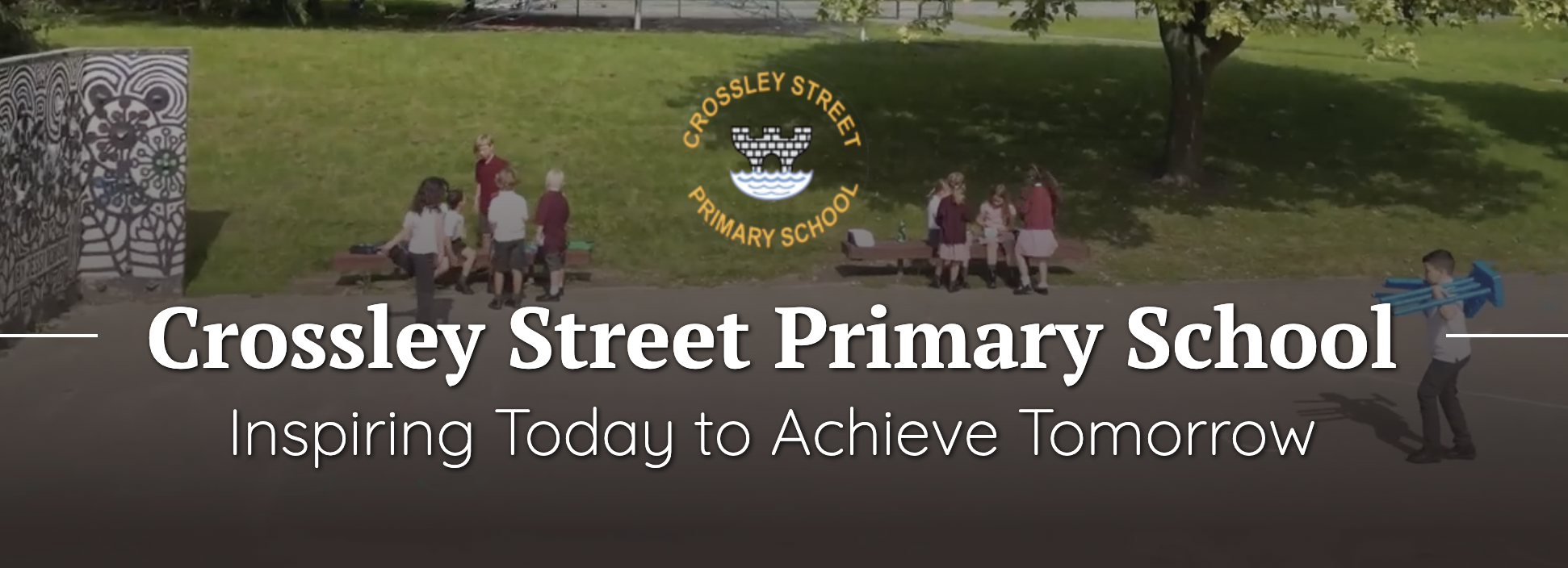
Crossley Street Primary School, located in Wetherby, West Yorkshire, has recently refreshed its online presence with a comprehensive, user-friendly website. This new digital platform aims to provide detailed insights into the educational and extracurricular opportunities offered by the school, catering to students from Nursery through Year 6.

The website stands out for its clean design and easy navigation, which improves access to key sections like admissions, curriculum details, and news updates. It effectively communicates the school’s mantra of “Inspiring Today to Achieve Tomorrow,” highlighting its commitment to fostering an environment where students can thrive academically and personally.

Educational and Community Engagement Highlights

Crossley Street Primary School’s website features a robust “Curriculum” section that outlines the subjects taught, including Phonics, Maths, Science, and Art, ensuring parents and students are well-informed about educational offerings. Additionally, it emphasises the school’s efforts in promoting “British Values” and “Cultural Capital,” which are integral to their educational ethos.

The “Newsroom” section is regularly updated with newsletters and announcements, making it a vital resource for current and prospective families to stay connected with the school’s activities and achievements. This section also details the various awards given to students, celebrating their academic and extracurricular achievements.

Community and Parental Involvement

The website fosters community interaction through its comprehensive coverage of school events and the active involvement of the “Friends of School” group. It also offers a detailed look into the “Before and After School Club,” providing essential information to parents about after-school care options, which is invaluable for working parents.

Access and Communication

Ease of access is a significant advantage of the new website. Prospective and current parents can find detailed information about school policies, term dates, and the admissions process streamlined for better understanding. The inclusion of a contact section with the school’s address, phone number, and email ensures that parents and guardians can easily reach out for more information or assistance.

Crossley Street Primary School’s new website is a testament to its commitment to transparency and communication with its community. By providing a thorough digital resource for everything from the school’s curriculum to community involvement opportunities, it plays a crucial role in supporting the school’s mission to inspire and achieve excellence in education.

For a more detailed exploration, please visit their website directly at Crossley Street Primary School.
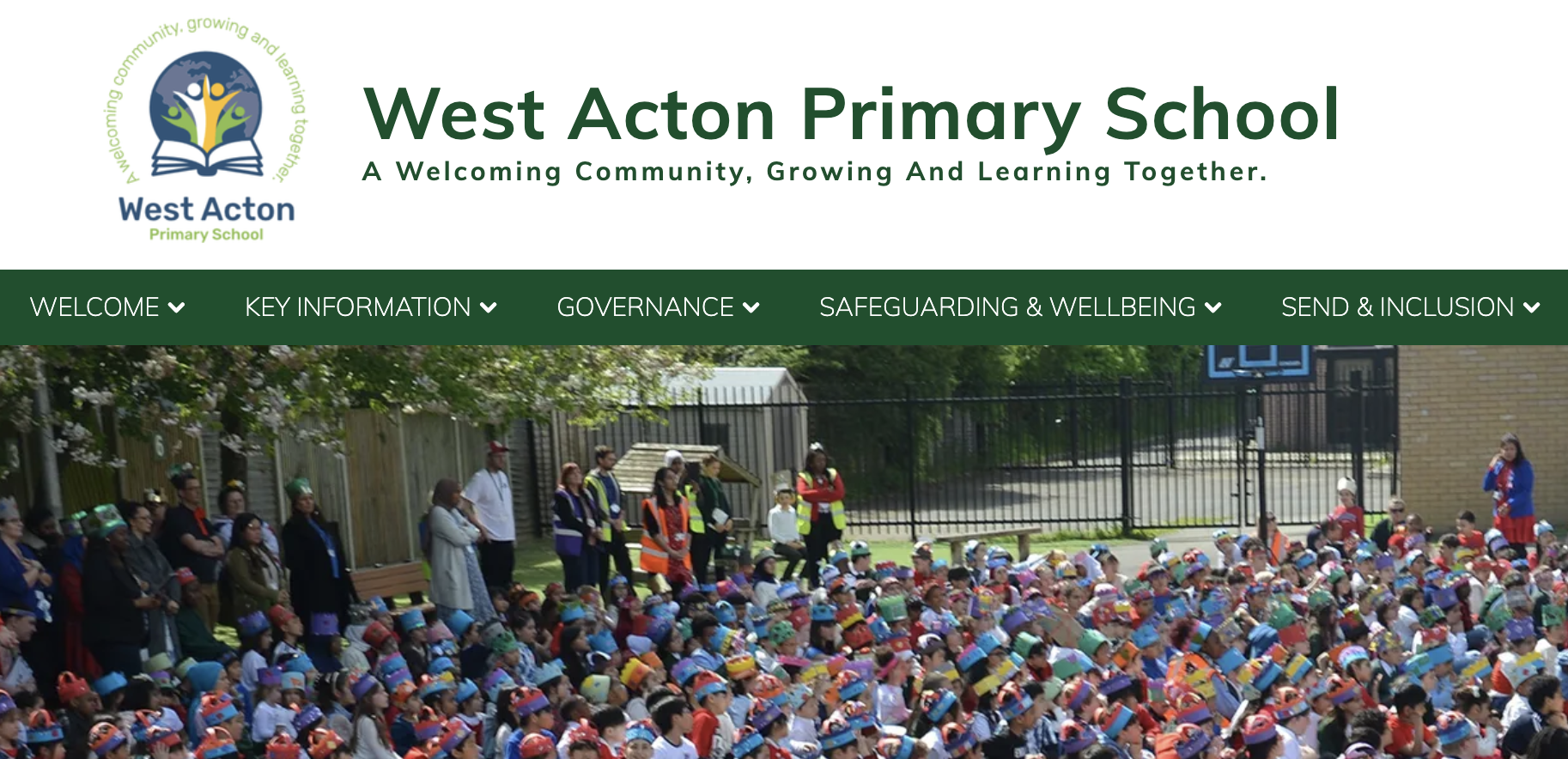
West Acton

West Acton Primary School Website Launch Overview

West Acton Primary School in London has unveiled its updated website, designed to provide comprehensive information about the school’s activities, curriculum, and community engagement. The website serves as an essential tool for parents, students, and staff, offering a detailed overview of the educational and extracurricular opportunities available.

Educational Excellence and Curriculum

The school prides itself on a rich curriculum that emphasises inclusivity and diversity. Key stages are clearly delineated, providing parents and students with easy access to relevant educational content and resources. The curriculum extends beyond traditional academics, incorporating elements such as a strong focus on environmental awareness and physical education​.

Community and Parental Involvement

West Acton Primary School’s website highlights its dedication to fostering a strong community connection. It features a dedicated section for parents, offering resources like after-school care, uniform guidelines, and details on the Parent-Teacher Association (PTA). This section is instrumental in facilitating effective communication between the school and families​.

Support for Diverse Needs

The school is committed to supporting all students, including those with special educational needs and disabilities (SEND). The website provides comprehensive information about the school’s SEND policies and the Woodlands ARP (Additionally Resourced Provision), which caters to students with specific needs, ensuring they receive the appropriate support to succeed academically and socially​​.

Safeguarding and Wellbeing

Safeguarding is a priority at West Acton Primary School. The website outlines various policies and initiatives aimed at ensuring the safety and wellbeing of its students. This includes anti-bullying measures, online safety, and a healthy eating program, all of which contribute to a safe and nurturing environment for students to learn and grow​.

The newly launched website of West Acton Primary School is a testament to its commitment to educational excellence and community engagement. It serves as a window into the school’s ethos of respect, tolerance, and high academic standards, designed to prepare students for a successful future.

For a more detailed exploration, you can visit their website directly at West Acton Primary School.

Durrington

Durrington Junior School Website Launch Overview

Durrington Junior School has launched an informative and accessible website that reflects its commitment to a broad and balanced curriculum rooted in the school’s Church of England ethos. The site is a comprehensive resource for parents, students, and the school community, offering detailed insights into the school’s activities, academic programs, and community involvement.

Curriculum and Academic Focus

The school offers a dynamic curriculum designed to cater to the educational needs of children aged 7 to 11. It emphasises core academic subjects such as Maths and English, and integrates these with a diverse range of subjects including History, Geography, Science, and Computing. The curriculum is regularly reviewed and adapted to meet the needs of its students, ensuring relevance and engagement. Special emphasis is placed on the White Rose Maths scheme to structure the Maths curriculum, reflecting a commitment to high academic standards​​.

Community Engagement and Support

The website highlights various aspects of parent and community engagement, with detailed sections on parent support, learning resources, and school policies. It offers a dedicated area for parental information, including guides on uniforms, school meals, and a calendar of academic events, ensuring parents are well-informed and involved in the school community​ (Durrington Junior School)​.

Inclusion and Safeguarding

Inclusivity and safeguarding are prominently featured, with specific policies and resources dedicated to ensuring a safe and supportive environment for all students. This includes extensive support for students with additional needs and a robust safeguarding policy that is integral to the school’s operations​​.

Ethos and Values

Grounded in its Christian values, the school promotes a respectful and caring community where students are taught to be kind, truthful, and environmentally conscious. The school’s ethos is woven into all aspects of school life, aiming to develop well-rounded individuals who respect themselves and others​ (Durrington Junior School)​.

Durrington Junior School’s new website serves as a reflection of its ethos of “Love your neighbour as yourself,” and provides parents, students, and staff with easy access to important information about school life and the curriculum. It acts as a crucial tool in supporting the school’s mission to provide a nurturing and effective learning environment.

Explore more about Durrington Junior School by visiting their website here.

Bidbury

Bidbury Junior School Website Launch Overview

Bidbury Junior School in Havant, Hampshire, has updated its website, offering an extensive platform that provides detailed insights into the school’s operations, values, and community engagement. This new website aims to serve as a comprehensive resource for parents, students, and the broader community.

Educational and Community Engagement Highlights

Bidbury Junior School’s website is structured to showcase its commitment to fostering an environment where children are encouraged to develop respect, independence, focus, resilience, boundaries, and self-regulation. The website clearly outlines the school’s core values and how these are integrated into daily school life, promoting a culture where students are prepared to meet their potentials both academically and personally.

Curriculum and Extracurricular Activities

The website details a robust curriculum supported by various extracurricular activities that enhance the learning experience. It includes information on the school’s adherence to the National Curriculum with specific focus areas in subjects like Maths, Reading, and Science, ensuring comprehensive educational coverage. The school also emphasises physical education and sports, showing its dedication to student health and teamwork skills.

Parental Involvement and Resources

Bidbury Junior School actively encourages parental involvement, providing various resources on the website to help parents stay informed and engaged in their children’s education. This includes access to school policies, admission procedures, uniform guidelines, and an academic calendar. The site also features sections on school development plans and GDPR compliance, ensuring transparency and security of information.

Inclusion and Support

The website includes dedicated sections for Pupil Premium and Special Educational Needs and Disabilities (SEND), highlighting the school’s approach to inclusivity and tailored support for all students. This demonstrates the school’s commitment to providing an equitable learning environment.

Performance and Progress

The school’s recent performance metrics indicate a solid foundation in teaching, with most students meeting the expected standards in key subjects like Maths and Reading. However, the progress scores suggest there are areas needing improvement, particularly in ensuring all students make expected gains across key stages.

The newly revamped website of Bidbury Junior School acts as a gateway for the community to explore and understand the school’s educational offerings, policies, and community initiatives. It reflects the school’s mission to nurture young minds in a supportive and inclusive environment.

For further details, explore the school’s website directly here.
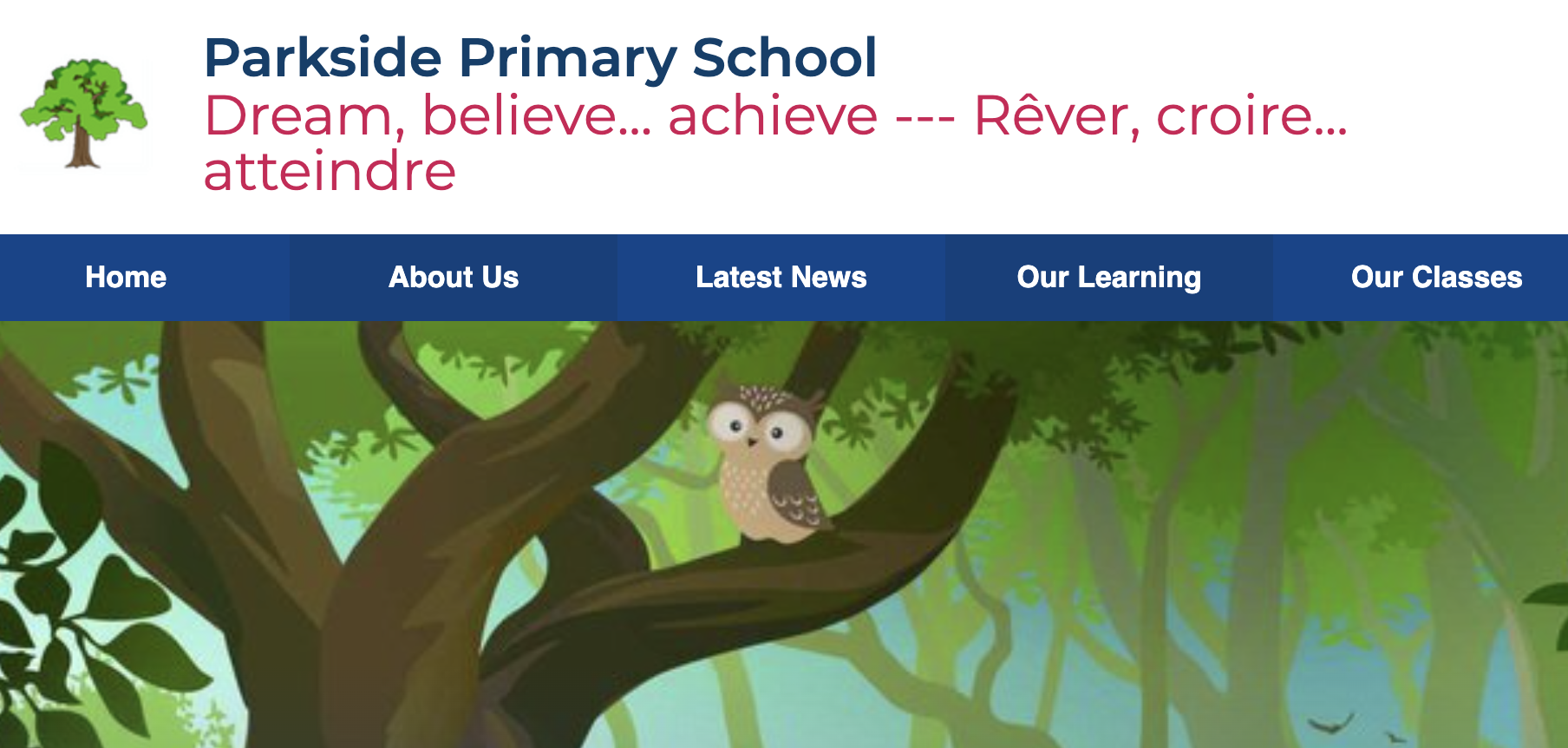
Parkside Primary School

Parkside Primary School Website Launch Overview

Parkside Primary School has unveiled its new website, serving as a comprehensive portal for the school community. The website is designed to reflect the school’s commitment to providing a supportive and enriching educational environment that aligns with its motto, “Dream, believe, achieve.”

Educational Excellence and Community Involvement

The website offers a thorough overview of the school’s curriculum, highlighting a diverse range of subjects including Maths, English, Science, Computing, and the Humanities. Special attention is given to incorporating metacognition techniques and modern foreign languages, preparing students for a globalised world. The school also emphasises co-curricular activities that support the holistic development of its students​​.

Inclusivity and Support

Parkside Primary School is committed to inclusivity, with detailed information available on its Special Educational Needs and Disabilities (SEND) provision. The website explains the support mechanisms in place for students with SEND, ensuring they are fully integrated into all aspects of school life and have access to the necessary resources and support​​.

Parental Engagement and Resources

The website is a resource for current and prospective parents, offering downloadable forms, school policies, and a calendar of events. It provides detailed sections on how parents can support their children’s learning at home, reflecting the school’s commitment to a collaborative educational approach​.

Safety and Wellbeing

Safeguarding is a priority, with the website outlining the school’s comprehensive policies and contact information for safeguarding leads. This section ensures parents and guardians are aware of the measures in place to maintain a safe and secure environment for all students​​.

Digital Accessibility and Community Outreach

The digital platform includes features such as a photo gallery showcasing recent events and activities, enhancing community engagement. The school also ensures the website is accessible to all users, with clear navigation and tools to adjust the user interface as needed​​.

Parkside Primary School’s website is an extension of its commitment to high educational standards, inclusivity, and community engagement. It serves as a crucial tool for communication and is an exemplary resource for anyone interested in the school’s educational offerings and community activities.

To explore more about Parkside Primary School, visit their website here.


Blessed Christopher Wharton Catholic Academy Trust Workshop

Category: MATS

Published: February 23, 2024

Blessed Christopher Wharton Catholic Academy Trust Workshop

On February 19th, 2024, the Blessed Christopher Wharton Trust Workshop brought together enthusiastic educators, administrators, and tech innovators to share and explore cutting-edge strategies aimed at enriching the educational landscape within BCWCAT. This gathering was not just a meeting of minds but a beacon of collective aspiration towards elevating the standards of education through technological advancement and community involvement. Here’s a deeper dive into the key highlights and the promising future that lies ahead as a result of this productive engagement.

The Dawn of a New Digital Era: Website Redesign with School Jotter 3

The workshop kicked off with an engaging presentation by Becky Cunliffe and Mathew Basierak, focusing on the transformative redesign of the Trust’s website utilizing School Jotter 3. This initiative marks a significant step forward in how the Trust communicates its vision, values, and educational initiatives. The upcoming website, set to be unveiled in late March 2024, is expected to be more than just a digital space. It aims to be a vibrant community hub that showcases the Trust’s commitment to innovation and excellence in education, enhancing interaction among students, educators, and the wider community.

Streamlining Operations with Totara Learn

The introduction of Totara Learn by Arthur Howie was a highlight of the workshop, presenting a strategic approach to simplifying compliance and administrative processes for site managers and non-teaching staff. This system promises to streamline operations within the Trust, making it easier for staff to focus on what truly matters—delivering quality education. The collaboration between Arthur and Nicola, the HR lead, is eagerly anticipated as they explore the full potential of Totara Learn to support the Trust’s mission.

Empowering Student Voices Through Sound Branch

Another innovative tool introduced at the workshop was Sound Branch, championed by Mathew Basierak. This platform stands out as a powerful medium for amplifying student voices, enabling them to share their insights, reflections, and learning experiences through podcasting. Sound Branch promises to revolutionize the way students engage with their learning material, offering a unique avenue for assessment and peer-to-peer learning that prioritizes student expression and active participation in their educational journey.

Overcoming Barriers with Event Anywhere

Sean Gilligan’s presentation on Event Anywhere addressed a common challenge in educational settings: the logistical difficulties of organizing face-to-face training and networking sessions. By leveraging this innovative platform, the Trust aims to foster stronger connections among teachers, facilitate seamless collaboration across schools, and actively involve families in the educational process. Event Anywhere stands as a testament to the Trust’s commitment to overcoming obstacles and ensuring that professional development and community engagement remain top priorities.

Looking Ahead: A Future Filled with Collaboration and Innovation

The workshop concluded on a note of optimism and excitement for the future. The announcement of the Sound Branch platform being provided at no cost, courtesy of the workshop organizers, and the enthusiastic response to proposals for continued collaboration using Event Anywhere, underscored the community’s shared dedication to enhancing educational quality and accessibility.

As we reflect on the insights and initiatives discussed at the Blessed Christopher Wharton Trust Workshop, it’s clear that the path ahead is paved with opportunities for innovation, collaboration, and growth. The Trust stands at the forefront of educational excellence, ready to embrace new technologies and strategies that promise to enrich the learning experiences of all students within its care.

In closing, we extend our heartfelt gratitude to all participants for their invaluable contributions and look forward to witnessing the fruits of our collective efforts unfold in the months and years to come. Together, we are shaping a brighter future for education within the Blessed Christopher Wharton Trust, fueled by a shared passion for learning and a commitment to excellence.

Understanding WCAG: A Guide to Web Accessibility

Published: February 5, 2024

Web Accessibility

The digital world has become an integral part of our daily lives, and ensuring that everyone, including people with disabilities, can use and benefit from web content is crucial. The Web Content Accessibility Guidelines (WCAG) are a set of recommendations for making web content more accessible to people with disabilities. This blog post will delve into the WCAG guidelines, their importance, and how they can be implemented to create a more inclusive digital environment.

What is WCAG?

The WCAG is developed through the World Wide Web Consortium (W3C), which is an international community that develops open standards to ensure the long-term growth of the Web. The guidelines are part of the W3C’s Web Accessibility Initiative (WAI). They are designed to make web content more accessible to people with various disabilities, including visual, auditory, physical, speech, cognitive, language, learning, and neurological disabilities.

The Evolution of WCAG

The WCAG guidelines have evolved, with multiple versions being released to address the changing web landscape and emerging technologies. The most widely recognized versions are:

  1. WCAG 1.0: Released in 1999, this was the first version and included 14 guidelines.
  2. WCAG 2.0: Released in 2008, this version introduced four principles (Perceivable, Operable, Understandable, and Robust) and provided more detailed success criteria.
  3. WCAG 2.1: Released in 2018, this update added more guidelines, mainly focusing on mobile accessibility, people with low vision, and people with cognitive and learning disabilities.

The Four Principles of WCAG

The WCAG guidelines are built around four principles, often referred to by the acronym POUR. These principles are essential for anyone who wants to understand and implement web accessibility:

  1. Perceivable: Information and user interface components must be presented in ways that users can perceive. This means that users must be able to perceive the given information (it can’t be invisible to all of their senses).
  2. Operable: User interface components and navigation must be operable. This means that users must be able to operate the interface (the interface cannot require interaction that a user cannot perform).
  3. Understandable: Information and the operation of the user interface must be understandable. This means that users must be able to understand the information and the operation of the user interface (the content or operation cannot be beyond their understanding).
  4. Robust: Content must be strong enough to be interpreted reliably by various user agents, including assistive technologies. This means that users must be able to access the content as technologies advance (as technologies and user agents evolve, the content should remain accessible).

Implementing WCAG Guidelines

Implementing WCAG guidelines involves several steps:

  1. Understanding the Requirements: Familiarize yourself with the WCAG guidelines and the specific needs of various disabilities.
  2. Conducting an Accessibility Audit: Evaluate your current website or application against the WCAG criteria.
  3. Making Necessary Changes: Modify your website or application to meet the WCAG standards. This might involve changes to design, coding, or content.
  4. Regular Testing and Updates: Continuously test your website with various tools and methods and update it regularly to ensure ongoing compliance.

Understanding WCAG

The WCAG guidelines play a critical role in creating an inclusive digital environment. Web developers and content creators can ensure that their websites and applications are accessible to all users, regardless of their abilities or disabilities by adhering to these guidelines, w. In an increasingly digital world, web accessibility is not just a nice to have; it’s necessary to ensure equal access and opportunity for everyone.

How to Ensure an Inclusive Online Web Experience for All Parents

Category: Uncategorized

Published: December 16, 2023

Web Experience for All Parents

Don’t Forget The Details

One of the most important details any school web design fails to take into account is accessibility. This can also take place when you are developing a mobile-friendly school website design.

People are not the same as they have minor defects like colour blindness, hearing loss, and other disabilities that make it hard for them to access your school’s website.

While you may not be able to please or meet everyone’s needs you can still make your website accessible to a large majority of your target audience. When your school website design is inclusive for all parents you can avoid any legal issues that may have arisen if you did not do this work.

Designing School Websites for Diversity: Crafting an Inclusive School Web Experience

When you are going to make this attempt to have an inclusive school website design, you need someone with experience in web design to make the end result perfect.

Also, you need to know who is attending your school and what their parents are like, as well as know your target audience. Crafting an inclusive website means addressing all the needs found in your school’s parents, their children, and potential parents and students.

The reasons you want an all-inclusive website are:

– it broadens your audience

– it creates a better user experience for all who visit the website

– it helps build a cohesive and equal community

– avoids legal issues

Once you understand the reasons for building an all-inclusive school website design, you need to make sure it meets the following criteria- perceivable, operable, understandable, and robust.

An all-inclusive website design is a lot of work which is why you need someone with experience in web design to help you build it.

Ensuring Every Parent Feels Welcome via School Website

The steps to accomplish this goal would be similar to the ones you need to take when parents make a physical visit to your institution. The website is just an extension of the school and should incorporate key welcoming principles so all parents will feel comfortable exploring the website.

The first step to doing this is to understand that your school’s website design is your first impression. How it looks will tell every parent what you think of them. Making it an attractive landing page helps make the parents feel welcome.

The second step would be to clearly communicate and communicate well. If this task means having web pages translated into several languages, then so be it. You want every parent to feel welcome and meeting them in their native tongue is one way to accomplish that objective.

Don’t forget to ask parents what would make them feel comfortable when they visit the school’s website. This is vital information that cannot be overlooked.

Creating an Inclusive Online Hub for School Parents

One of the first steps in this process is to make sure to place a meaningful welcome on one or more pages. There can be a general welcome from the school and more specific welcoming messages from individual teachers to parents of their students.

Don’t forget to add check-ins as those help parents feel more comfortable. Then, design your web pages in such a way that parents can see them and their children represented in the culture of the school.

Be sensitive to ethnicity, cultures, and religions, and have that sensitivity appear in the language on signs, posters on the wall, and even key books in your school’s library. All of this can be displayed on different web pages on your school’s website.

Finally, create activities for the whole family to be involved. Of course, these have to be flexible and designed to meet modern parental schedules. You can get ideas through brainstorming as well as learning your students’ parents’ schedules.

Making user-friendly School Web Design

This is a vital element in any school website design as well as its mobile-friendly school website design. Being user-friendly encourages engagement and makes all parents feel welcome.

However, this is not an easy task as many parents do not have the same abilities and cannot access your school’s website in the same way. Here are some key disabilities that your web designer needs to consider and incorporate into his or her website design:

– visual

– auditory

– physical

– speech

– cognitive

neurodiversity

temporary and situational

Unfortunately, it may not be possible to meet all of these disabilities. Trying to please everyone is not an easy task and often you end up pleasing no one.

Strategies for an Inclusive School Web Experience

The following should provide you with the key ideas you can implement:

– semantic HTML elements

– have your site keyboard-friendly

– ensure good colour contrast and make it sufficient for all people

– provide media alternatives

– make use of captions and ALT texts

– include alternative text and content

– enable the keyboard navigation feature

– make sure to include clear instructions and labels

– allow your parents to make customized changes

– watch out for content that triggers seizures

– be culturally sensitive

– then test your website using real people

There are accessibility tools that can help you analyze how inclusive your school website design is. Don’t forget to use assistive technology to gauge the upgrade to your website.

Also, do not be afraid to make any changes that these testers and tools suggest.

Some Additional Words

When you are ready to make your school website design all-inclusive, contact our company. We pride ourselves on helping schools be more inclusive and broaden their audience through their website design.

We have the technicians and the experts who will help you construct a great inclusive website that should be welcoming to all parents. Contact us today to get started on this upgrade and broaden your school’s audience.

It is well worth the time and effort to accomplish this goal.

How To Evaluate The Effectiveness Of Parent Engagement Through School Website

Category: Uncategorized

Published: December 13, 2023

Parent Engagement Through School Website

When you use traditional measuring parameters, it becomes very easy to evaluate the effectiveness of parental engagement. These measuring parameters are better grades, better test results, and similar guides.

However, when it comes to measuring the effectiveness through the school’s website, this task becomes a lot harder. There are different parameters that have to be analyzed to see if parental engagement is where it should be.

Generally, you need someone with experience in web design to know which analytics will provide you with the correct information. Measuring the effectiveness of parental engagement through your school website design is not always that cut and dried.

Measuring Clicks and Engagement: A Guide to Analyzing School Website Effectiveness

The art of measuring the effectiveness of a school website is not always clear. One can only analyze the data that is recorded on the statistical pages on your dashboard.

Some of the data recorded on that page will give you an idea of how effective your school’s website is being and they may help in restructuring your online strategies.

Some of the data you can use will come from the following areas:

– average time parents spend on a given web page

– average session time for each parent

– the number of page views each visitor does

– the number of pages they visited per session

– the bounce rate of each visitor

– the exit rate of each of your visitors

High numbers in most of these categories will help you determine your school’s website effectiveness. The area where you want low numbers would be bounce time. You will want to see the school’s website visitors have long sessions and not leave too quickly.

Get Data-Driven Insights by Evaluating Parent Engagement on School Website

What makes this difficult is that many of your school’s website visitors may not be current school parents. The data doesn’t always indicate who is or isn’t a parent and a lot of your website activity could be done by visitors who came across the site for various reasons.

One way to get data-driven insights would be to look at the number of returning visitors. Most non-school parents will not return to the site unless they have school-age children and are looking for a good school to send them to.

The majority of returning visitor data would indicate a healthy engagement by current school parents. Another good source for data-driven insights would be the click rate and scroll depth.

This analytic option records how many clicks your school’s website visitor made on the website and tracks how far down the web pages they scrolled. This information provides you with an idea of how well your current parents are engaged with your website. And school.

Of course, there is no way to separate the data from school parents and interested potential school parents.

What are the Key Metrics for Assessing Parent Interaction

The key metrics that can be used for assessing parental interaction can come from the ones already listed above. How much time they spend on the school website, their click rate, scroll depth, as well as length of time they spend on the website are good indicators.

However, those metrics do not tell a clear and full story. While parents can spend little time on the school’s website yet be fully involved and have good interaction with their child’s teachers.

The best metrics to use also include their length of session time, page views, pages per session as well and access to the teacher-parent portals to check on their child’s progress.

The drawback to most of these metrics is that it is hard to distinguish between a current school parent and an interested potential parent. The latter may spend a lot of time on the website to see if the school is where they want to send their children.

Understanding the Parental Experience on School Websites

The way to achieve this objective is to put yourself in the current and prospective parents’ place and analyze your school’s website, navigation, pages, and other features.

You have to think like a parent to get a better understanding or even an idea of their understanding before you can fully appreciate what parents have to go through to be engaged with your school through its website.

The drawback to this method is that the web designer has to accept the perception as reality which may not be true in a majority of cases. The best way to understand the parental experience is to talk directly to the parents and see what they say.

Do not dismiss their critiques or experiences but use them to help guide your upgrading of the website. Keep in mind that what one parent likes another may not so you may end up pleasing one parent while excluding another.

Using Parent Input to Gauge School Website Effectiveness

This is the best and most plausible method you can use. Opening up communication channels and engaging parents by asking for their input are the clearest and simplest methods you can use.

There are different techniques you can use to get that input. Surveys, multiple-choice questions, or direct questions are the most effective methods to get parental input.

Then you can take that information and analyze it to see where improvement can be made on your website. Clear communication is the key to this option.

Some Additional Words

When you need to do this evaluation contact our company. We have had years of experience identifying and analyzing key metrics to gauge parental engagement through the school website and its effectiveness.

Our company has experts on analytics ready to help you in this tough process. Using people who know what they are doing and what to look for is essential if you want accurate results.

Contact us today to see how we can work with you in this area of your school website. Helping you get the information you need is just part of what we do, so contact us today for all your school website needs.

Mobile-First Design: Adapting Your School Website on the Mobile

Published: December 7, 2023

The Keys To Engagement And Connection

When you want your students, their parents, and your alumni to be engaged and connected to your school, there is one key step you need to take. You have to prepare your school’s website to be a mobile-friendly school website design.

More and more people are switching from laptops and PCs and going to their mobile phones for internet searches. Mobile phones are convenient and easy to use and almost everyone has one.

This upgraded mobile-friendly design should also help you with SEO rankings. It is vital when you want great communication with parents, students, and alumni.

What Is Mobile-First Design For A School Website?

When website developers design for PCs first, it is called backward design thinking. This type of design effort does not encourage the designer to focus or create innovations that would work on mobile phones.

To do a mobile-first design for a school website, the web designer first designs the website for mobile phones and then moves on to the bigger electronic devices like notebooks, laptops, and PCs.

This technique is designed to help designers to focus more on what they are doing and be more creative with their innovations. With a large number of the population using mobile phones, schools that want to upgrade older websites or build new ones should consider this newer technique.

Why Is Mobile-First Design Important For Schools?

There are a lot of benefits a school will receive from doing their website in the mobile-first order. Here are just a few of the most important benefits:

1. There Is An Improved User Experience

When you design for mobile phones first, you are providing the mobile phone internet user with better optimization as well as a well-thought-out experience.

This helps capture the attention of those using their mobile phones to peruse your website. The improved and easier-to-use experience keeps them onsite longer.

2. Accessibility

With a mobile-friendly school website design parents and students can access the school’s website from just about anywhere they happen to be. Plus, you are broadening the target audience as you include disabled and other mobile phone users who may not have access to a PC.

Also, the features like voice commands help drivers and other busy people to turn unproductive time into productive time using voice commands.

3. A Better Website Performance

The better you design your website for mobile phone use, the better the experience for the mobile phone user. Navigation buttons will be easier to use and the website’s loading speed will be more attractive to mobile phone users.

A mobile-first design does help your SEO ranking.

4. Scalability

When you do a mobile-first design, you will find that it is easier to make adjustments for larger screens like PC monitors. Also, it is just easier to add website elements to a PC than it is to remove them to fit a mobile screen.

How To Adapt Your School Website For Mobile Devices

1. Optimize Your Website For Loading Speed

It has been proven that if the web page loading speed is improved by even as little as 0.01%, conversion rates go up by almost 10%. While that applies to retail applications, the improved speed will help your school’s website visitors be in a better frame of mind when they communicate with you.

Loading speed improves the user experience and helps them get to the information they are looking for faster. You want to make sure your website loads up as quickly as possible to keep your students and parents happier.

2. Use A Responsive Design

If you are not sure what a responsive design is, this is a design that automatically detects the device the visitor is using and adapts the page to fit their smaller screen.

You want a responsive design as search engines like Google give higher rankings to websites with this type of design. If you want to be seen, this is one way that helps you get noticed.

Plus, the responsive design integrates with other features on your website quite well. This adds to a seamless user experience that benefits everyone.

3. Keep Your Navigation Simple And Intuitive

Ease of use and a good user experience depends on your navigational design. If buttons cannot be found or touched, then the user will not have a great experience with your website.

To create a great mobile user experience, you have to make sure the navigation is easy to find, easy to use, and very simple to understand. Keep it simple applies to this issue and it will help with your mobile website design.

4. Use Large Fonts And Buttons

A very important topic as smaller fonts and small buttons make it extremely difficult to read your website as well as do any navigation throughout it. It is a nightmare to try to read very tiny print so when you design your website to be mobile friendly, use as large a font that works.

The same goes for your navigational buttons. You do not want them so small that the user cannot use their fingers to push. Nor should they be so small that your website visitor pushes two at the same time. Have your designer select the right sizes for both items.

5. Make Your Content Easy To Read And Scan

When it comes to school websites, you are not trying to impress parents, etc., with your technological know-how. You want them to get the information they are looking for fast, simple and have it easy to scan. Making the site easy to read achieves those goals

Some Additional Words

When you have decided to create or upgrade your school’s website to make it a mobile-friendly school website design, contact us. We have years of experience in experience in web design and can easily do the mobile-first website design for your school. Call us today to see how we can improve your school’s website.

Benefits Of Integrating Social Media Marketing Into Your School’s Web Strategy

Published: December 4, 2023

social Media in Enhancing School Web Design

Go Where Your Target Audience Can Be Found

It used to be easy to find your target audience. You could put an ad in the newspaper or a giant billboard up for all to see. Or all you need to do is advertise in the right magazines.

Today reaching your target audience is a bit more difficult. They are spread all over the internet on a variety of social media platforms or they may not be there at all. But if you are looking to increase your school’s enrollment then you need to incorporate social media marketing in your school web design.

What is The Role of Social Media in Enhancing School Web Design?

One of the most important roles social media has when incorporated into your school web design is that it fosters engagement. Your students and their parents can feel part of the school through this strategy.

Another important role is that adding social media to your mobile-friendly school website design is that information is easier to share. Students can pass along vital school information to their friends a lot faster and easier.

It makes for a better user experience and allows everyone connected to the school to know what is going on. Plus, the school can showcase its products, schedules, and activities, as well as make communication better between teachers and parents.

Incorporating social media in your school website design is helping the school go where its target audience spends most of its time. That makes communication run smoother and people get the information they need before it is too late.

Social Media’s Impact on School Web Design

The biggest impact social media has on a school’s website design is that it filters out extraneous information and helps you define your school and its brand a lot more coherently.

The social media platforms help you develop a voice for both the website and your social media accounts. The two are not necessarily the same. Plus, social media usually has its own set of goals created by the school.

These goals may differ slightly or vastly from the goals you have for your regular website. This extra set of goals helps you define your school in much easier-to-understand terms.

In addition to that, the social media impact means that your regular website should be mobile-ready. Most people access websites through their mobile phones and being social media-ready means you have taken care of two birds with one stone.

Social Media Boosts Enrollment via School Web Platforms

This is a positive result that should be expected. When you design your website to go where your target audience spends its time, then chances are you will increase enrollment.

Social media participation says a lot about your school to your target audience and gets them interested in what your school is all about. With over 57 million social media users in the UK alone, you have a large audience to reach.

Going where your audience is the premium strategy for any school that wants to increase enrollment and be seen as a successful academic institution. What helps accomplish this goal is that your social media marketing can be more targeted.

It also provides key information for those people searching for information on a specific school. This type of marketing has been described as similar to a shop window open to the street.

People get a glimpse of what your school is all about and when interested they can enter and explore

Social Media Integration in Modern School Web Design

This is not something that can be done overnight. First, you have to make sure your website design is aligned with your social media marketing strategy. The next step is to make sure your website design is fast and responsive.

Mobile phone and social media users are very quick on the draw and can bounce off your slow-moving website very quickly. The third step for proper social media integration is to have your website design including social media icons and share buttons.

The fourth step is as important as the first three but maybe slightly more important at the same time. When integrating social media into your modern school website design you still need riveting content to hold their attention.

This content needs to be entertaining as well as shareable or it may not capture the interest of your website’s visitors. Don’t forget to track the performance of your website design.

Staying Current with Social Media in School Web Strategies

This means that you have to stay current with popular trends, be able to see what new trends are developing and know when to switch from older trends to newer ones.

The trends that are being suggested currently are:

– use posts and X to broadcast updates and alerts

– use live streaming for lectures and discussions

– use Instagram for digital storytelling

– and more options

Staying current means watching what social media trend becomes popular and which ones have lost favour with your target audience. Then adapt to the changing landscape.

Also, you should have social media icons on your web pages so your target audience can easily access those accounts and see what you are doing on those platforms.

The reason you use social media outlets like YouTube is that if you are not telling your story, someone else is and the information may not be accurate or flattering to your school.

Some Additional Words

When you are ready to incorporate your school website design with social media accounts, contact our company. This is what we do. Our company is dedicated to upgrading and enhancing school website designs.

We do the hard work for you and can help you create a great social media marketing plan that should reach your target audience. This is not that hard to accomplish when you have our experts working with you to create a great social media marketing strategy.