4 Best Independent School Websites 2025

Published: August 21, 2025

The-Kings-School-IMAGE
The best independent school websites are easy to navigate, engaging, and fully responsive across all devices. This makes it simple for parents, students, and teachers to access the information they need. Just as importantly, they capture the unique character and community of each school.
This article looks at some of the best independent school websites of 2025, highlighting the features and design choices that set them apart.

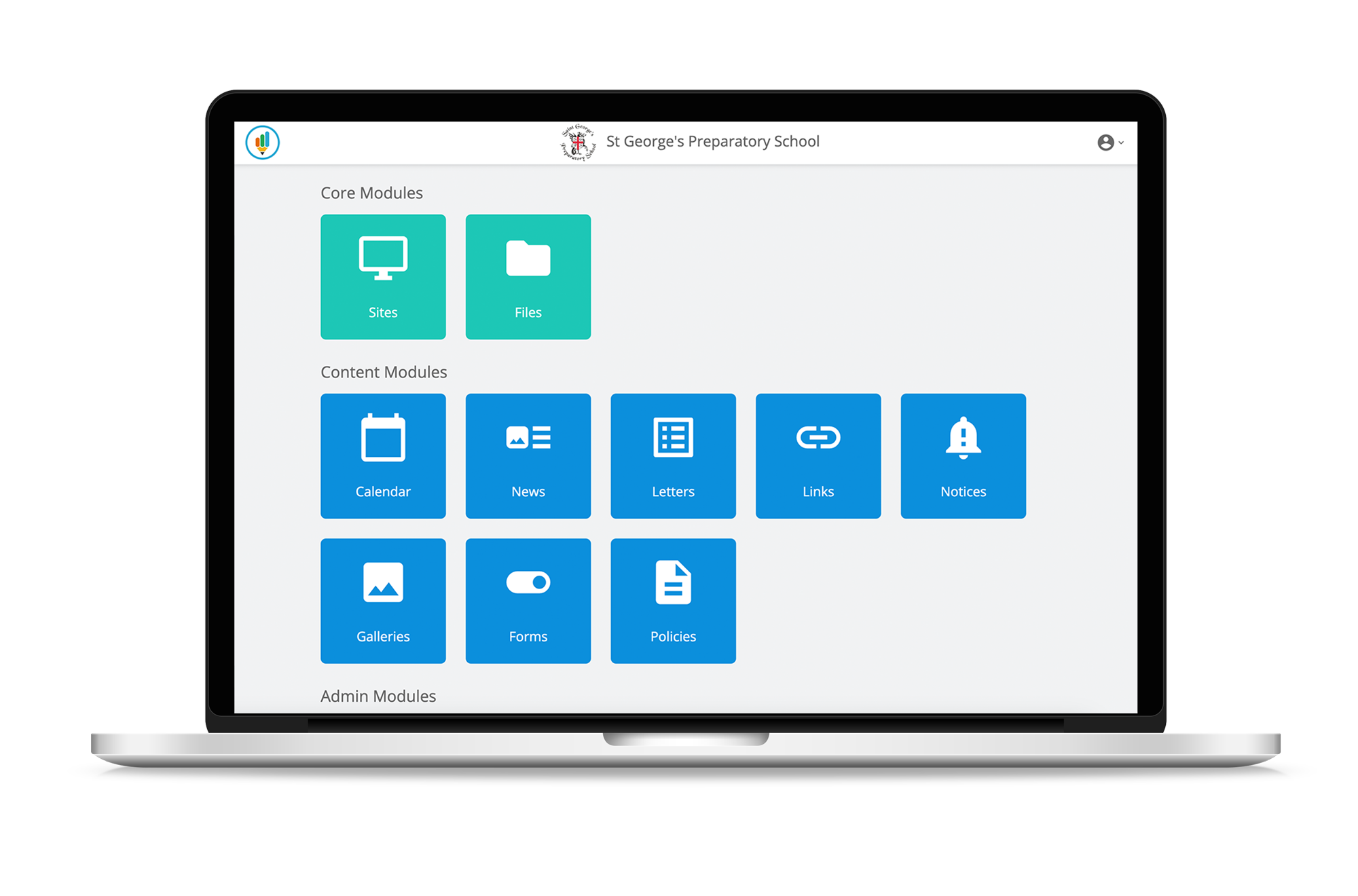
St George’s Preparatory School

St George’s Preparatory School in Boston was founded in 2011 with a clear vision – to create a nurturing, family-focused environment where children are known as individuals, not numbers. Their website reflects this ethos beautifully, telling the story of how the school grew from a parent’s frustration with traditional education into a thriving independent school.
The design combines warm storytelling with professional functionality, giving parents an immediate sense of the school’s values while also providing easy access to key information such as admissions, curriculum, and pastoral care. It strikes the right balance between personality and practicality, making it both engaging and highly user-friendly

https://www.saintgeorgesprep.co.uk/

The Kings School

The King’s School, Witney, has a website that captures its Christian ethos while remaining clear and easy to use. The homepage makes an instant impact with bold messaging and a simple call to action for parents to book an Open Morning.
Bright visuals and a clean layout make the site welcoming, whilst the clear navigation directs families straight to key areas, such as Admissions, School Life, Results, and Term Dates. It’s a design that feels both warm and professional, reflecting the school’s nurturing atmosphere and strong sense of community.

https://www.tkswitney.org.uk/

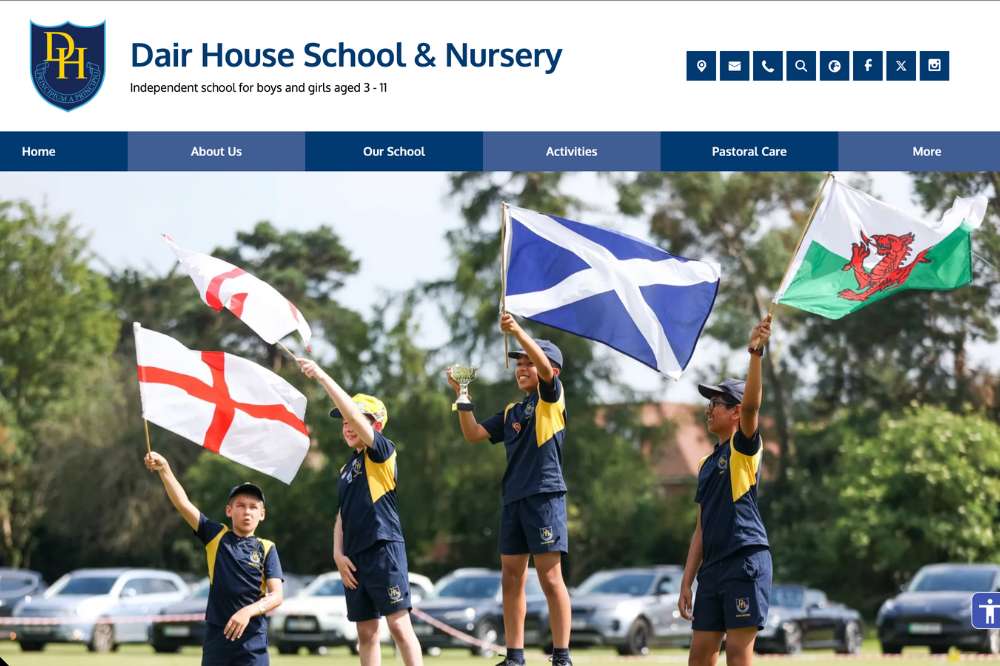
Dair House Private school

Dair House Private School asked us to refresh their website with the goal of attracting more prospective parents to visit the school. Through our discussions, we identified the key messages and features that needed to come across online.

The result is a modern design with a clear, user-friendly layout, enriched with engaging content such as key diary dates, newsletters, and a promotional video that brings school life to the forefront.

https://www.dairhouseschool.co.uk/

Bridge House School

Bridge-House

Bridge House Independent School partnered with us to refresh its online presence with the goal of making it more welcoming and helpful for prospective families. Through collaborative discussions, we pinpointed the essential messages and features the site needed to highlight.
The outcome is a modern, clean design with intuitive navigation. Parents and students can easily access key areas such as the Curriculum, Admissions, Term Dates, and Newsletters. This clarity is paired with engaging, accessible content that brings the school’s daily life and ethos to the forefront, helping visitors connect instantly and find what they need

https://www.bridgehouseschool.co.uk/

Build Your Schools Perfect Website

A great school website does more than act as a digital open day – it’s a central hub for communication and engagement. The best independent school websites of 2025 combine clear navigation with mobile-friendly design, making it easy for parents, students, and staff to find the information they need.
Since 2007, School Jotter has supported over 4,000 schools with fast, accessible, and Ofsted-compliant websites tailored to their community. Contact us today to learn more about our school web design and marketing services.

5 Best Multi Academy Trust Websites 2025

Category: MATS

Published: August 5, 2025

Arete-Laptop-Mockup

Having a strong Multi Academy Trust website is more important than ever. It should clearly reflect your MATs values, be simple to navigate, and make it easy for parents, staff, and prospective schools to find the information they need.

In this article, we’ve picked six of the best MAT websites of 2025. We’ll explore what makes each one effective and share ideas you can use to improve your own Trust’s online presence.

Areté Learning Trust

Arete-Learning-Trust

Areté Learning Trust is a growing MAT in North Yorkshire with a clear focus on excellence, inclusion, and wellbeing. Their old site didn’t reflect the Trust’s ambition. It was hard to navigate on mobile, and key information like policies and vacancies were buried deep within the website.

The new website is clean, modern, and easy to use. A bold homepage showcases the Trust’s vision and values, while dedicated school pages give each academy space to shine. The layout is simple and mobile-friendly, with clear menus and quick access to important content. Staff can easily update the site through a flexible CMS, saving time and keeping everything current.

Overall, the design captures what Areté stands for – professional, welcoming, and forward-thinking – helping the Trust stand out to parents, partners, and future schools.

https://www.aretelearningtrust.org/

The Learning and Achieving Federation

The Learning and Achieving Federation - Multi Academy Trust Federation Website

The Learning and Achieving Federation brings together two schools with a shared focus on high standards, inclusion, and community. Their website now reflects that vision clearly.

The updated design is clean, bright, and easy to navigate. A simple menu structure makes it quick to find key info like policies and governance. Each school has its own section, but the branding ties everything together nicely.

It’s also mobile-friendly, with clear buttons and well-organised pages that load quickly on any device. Staff can easily keep content up to date, making it a useful hub for parents and carers. Overall, the site feels welcoming, professional, and aligned with the Federation’s values.

https://www.learningandachievingfederation.co.uk/

Brontë Academy Trust

Brontë Academy Trust - Multi Academy Trust Website

Brontë Academy Trust brings together four village primary schools with a clear mission: Achieving Together for Every Child. Their website captures this perfectly with a warm, welcoming design that’s easy to navigate.

Their new website brings this message to life with a bright, clean design and intuitive structure. The homepage introduces the Trust’s story and schools in a welcoming, visually engaging way.

Each school’s section is linked to, maintaining individuality while reinforcing the Trust’s strong brand. Navigation is simple and clear: parents and staff can easily access key areas like statutory information, governance, policies, and curriculum details without clicking through excessive menus.

It’s a great example of how a MAT website can be both community-focused and efficient. This makes it easy for parents, staff, and visitors to stay informed and connected.

https://www.bronteacademytrust.org.uk/

Enhance MAT

Enhance-MAT

Enhance Academy Trust oversees a family of Church of England primary schools and a post-16 performing arts college, united by the values of Encourage, Help, Achieve, and Nurture. Their website reflects this vision with a clear, professional design that’s easy to explore.

The homepage introduces the Trust’s ethos and schools in a clean, well-structured layout. Navigation is simple, with quick access to key areas like policies, governance, vacancies, and school pages.

Each academy is featured with consistent formatting, making it easy for parents and staff to find information while keeping a strong, unified brand. It’s a great example of a site that’s both purposeful and user-friendly. This helps support clear communication across the Trust community.

https://www.enhanceacad.org.uk/

The Federation of Riders Infant and Junior Schools

The Riders Federation brings together Riders Infant and Junior Schools with a shared commitment to opportunity, inclusion, and achievement. Their website reflects this with a clean, practical design that’s easy to use.

The homepage offers a warm welcome and clear links to both schools, while the layout keeps everything simple and accessible. Navigation is intuitive, helping parents quickly find information like policies, curriculum, admissions, and key updates.

Each school maintains its own space within a unified structure, reinforcing the Federation’s identity. It’s a strong example of how a federation site can be both family-friendly and functional.

https://www.ridersschools.co.uk/

The Westbrook Trust

The-Westbrook-Trust

The Westbrook Trust brings together four primary schools in Medway with a focus on collaboration, inclusion, and high standards. Their website reflects this perfectly with a clear, welcoming design that’s easy to navigate.

The homepage introduces the Trust’s vision and links to each school, while a simple menu helps users quickly find key information like policies, governance, and admissions. Each school is given space to showcase its strengths, while staying visually consistent with the Trust’s overall branding.

It’s a well-structured, mobile-friendly site that makes it easy for parents, staff, and the wider community to stay connected and informed.

https://www.thewestbrooktrust.org.uk/

Ready To Build The Perfect MAT Website

A great Multi Academy Trust website should do more than just share information. It should bring your schools together under one clear, professional identity. The best MAT websites in 2025 are easy to navigate, mobile-friendly, and help parents, staff, and prospective partners stay connected.

Want to improve your Trust’s online presence? Get in touch with our team to learn more about our school website design services.

10 PPC Tips For Schools To Maximise Enquiries & Enrolment

Category: Marketing

Published: July 24, 2025

ppc for schools

Pay-Per-Click advertising, or PPC for short, is paid advertising. However, unlike more traditional forms of advertising you’ll only pay when somebody clicks the actual advert. If you’ve ever been on search engines like Google, almost every single one of the ads you see displayed will be PPC advertising.

PPC advertising works incredibly well because, in theory, the only people clicking your adverts will be those interested in products. You’ll only be paying for ‘hot’ leads. While businesses tend to be the ones that benefit the most from PPC, schools can benefit too. For example, a well-produced PPC strategy can boost potential applicants for the school and even boost the reputation of an educational establishment.

Nowadays, more and more schools are engaging in PPC advertising, particularly fee-paying ones. On this page, we want to share a few tips that can help to maximise your school’s PPC campaign.

1. Define Your Campaign Goals First 

A PPC campaign can only be successful if you know two things:

  • What the aim of the campaign is.
  • Who you are targeting.

For example, if you’re promoting an open day, you’ll want to attract prospective parents to your school’s website.

Understanding what your campaign will guide how your campaign will play out, where you should run your campaign, your budget, and, most importantly, how you determine whether your campaign was a success.

2. Target the Right Location and Demographics

When you run a PPC campaign for a school, chances are you want to keep the campaign to a very specific area. For example, within your local town/city or, at a push, inside the local county. The only time you’ll really need to shake things up is if you’re an incredibly reputable private school that wants to grab people from further afield. One of the great things about PPC advertising is that you have a lot of control over who can see your ads. You can target to within a certain radius of your school, or even per postcode. This means that the only people who see your adverts are the ones who it is most relevant to.

You can even narrow based on demographics. For example, some platforms offering PPC adverts will allow you to narrow down by parental status or age range, ensuring only those with kids who are broadly within the age range you’re targeting will likely see your adverts.

3. Use Keywords Parents Actually Search

Your PPC campaign should be built around keywords parents are searching for. For example:

  • Best schools in (location)
  • Independent schools near me
  • Book school open day

This is why it is so important that you understand who your campaign is meant to target. You can then get into the minds of the potential searcher and know what they are most likely to be searching for.

For example, you wouldn’t want to choose a generic keyword like ‘school’, because there’s no guarantee the person searching for that keyword is interested in you. But, if they typed in ‘good primary school in (location)’, then you know the parent is potentially interested in getting their child signed up to the school.

4. Write Compelling Ad Copy That Sells Your Strengths

Think about what you think a parent would like to know about your school. This will encourage them to click on your advert. For example, you can highlight the following in the ads:

  • Ofsted ratings
  • Exam results
  • Unique facilities at the school
  • School values

Make sure that you highlight the benefits of your school. Make the parents believe that they need to learn more about you.

Don’t forget to have a clear call to action too. Again, this will be tied to the type of campaign you’re running. For example, if you are creating a campaign that is aimed at getting more sign-ups then go for ‘Apply Now’, or something similar.

You should run multiple ads (read more about split-testing), so you know what works and what doesn’t. Ditch the non-converting ads.

5. Optimise Your Landing Pages for Conversions  

One of the biggest mistakes you can make when running an ad campaign (and this goes for any digital ad campaign) is to have your advert link directly to the home page. It makes no sense. You’re sending people to your website for a reason, and you don’t really want them to hunt around to work out what they need to do. Make things easy for them, and you’ll have much higher conversions.

Create unique pages for your ad campaigns. For example, if you’re creating a campaign to encourage more sign-ups or open-day registrations, send people directly to the right form.

You might also want to include a bit of relevant information on there e.g. key information, testimonials, etc. Don’t overload people, though. Only share what they need to know. You never want the site visitor confused about what the next step is.

6. Use Ad Extensions to Expand Your Message 

Some PPC platforms allow you to use ‘ad extensions’ which allow you to add more to your ad than a single link and a piece of text. Use them. You can use ad extensions to:

  • Add links to specific parts of your website.
  • Add contact details for your school

Some other PPC platforms may allow you to do more than this. While, sometimes, it costs a little bit more to have ad extensions, we find it is worth it. They help to improve the visibility of your ad, and the click-through rate. This means more potential leads.

7. Set a Smart Budget and Use Automated Bidding

One of the great things about PPC is that you have full control over how much you spend. You can set daily limits, meaning that you’ll never outspend your budget.

While some people will set the individual budget for each of their ads, we highly suggest that you use bidding strategies such as Target CPA (offered by most PPC platforms) that will automatically ‘bid’ per click for you. This means the PPC platform will always try to come up with a cost-per-click that is in line with your budget, while also maximising conversions.

You should always keep an eye on your PPC campaign. If ads aren’t performing as well as you hope, drop them. Focus on highly converting ads.

8. Retarget Visitors Who Didn’t Enquire 

Ever visit a website, not buy anything, and have the ads follow you around for a while? This is known as ad retargeting, and the advertiser hopes that if you’ve shown interest in their site once, it means you’ll probably show interest again. After all, if you were interested in buying a product, you might still be interested. You just clicked away as you’re not in the mood to buy there and then.

So, use site retargeting. This keeps reinforcing your message and, over time, will boost conversions.

9. Schedule Ads around Key Events and Times 

You probably shouldn’t run ads 24/7. Instead, run campaigns around key events and times. For example, if you’re about to run an open day, or open up enrolment, run ads. Don’t run a campaign if you’re not looking for new applicants. It is wasted money.

You might also want to think about the times your ads are running. For example, you’re more likely to have success with your ads if you display them of an evening or at the weekend. This is because parents are much more likely to be online then.

10. Review Your Campaigns Regularly

Don’t leave your campaigns to run and run, check them regularly. See how your ads are performing. Crank up the ads that seem to be doing well and turn off the ads that are costing you money.

Using a combination of Google Ads and Google Analytics, you should be checking your CTR, conversions and, ultimately, your cost-per-lead. You want every ad to make you money.

We highly recommend split-testing ads and dropping ones that don’t perform well.

Ready to Launch Your School’s PPC Campaign? 

A PPC campaign is a powerful tool for driving new students to your school. In the right hands, a proper PPC campaign will generate more than its value, often many times over. Run your PPC campaign alongside your SEO, and you’ll be dominating the search engine results. However, we cannot stress enough how easy it is to get a PPC campaign wrong. That’s why you should work with the professionals.

Need help with marketing or website design for your school? Get in touch with our expert team today.

7 SEO Tips for Schools To Improve Your Online Visibility

Published: July 9, 2025

SEO for schools

For many schools, search engine optimisation is often the last thing on the minds of their marketing department. However, it shouldn’t be. Visibility in search engines is more important than ever. SEO ensures that a school can attract prospective parents, students, and staff.

Schools that invest heavily in SEO often find that their enrolments go up, and they have an easier time finding staff. It also helps that SEO is one of the most effective forms of marketing that you do from a financial perspective.

Since we know many schools may be unfamiliar with SEO, we want to provide a few tips that can help them see a boost to their incoming site traffic. SEO is not a quick process, but when it gets rolling, there’s nothing better.

1. Optimise Your Page Titles and Meta Descriptions

You’ve carried out a Google search before, right? Chances are that when you do, you’ll click the search result that not only looks the most relevant to your search but says something catchy to pull you in too.

Your page title should always have keywords in it (the words you want people to tap into a search engine to find you). For example, if you’re a primary school in Southport, then ‘Southport Primary School’ or something should be there.

You will also want a brief description of whatever the page has. For example, a page for your Ofsted reports might say “Southport Primary School Ofsted Reports’, or words to that effect. Basically, help people to find relevant pages on your site by ample use of keywords. Think about what people would type into the search engines to find pages on your site.

The meta description (the piece of text that appears under the link in the search results) should also be highly descriptive, but short. There should be a call to action (CTA) that encourages people to click e.g. ‘find out more’ or ‘read our results’.

Always try to optimise your keywords. If something isn’t working, switch it up.

2. Continually Monitor Your Technical SEO Health

You should be registered on at least one SEO technical analysis platform. Ahrefs, SEMrush, and Screaming Frog are the most popular.

These tools will tell you if there are any issues with your SEO. If there are, fix the issues. These tools are all about getting you ranked higher in the searches.

Once your technical issues are fixed, set a reminder to check your SEO health at least once per term. This way you can fix errors as they appear.

3. Improve Mobile Responsiveness and Site Speed

For starters, you need to have a responsive mobile version of your website.

When search engines rank websites, they not only rank for relevancy but also rank based on-site experience. If a website doesn’t perform well (poor loading speeds, etc.) then it’ll rank lower than a less-relevant website. So, if your site performance isn’t up to scratch it doesn’t matter about the quality of your content.

Focus on:

  • Using reliable web hosting. If you’re in the UK, use a UK-based web host.
  • Compress images on your website. They’ll load faster.
  • Responsive content management system (CMS) e.g. School Jotter.

4. Focus on Local SEO

Chances are you’re not targeting the entire country with your website. Instead, you’re aiming for the local area. So, you only need to focus on local search engine optimisation. Do the following:

  • Claim your Google business profile. This will often place you at the top of the search results in the ‘local businesses’ section. Your school may appear there even if you don’t have the claimed profile, but when you claim your Google business profile, you’ll have a bit more control over it.
  • Aim for using local keywords on your website. For example, “Primary School in Leeds”. Bring up where you are based often, so search engines can properly categorise you.

5. Structure Your Content with Header Tags

You’ll notice that every single one of the tips on this page is under its own header. This serves multiple purposes:

  • It makes it easier to scan the content.
  • It makes content easier to read. No blocky paragraphs, which can be distracting.
  • It allows the search engines to properly scan the content.

When you’re building up any page on your website, use headers. Each new section should have a header above it (when the topic changes).

We’ll get a bit technical here. The main title for each page should always be Header 1 (H1). Each major section beneath that should be a H2 (the titles for each section on this page are H2). If you have a sub-section under your H2, it should be a H3. Basically, organise your content properly. Make it easy to navigate.

When you make blog posts on your site (which you should do, as you’ll see soon), you should always use headers. When you post curriculums on your website, use headers so people can easily navigate the curriculum properly.

If you aren’t quite sure how to structure your content, look at other websites. Decent websites. They’ll show you exactly how to use headers to your advantage.

6. Regularly Update Your Content

Static websites rarely rank that well. This is because the search engines believe that the longer a website goes without fresh content, the less relevant it becomes. So, regularly update your website. Include:

  • News posts
  • Updated calendar, including term dates.
  • Updated curriculum
  • Blog posts

Come up with a regular content posting schedule, and you’ll be swimming in traffic.

7. Use Internal Linking to Guide Users and Search Engines

Search engines should be able to find all content on your site. If they can’t access certain content, then that page won’t be listed. This will cause a hit to your search engine rankings. Of course, it will also be ideal for your site users to access all the content too. This means that it should be easy for anybody, search engine or reader, to access content. This means using internal linking.

You should always link related pages. For example, this blog post on SEO tips, links to our SEO for schools service.

There’s no limit to the number of links you can include on a page. If something seems relevant, link it. For example, if you wrote a news piece on the success of a history trip, link to the history curriculum, or history staff page, etc.

Make SEO Part of Your School’s Website Strategy

SEO should play a key role in your school’s marketing strategy. More people than ever before are now looking for potential schools through the search engines, and you need to make sure they’re found. The tips on this page will help. Proper keyword usage, site structure, useability, and regular content will go a long way toward boosting your position in the search engines. However, it can’t do everything. Working with a professional may be the best choice when you’re starting from scratch.

Need help building your schools website or optimising for SEO? Get in touch today.

10 Creative School Newsletter Ideas

Category: Marketing

Published: June 23, 2025

school newsletter

Newsletters are still one of the most effective tools for communicating with students and their parents. Newsletters get read, and they are a great way to share a lot of information in one go.

If you can consistently produce quality content with your school’s newsletter, then you can enjoy far more readers, better engagement with the content, and parents/students will be able to trust you far more.

The problem is coming up with content ideas that you can use. This is where we want to help. We’ll give you ten creative school newsletter ideas that you can start to incorporate into your next newsletter. You don’t have to use all these ideas, but use a few, and we promise you that your school newsletter will become instantly more engaging.

1. Headteacher’s Message

At the start of every newsletter, have the headteacher write something. An introduction. It can be their personal reflections, examples of school values in action, and praise for the school e.g. if the school has improved their exam results, sports teams have won, etc. Just something nice and positive.

There should be a headteacher’s message attached to every issue of your newsletter. It serves as a nice introduction, and it is consistent. However, make sure that the message is short. People aren’t there to read the headteacher’s message. They want to read some news about the school.

2. Upcoming Events & Key Dates

All newsletter issues should include key upcoming dates for the school. For example, half-term dates, event dates, exam dates, and school trip dates. Basically, anything that a parents needs to know. It should be in an easy-to-read format. This means a simple list. Don’t get too complicated.

If you’ve got a digital version of the newsletter, make sure that the upcoming dates are printable. You should also include a list to a calendar tool, so parents can automatically input the dates into their favourite digital calendar.

3. Student Achievements & Class Highlights

Always celebrate the successes of your students and the rest of the school. Each issue, highlight any projects that classes have been working on, student awards that have been dished out, or anything that you think is worth celebrating.

To ensure that you’re not covering the same ground every single issue, it is essential that you rotate the featured year groups and classes. This way everybody has a fair crack of the whip when it comes to getting featured in the school newsletter.

4. Staff Introductions or Spotlights

New staff members? Introduce them. Give a little bit of their history and experience, but include a lot of fun facts about them too. The fun facts will make them much more relatable. People love this type of content.

You can even run spotlights on staff members that have been there for a while too.

Don’t limit your spotlights to teachers. All staff members can be included. After all, a caretaker is also important to the running of a school, just as those running school dinners.

This might not be a feature you should include every issue, since you might not have the staff to profile. But, a couple of times per year can work.

5. Helpful Parent Resources

Most parents want to see their children succeed, so give them resources that can help. This can include:

  • Tips and tricks for helping their child to learn at home.
  • Safety guides for using the internet.
  • Mental health support, which is becoming ever more important in schools.
  • Details on how to spot and tackle potential bullying.
  • Key learning resources online.

Basically, this section will be all about helping a parent help their child. We recommend that you include at least some resources every single issue.

You might also want to highlight any changes to school policies, or even reiterate certain policies, in this section.

6. Photo of the Fortnight (or Term)

Got a fun photo to share? Share it! Images always help to make newsletters far more engaging to read. People like a bit of visual fun.

While you can, and probably should, use multiple images throughout your newsletter, we love newsletters that include a ‘Photo of the Issue’. Just a great image of an accomplishment of the school, or something that fits in with the theme of the issue e.g. a piece of artwork, the successes of certain classes, or a particularly great school trip.

This should be a regular feature.

7. Community Updates or PTA News

Do the PTA have something they want to share? Give them a feature in the newsletter. You can also use this to highlight any fundraising efforts from the PTA.

If your school has any links with local businesses or the community, then also highlight them. You might even want to include details of work your school has done in the community e.g. if your students have worked to help old people, etc.

8. Student Voice Section

This is a section where your students can get their voices heard. Get them to share whatever they want. This includes poems, surveys, jokes, and reviews. Obviously, you’ll need to have some proper editorial oversight on this section so nothing ‘bad’ slips through the cracks. You know what students can be like sometimes.

Each issue, mix up the highlighted content in the student voice section. So, for example, one issue you can have jokes, the next reviews, and the next poems. Encourage your students to submit anything they want, and you may be able to come up with even more ideas about ways to run this section. You know your school better than we do, after all.

9. Feedback and Interaction

A really simple section here. A quick survey or question would be great. Inviting feedback would be even better. Encourage feedback on the school, or what features parents/students want to find in the next issue of the newsletter.

10. Format and Design Tips

Make sure that the design of your newsletter is consistent. This means similar fonts, colours, etc. used throughout. All colours and logos should properly reflect the school’s brand.

If you’re producing a digital version of the newsletter, make sure that it can be viewed easily on mobile. Fonts should be readable, and there should be alternative text for images just in case they don’t load properly.

Always ensure that word count is kept to the minimum, and content is highly readable and punchy. Never use 10 words for what you can say in one.

10 Creative School Newsletter Ideas

The key to a successful school newsletter is providing a thoughtful, regular experience. Quality features, like the ones we highlighted on this page, can go a long way toward getting your school’s newsletter read. It also ensures better, and stronger home-school links.

You don’t need to incorporate all these suggestions into your school’s newsletter. We know how difficult it can be, particularly if you’ve got a school to run. However, trial a couple of the ideas. See how parents respond to them. If they respond well, keep the feature. If they don’t try something new. Eventually, you’ll end up with a newsletter that most parents will want to read.

Get in touch with our team today to learn more about our school website design and school marketing services.

7 Cyber Security Tips For Schools: Protect Your Staff And Students Online

Published: June 12, 2025

cyber security for schools

Schools hold a lot of data on both students and staff. Much of this is very sensitive, including contact information. This is information that shouldn’t fall into the wrong hands. However, unfortunately, there’s been a rise in the number of cyber attacks targeting educational establishments. This includes phishing, where people will use a variety of techniques to trick people into sharing information, and ransomware which involves the use of software that can block access to computers until a sum of cash is paid. Neither is ideal.

Schools have a legal obligation to protect the data they hold. There could be serious legal consequences should the data not be protected properly, not to mention the repetitional damage that can occur should information leak.

Luckily, a bit of preparation and education can go a long way toward helping to protect data in schools. We’ll detail how.

1. Educate Staff and Students on Cyber Threats

The best protection against cyber threats is to educate people on the reality of them. The vast majority of cyber threats occur because somebody made a ‘mistake’, whether through downloading bad software, or getting tricked into answering phishing emails and text messages. Educate people, and you’ll cut down on 90% of all cyber threats. This is because most people causing these issues rely on poor education.

2. Use Strong Password Policies

Always ensure that passwords are secure. This means three things:

  1. Require ‘secure’ passwords. Passwords shouldn’t be single words (can be cracked in mere seconds), but a combination of letters, numbers, and punctuation. Capital letters and lowercase letters should also be used.
  2. Require regular password changes. Every 6-12 months should be fine.
  3. If you can implement it, allow for multi-factor authentication. So, when a person inputs their password, they also get a notification through their email/phone that they need to confirm. This ensures that even if somebody discovers their password, they become harder to hack.

3. Secure School Networks

You might need to get your IT team on top of this one. Your school’s computer network should be hidden behind a firewall (which, essentially, blocks out threats). Antivirus software should also be kept up to date. Schools will often need a lot of protection from external threats, since they are huge data targets.

User permissions should also be correctly set. For example, students and teachers shouldn’t be able to change key data on a computer, nor should they be allowed to install software.

The IT team should be constantly monitoring the network for suspicious activity, and stamping out the issue as soon as it occurs.

4. Keep Software and Devices Updated

Software updates aren’t just for adding new features. They are about patching security issues, particularly with operating systems (e.g. Windows).

Therefore, it is essential that you keep all software used on school computers up to date. Make it a routine to update everything (again, a job for the IT department). If anything is not updated in a while, then remove it from the school’s computers and find alternative options. There is a good chance there is a security hole in old software that can lead to your school being hacked.

If software allows for automatic updating, turn that on. It’ll make your job a whole lot easier, since updates will be download and installed exactly when needed.

5. Back Up Data Regularly

You should be automatically backing up all data at least once per week, although ideally you’d do it once per day. This isn’t just for cyber security purposes, it is because you really don’t want a catastrophic event wiping out all your school’s data.

Data should be backed up offline, or to off-site cloud services. Data backups offline mean that hackers can’t access the offline data. Backing up to off-site cloud services (of which there are a few) will have far better security protecting the data than your school could ever dream of having.

Every so often, you’ll need to test your recovery procedures. You want to know that your data is backed up properly, and that you have processes in place that can restore the data.

6. Restrict Access to Sensitive Information

It is essential that you apply the principle of ‘least privilege’ for staff accounts. This, essentially, means that staff members only have access to the information they need access to i.e. what they need to do their job. Nothing more. The least amount of information that they need access to.

Students should be even more restrictive, with the only digital resources they have access to being ones they need for their education.

At all times, user activity should be monitored and audited. This ensures that any issues can be highlighted and handled quickly.

7. Use Secure Communication Tools

Finally, all communication tools should be secure. This means never using services that are unencrypted. You don’t want people snooping on chat logs, after all.

There are a variety of school-approved solutions that have end-to-end encryption. Use them. Make sure that staff and students use nothing else.

Once again, it is also important that your staff are fully trained on how to communicate properly. This means not sharing personal information via these chat channels unless 100% necessary. Proper education should also be given about the safe sharing of documents.

Cyber Security For Schools 101

It is important that you take a proactive approach to school security, not just because you’ve got a legal obligation to ensure that data is properly protected, but it is far cheaper and easier to prevent issues rather than deal with issues when they occur.

Honestly, these tips and tricks are really all you need. Proper staff/student training will work wonders when it comes to cutting down on cyber security threats. Regularly updating software and running a good firewall will help with almost every other one.

Remember, cybersecurity regularly changes. You need new ways to protect your school, so don’t forget to update your security policies and tools regularly to ensure that you always stay one step ahead of any issues.

Get in touch with our team today to learn more about our school website design and school marketing services.

5 Best Secondary School Websites 2025

Category: School Websites

Published: May 27, 2025

cleveden secondary school

In 2025, having great secondary school website is essential. It should be easy to navigate, mobile-friendly, and designed to keep students, parents, and staff connected.

In this article, we’ll highlight five of the best secondary school websites of 2025. We’ll break down what they do well and share ideas you can apply to your own school website.

Cleveden Secondary School

cleveden secondary school

Cleveden Secondary School, based in Glasgow, is a large, inclusive school with strong ties to the local community. Over time, their website had become cluttered and inconsistent, making it harder for families to find key information. This was especially true on mobile devices, which accounted for over 60% of traffic. Staff were also spending too much time uploading and managing documents manually.

To solve this, Cleveden partnered with us to modernise their site. Using a modular page builder and drag-and-drop templates, the new site now matches the school’s branding and is easy for staff to update. A live calendar synced with Outlook 365 keeps parents informed of changes and events, while a built-in policy manager ensures all documents are up-to-date and easy to access.

Since the new website was launched, the site has halved mobile load times, doubled newsletter sign-ups, and significantly reduced support calls to the school office.

https://www.clevedensecondary.com/

Little Heath Special Needs Secondary School

little heath school

The school’s website reflects this ethos with accessible design and thoughtful content. It highlights initiatives like the School Council, which ensures that all students, including those who are pre-verbal, have a voice in shaping their community.

This focus on empowerment and inclusion makes Little Heath’s site a strong example of how a school website can embody its values and connect meaningfully with families and stakeholders.

The website is also fully responsive, and accessible and our CMS makes it simple for staff to update.

https://www.lheath.net/

West Derby School

west derby school

West Derby School in Liverpool wanted a clearer way to showcase opportunities. With 1,100 pupils and a busy enrichment programme, key information was getting lost.

Their new School Jotter site added a dedicated Sixth Form microsite, with subject intro videos, a live careers ticker, and a one-click Ofsted archive.

It’s made a real difference as external Sixth Form applications have increased by 18%, and visitors now spend more than twice as long on the site. The school even won “Best Use of Technology” at the 2024 Liverpool Learning Awards.

https://www.westderbyschool.org/

The King’s School

the kings school

The King’s School in Witney wanted a website that reflected its Christian values and close-knit learning environment. The old site wasn’t capturing what made the school unique, and enquiries had stalled.

Their new website focused on storytelling, with Bible verse rollovers, pupil voice audio clips, and a custom prospectus builder. Parents could also select what mattered to them, like SEND or music to get a tailored PDF.

The new secondary school website has been a massive success. Enquiries rose 55% in the next admissions cycle, and £18k was raised for bursaries in just eight weeks. With staff now able to update pages themselves, IT support requests dropped to near zero.

https://www.tkswitney.org.uk/

Norton College

norton college

Norton College needed a website that could reflect its role within the Ryedale Learning Trust while keeping a local and student-focused feel. Branding was inconsistent, and Sixth Form promotion needed a boost.

Their new trust-ready site solved both. It shared content like policies auto-pulls from a central hub, while school colours and crests update automatically.

A student newsroom keeps the site fresh, and live widgets display Sixth Form places and transport updates in real-time. Since launch, Sixth Form open-evening sign-ups beat targets by 24%, mobile bounce rates dropped by over half, and duplicate content uploads across fell by 70%.

https://www.nortoncollege-rlt.co.uk/

Ready To Build The Perfect Secondary School Website

A great secondary school website should do more than just look good. It should be easy to navigate, and mobile-friendly, and people stay connected. The best school websites in 2025 make finding key information simple, whether it’s timetables, policies, or Sixth Form details.

Get in touch with our team today to learn more about our school website design services.

7 School Branding Tips to Boost Your Schools Reputation In 2025

Category: Marketing

Published: May 25, 2025

marketing for schools

School branding plays a vital role in shaping how your institution is seen by students, parents, and the wider community. A strong, well-thought-out brand helps your school stand out, build trust, and create a reputation for excellence. It’s about more than just a logo—branding reflects your values, mission, and what makes your school unique.

This article will explore seven practical tips for developing a powerful school brand. From defining your mission to enhancing your website and involving your school community, these ideas will give you a clear roadmap to success.

1. Define Your School’s Mission and Values

A clear mission and values are the backbone of any strong school brand. They communicate who you are, what you stand for, and what makes your school unique. These guiding principles shape everything from teaching to engaging with the community.

Keep your mission and values simple, meaningful, and relatable when creating them. Use language that resonates with students, parents, and staff. Avoid jargon and focus on what matters most—your school’s vision for education and community impact.

For inspiration, think of statements like “Empowering every student to achieve their full potential” or “Creating a nurturing environment for lifelong learning.” These are clear, impactful, and easy to remember, setting the stage for a consistent and compelling school brand.

2. Create a Memorable School Logo and Visual Identity

A professional, recognisable school logo is key to building a strong school brand. It’s often the first thing people notice, so it should reflect your school’s values and personality. A well-designed logo helps your school stand out and creates a lasting impression.

Consistency is just as important. Choose a colour scheme and fonts that align with your logo and use them across all branding materials. Stick to a cohesive style to create a polished and professional look that people will associate with your school.

Ensure your visual identity is visible everywhere – on your website, newsletters, uniforms, and signage. This reinforces your brand at every touchpoint, helping to build trust and familiarity with students, parents, and the community.

3. Develop a User-Friendly School Website

Your school website is often the first place parents and students go for information, so making it easy to navigate is crucial. Clear menus, responsive design that works on all devices, and engaging content are key to creating a positive user experience.

Incorporate your school’s branding into the website design. Use your logo, colours, and fonts consistently throughout the site to create a professional and cohesive look. This strengthens your school’s identity and makes your site instantly recognisable.

Update your website regularly with news, events, and achievements to keep it fresh and reflect your school’s high standards. This shows that your school is active and thriving while also keeping parents and the community informed.

4. Tell Your School’s Story Through Social Media

Storytelling is at the heart of strong school branding. Sharing your school’s journey, achievements, and values helps people connect emotionally with your brand. It’s a powerful way to show what makes your school unique.

Social media platforms like Instagram, Facebook, and YouTube are perfect for engaging with your audience. Share photos and videos of daily life at your school, behind-the-scenes moments, and exciting events. Posts that celebrate student achievements or feature inspiring stories often resonate the most.

Highlighting teachers and their contributions and your school’s involvement in the local community adds a personal touch. Regular, authentic updates help build trust and keep parents and students engaged. It’s a great way to showcase your school’s vibrant and supportive environment.

5. Involve Students, Staff, and Alumni in Your Branding Efforts

Students, staff, and alumni are your school’s greatest ambassadors. Encourage them to share their experiences through social media, blogs, or open days, showcasing what makes your school special.

Feature testimonials and success stories prominently on your website and marketing materials. Highlighting real-life achievements creates a personal connection and inspires trust in prospective families.

Organise events that bring everyone together, like alumni reunions or student showcases. These foster a sense of pride and community while reinforcing your school’s values. Celebrating these connections makes your brand feel authentic and relatable.

6. Strengthen Your School’s Reputation with Online Reviews

Parent and student reviews can significantly impact your school’s reputation. Positive feedback builds trust and gives prospective families confidence in choosing your school. It’s a powerful way to show real experiences that align with your values.

Encourage happy parents and students to leave reviews by making the process simple and accessible. Politely ask for feedback after events or during parent-teacher meetings. Always respond to reviews, especially negative ones, professionally and constructively to show you value input.

Make review collection an ongoing effort. Set up reminders or surveys at key points in the year. Regular reviews keep your online presence fresh and demonstrate that your school listens and adapts to its community’s needs.

7. Build Partnerships to Expand Your Reach

Partnering with local businesses, organisations, or charities can enhance your school’s reputation and broaden your reach. These collaborations show that your school values community involvement and is committed to making a positive impact beyond the classroom.

Incorporate these partnerships into your brand story by showcasing joint projects or events. Share photos and updates on your website and social media to highlight how these collaborations benefit your students and the wider community.

Strong partnerships increase visibility and strengthen your school’s connection to the local area. They create opportunities for students to engage with real-world experiences, adding another layer to your school’s appeal while fostering trust and goodwill within the community.

7 School Branding Tips

Building a strong school brand takes time, but the results are worth it. By defining your mission, creating a cohesive visual identity, and engaging your community, you can transform how your school is perceived. Each of these seven tips boosts your reputation and attracts new families.

Start small by focusing on one area, such as improving your website or sharing stories on social media. As you build momentum, you can layer in other strategies. With a clear plan and consistent effort, your school’s brand will become a powerful tool for success.

7 School Newsletters Marketing Tips

Category: Marketing

Published: May 12, 2025

school newsletter marketing tips

For schools, communication is key. It is essential that both parents and students are kept up to date with what is happening at the school. While there are a variety of methods that can be used for communication, distributing newsletters is up there with the best of them. 

Newsletters enable schools to share a wealth of information with parents and students, and since most newsletters are in digital form, it is a highly cost-effective, and rapid, way of sharing information.

More and more schools are now producing newsletters thanks to the wealth of benefits they boast. However, unfortunately, many newsletters are remaining unread or, worse, parents are not acting upon the information in the newsletters. At this point, you might as well not distribute the newsletter in the first place 

Our goal on this page is to share with you seven marketing tips that should not only boost the number of reads your newsletters get, but also ensure that more parents (and students) act upon the information within.

1. Know Your Audience and Segment Your List

Many schools try to create a ‘one-size fits all’ approach to their newsletters. This means one newsletter for everybody. The problem? Most of that information will be useless to the vast majority of the readers. This means that most people will avoid reading the newsletter since it is just a waste of their time. To boost read rates, you’ll need to segment your list. This means understanding who the audience for each newsletter is, and ensuring that people only receive newsletters loaded with information relevant to them.

At the minimum, you should split your list down into three newsletters – parents, students, and staff. Understand what each group wants from your newsletter. Make sure they only receive that information. 

If you’re willing to put in the effort (and you really should if you want to boost read rates), you’ll need to split the list down even further. Why not segment the list by year group, class, or interests? It helps to keep each newsletter shorter, and far more relevant, to the readers.

2. Use Eye-Catching Subject Lines and Previews 

It’s all well and good creating an email that people will be enthralled reading (or, at least as enthralled as one can be reading a school newsletter), but you need people to open up an email to actually read it. This is easier said than done, with the vast majority of emails just getting deleted or archived before they’re opened. This is why creating an eye-catching subject line is a must.

A strong subject line is the first impression you’ll give to people. Make sure it is descriptive, while also suggesting that the email really needs to be read. Make sure people know it is from your school. If you subscribe to other business-related emails, have a look at what they do. Think about which ones you open up, and which ones you avoid. Take some ideas from them.

Most email platforms also allow for a pre-header text, which is essentially just the first few lines of the email. This can be read before the email is opened up properly. Ensure that your pre-header text includes information about what will be found in the email. This is your one chance to encourage people to open up that email.

If you’re up to it, you can also try split-testing email subject lines. So, one half of your mail list gets one subject line, the other half gets a slightly different variation. You stick with the one that gets the best open rates.

3. Keep it Visually Appealing and Easy to Read

Nobody wants to read through huge amounts of information. So, keep your newsletters easy to read. There’s a much bigger chance of people making it through to the end. This means that you should make ample use of headers (so people can scan the content to find what they want), bullet points, and short paragraphs. If something can be left unsaid, leave it unsaid. 

The design should also be consistent between newsletters. You should also ensure that you use your school branding, and plenty of images.

Finally, test all newsletters to ensure they read well on mobile devices. This will be where the vast majority of people will be reading their emails.

4. Include Clear Calls to Action (CTAs)

Throughout your newsletters, you’ll likely need your readers to do something. This might mean visiting the school’s website for more information, RSVPing to events, submitting feedback, etc. Obviously, you want as many people to do this as possible. So, you’ll need to be incredibly clear about what you want people to do. This is your call to action (or CTA, for short). A CTA tells people, in clear terms, what they should do next. For example ‘Visit Website’ or ‘RSVP Now’. You need to make sure CTAs are easy to spot, and reference multiple times throughout the newsletter.

We highly recommend using bold links for the CTA (so they’re easy to spot), or even images. We promise you if your CTAs are clear, you’ll get a much higher response rate to your emails.

5. Promote Your Newsletter Across Multiple Channels

Readership for your newsletter will only be high if you can get people signed up for it. Remember – you shouldn’t be signing people up automatically for your school newsletter (in most cases), so promote sign-ups properly. This includes:

  • Add newsletter highlights (or even the whole newsletter) to your school’s website, share it through social media, or even any apps that your school might use to communicate with parents.
  • Get teachers to tell students about the email newsletter in class, or even tell parents during parent-teacher meetings.
  • Generate QR codes for your email newsletter and put them up around the school. People can then scan the QR code to register for the email newsletter. You can also include the same QR code on any correspondence you send to parents. 

6. Track Performance and Improve Over Time

Your newsletters will never be perfect. However, each one you send out can get closer to being perfect. You just need to analyse how the email is performing, and make necessary adjustments.

With the right analytical software, you can keep tabs on how people are interacting with your emails. This includes open rates, the content they are reading, etc. You can even find out when the best time to send an email is if you want to improve open rates.

Use all this data to make small adjustments to your emails over time. The key is small adjustments. You don’t want to make great changes to the newsletter every issue. This will be quite jarring for your readers. If you do things properly, you’ll gradually get more people reading the email.

7. Embrace Multilingual Audio Newsletters

For most of your potential newsletter readers, communicating only in English is fine. However, you’ll still want to reach those with less-than-perfect English somehow. This is why it is important that you create bilingual newsletters. This way, nobody feels alienated. Creating multilingual newsletters will ensure everybody can read your emails.

You should also bear in mind that not everybody can read fluently. Again, you don’t want to leave them out.

Now, we don’t expect you to create multilingual newsletters from scratch. It is a lot of effort, and requires fluency in multiple languages. Instead, we suggest you use our easy-to-use content management system (CMS). Not only does it make creating school newsletters a breeze, but also offers automatic translation for your newsletters, ensuring everybody can be reached. It can even create audio versions of your newsletters (again, automatically) helping those who may struggle with reading.

By creating multilingual emails, you can help to build trust in your school, as well as ensuring that everybody who should be reached can be reached.

School Newsletter Marketing Tips

Marketing a school newsletter is not really that different from marketing a business email. Sure, you probably won’t be making any money from your school newsletter, but you still want it to reach as many people as possible. Putting hard work in will ensure that your newsletter has the greatest reach imaginable.

Our marketing tips are simple – create multilingual emails, create eye-catching emails, proper promotion of your emails, and constant testing of the content to see what works. If you can put in the effort, you’ll have an incredibly successful school newsletter.

Don’t forget – your school newsletter is a key part of your school’s communication strategy. Make it work, and everything gets so much easier.

Get in touch with our team today to learn more about our school website design and school marketing services.

School Website Accessibility: WCAG Compliance Guide for Schools

Published: April 28, 2025

website accessibility

Creating an accessible school website is a commitment to inclusivity and ensuring every visitor has equal access to your school’s information and resources. Whether you’re a content manager or school administrator, understanding the essentials of web accessibility is crucial to meet WCAG compliance and support all users.

In this article, we’ll explore the main areas your school website must address to be truly accessible.

Why Web Accessibility Matters for Schools

Accessibility is a fundamental aspect of digital inclusion. Some people might browse your website using on a keyboard, whilst others people might depend on screen readers that can affect how they perceive content.

Adhering to WCAG standards means that your school website becomes easier to navigate and interact with for everyone.

Mastering Keyboard Navigation for Full Website Access

One of the main pillars of accessible web design is making sure your website can be fully navigated using just a keyboard. This helps people who can’t use a mouse.

Keyboard navigation on your school website means users can:

  • Move through interactive elements like buttons, links, and form fields using the Tab and Shift + Tab keys.
  • Scroll through pages using arrow keys, Page Up, Page Down, and Home/End keys.
  • Activate elements through the Enter or Space keys.
  • Navigate menus with arrow keys and close submenus with the Escape key.

Best Practices for Keyboard Accessibility

  • All interactive elements should be reachable and operable via keyboard alone.
  • Maintain a logical tab order that follows the visual layout of the page.
  • Use visible focus indicators (like outlines) so users can see which element is active.
  • Test keyboard navigation regularly to catch any traps or inaccessible elements.

Adding Meaningful Alternative Text for Images

Alt text is a needed for a screen reader user as it provides descriptions of images that cannot be seen. Unfortunately, many websites neglect this or use vague descriptions that don’t explain what the picture actually is.

For school websites, alt text should be thoughtfully written to give context and meaning. Instead of a generic phrase like “picture of a school,” effective alt text describes the image in detail, such as “front of the school in summer with students walking in”. This allows screen reader users to understand the image’s content and relevance.

Tips for Writing Effective Alt Text

  • Keep descriptions concise but informative.
  • Focus on the purpose of the image in context.
  • Don’t include phrases like “image of” or “picture of” as screen readers already announce the presence of an image.
  • For decorative images that add no informational value, use empty alt attributes (alt=””) to allow screen readers to skip them.

Ensuring Strong Text Contrast for Readability

Text contrast is another common accessibility challenge, especially with modern website themes that use subtle or pastel colour palettes.

Insufficient contrast between text and background colours can make website content difficult to read, especially for users with visual impairments or colour blindness.

Website managers can use tools like the Daycare University contrast checker to verify that text and background combinations meet the minimum contrast ratios specified by WCAG. This will give you the reassurance that all users can comfortably read your content without strain.

Contrast Checking Best Practices

  • Aim for a contrast ratio of at least 4.5:1 for normal text and 3:1 for large text.
  • Test contrast for all text elements, including links, headings, and buttons.
  • Consider the needs of users with different types of colour blindness.
  • Implement accessible colour schemes early in the design process to avoid costly retrofits.

Handling Third-Party Integrations with Accessibility in Mind

Many school websites incorporate third-party plugins for social media or other interactive features. While these tools add valuable functionality, they can also introduce accessibility challenges.

For instance, social media plugins from platforms like Facebook often inject code that does not fully comply with accessibility standards. This can negatively affect your website’s overall WCAG compliance score and user experience.

When integrating external content, it’s important to:

  • Review the accessibility of the plugin or embed before implementation.
  • Use accessible alternatives or provide fallback content where possible.
  • Regularly test third-party features with assistive technologies.
  • Keep documentation of any accessibility limitations and planned mitigations.

Ongoing Commitment: Testing, Updating, and Improving

Accessibility is not a quick fix but an ongoing process. School websites are regulaly updated with new content. Each change can impact accessibility if not carefully managed.

Website administrators should regularly:

  • Testing pages and features with keyboard navigation and screen readers.
  • Using automated and manual accessibility testing tools.
  • Updating alt text and contrast settings as new content is added.
  • Monitoring third-party integrations for compliance.
  • Training staff on accessibility best practices.

Tools to Support Your School Website Accessibility Journey

There are now many practical tools can help you maintain and improve accessibility compliance:

  • Accessibility Plugins: These add features like high contrast modes and keyboard navigation enhancements to your site.
  • Contrast Checkers: Tools such as the Daycare University contrast checker help verify colour contrast ratios.
  • Screen Readers: Testing your site with popular screen readers (e.g., NVDA, JAWS, VoiceOver) reveals how content is interpreted.
  • Keyboard Testing: Regularly navigating your site using only the keyboard highlights any navigation issues.

Using these tools alongside best practices gives you the best chance to keep your schools website compliant

Accessibility Is a Commitment to Inclusivity

Meeting WCAG guidelines makes sure that your school’s digital presence welcoming and usable for everyone. From providing full keyboard navigation to maintaining strong text contrast, every aspect of your website matters.

For more information and resources on school website accessibility, or to design an accessible website for your school visit School Jotter.